
Notification Tones
Introduction
Auditory feedback is a key factor in high-speed point of sale environments. WooCommerce Point of Sale (POS) features an integrated Notification Tones system that triggers specific audio cues for core terminal actions.
By providing instant auditory confirmation, cashiers can process checkouts without having to constantly look at the screen, accelerating throughput and reducing operational mistakes.
Feature Overview
The notification tones system operates automatically on any desktop browser, tablet, or mobile device running the POS. It provides specific audio profiles for the following events:
- Product Selection / Barcode Scan: A high-pitched, crisp beep sounds immediately when a product is clicked or successfully scanned via a barcode scanner, validating that the item was added to the cart.
- Keypad Tones: Subdued tactile click tones mimic physical buttons when typing quantities, prices, or customer details, reinforcing fast numeric entry.
- Payment Success Tone: A clean, satisfying success chime plays once the payment processes successfully and the transaction is finalized.
- Drawer Close Notification: A soft periodic alert chime plays if a connected cash drawer remains open longer than the configured timeout, reminding cashiers to lock it.
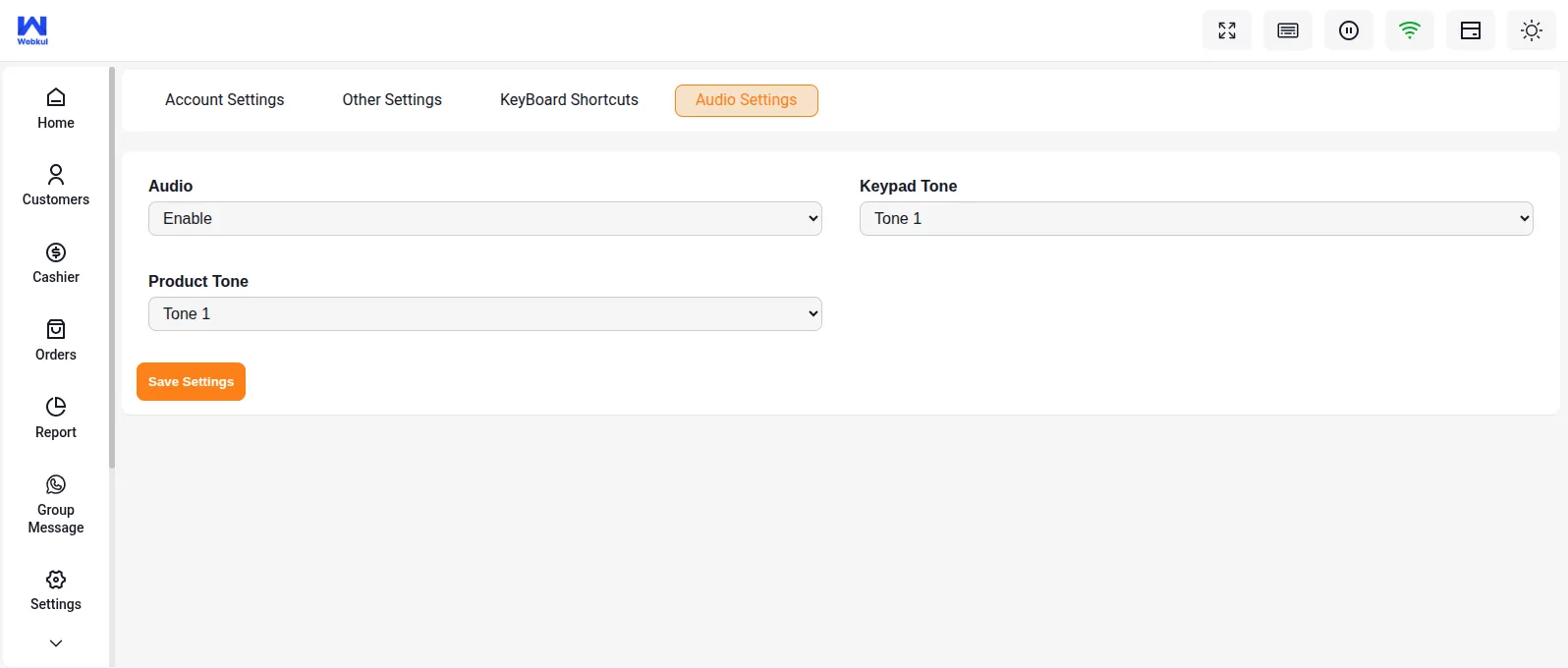
A short audio confirmation helps streamline checkout workflows by reducing visual reliance on the register screen. Having notification sounds enabled provides instant, eyes-free feedback during checkout, which significantly improves cashier efficiency, speeds up customer throughput, and prevents double-scanning or missed items.
How It Works
Enabling Audio Feedback in the POS
- Open the POS register interface and log in.
- Navigate to the POS side menu and click Settings.
- Locate the Settings > Audio Settings panel.
- Toggle the Sound Feedback (Notification Tones) option to On.
Benefits
- Faster User Feedback: Audio cues confirm barcode scans instantly, allowing cashiers to keep their eyes on the packaging and bags.
- Reduced Operational Mistakes: Double scans or missed items are immediately obvious due to the absence of the corresponding sound cue.
- Sleek Checkout Experience: Standardized success sounds create a professional checkout rhythm.
Use Cases
- High-Volume Grocery Stores: Cashiers scan items in rapid succession, using the scanner beep to confirm entry without looking back and forth from the belt to the screen.
- Loud Retail Outlets: The open drawer chime acts as a security warning, ensuring the cash tray is shut immediately after change is handed out.
- Self-Service Checkouts: Assist customers using Kiosk checkouts by indicating when an action was completed or requires assistance.
Related Features
- POS Interface Customization — Adjust themes, logos, and layouts alongside sound settings.
- Orders & Checkout Process — Learn how transactions trigger payment confirmations and receipt generation.