
Admin Settings
Every settings tab has its own dedicated setup page with step-by-step instructions, common combos, and troubleshooting. Click into any tab below.
Where Settings Live
The wallet admin nests under the Webkul Addons admin hub:
WordPress Admin
└─ Webkul Addons
   └─ Wallet
      ├─ Dashboard
      ├─ Settings           ← all tabs below
      ├─ Transactions
      ├─ Withdrawals
      ├─ Refund Requests
      ├─ Cashback Rules
      ├─ KYC Reviews
      ├─ Bulk Credit / Debit
      └─ Analytics
Setup Order (recommended)
For a fresh install, fill in tabs in this order:
| # | Tab | Page |
|---|---|---|
| 1 | General | → General Settings |
| 2 | Recharge | → Recharge Settings |
| 3 | Checkout (gateway + discount + restriction) | → Checkout Settings |
| 4 | Notifications | → Notifications Settings |
| 5 | KYC | → KYC Settings |
| 6 | Withdrawal | → Withdrawal Settings |
| 7 | Payout (PayPal + Stripe) | → Payout Settings |
| 8 | Cashback | → Cashback Settings |
| 9 | Referral | → Referral Settings |
| 10 | Multilevel | → Multilevel Settings |
| 11 | BNPL | → BNPL Settings |
| 12 | QR Pay | → QR Pay Settings |
| 13 | Wallet Central | → Wallet Central Settings |
| 14 | Third-Party Integrations | → Integrations |
| 15 | API Keys | → API Keys |
You don't have to set every tab — the engine works with defaults. But General + Checkout + Notifications are the minimum.
Core wallet
The first three tabs you'll touch on a fresh install. They define what currency the wallet stores, what shows up on the customer's dashboard, and how the wallet gateway behaves at checkout.
Display & Control
The toggles that decide where the balance appears site-wide and the threshold that fires the low-balance email. Almost every store tweaks Show balance to customer and Low-balance threshold here. Full setup → General Settings.

Multi-Currency
If you sell in multiple currencies, this section controls which one the wallet ledger writes in and how a supported WC currency switcher interacts with the balance.

Deposit Bonus (under Recharge)
A pure marketing lever — credit a percent extra on every top-up. Stays off by default. Turn on, set the percent, and the live bonus banner appears on the customer's Add money panel automatically. Full setup → Recharge Settings.

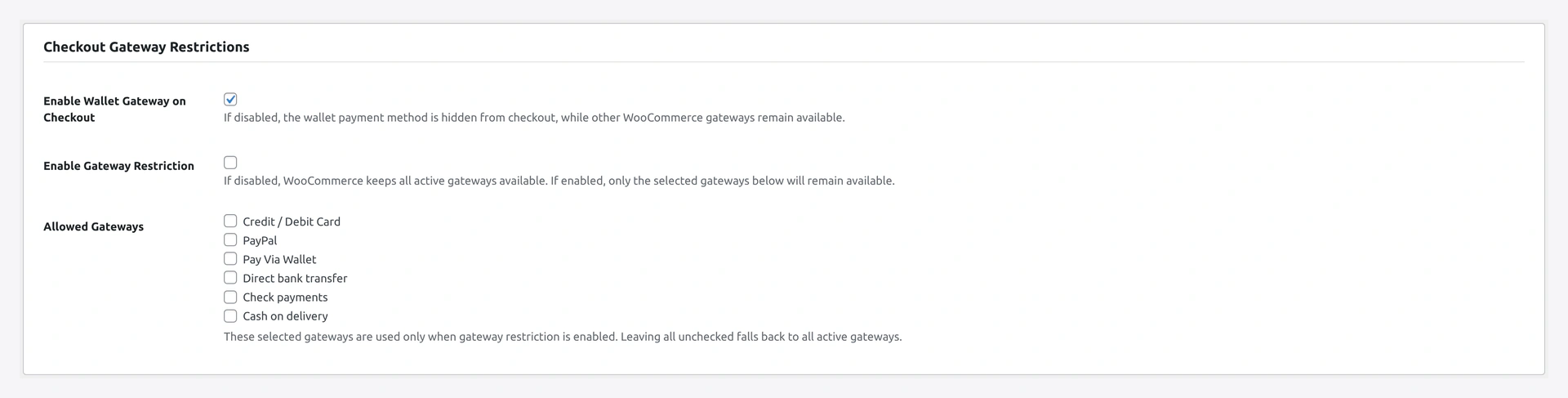
Checkout Gateway Restrictions
Where you switch the wallet payment method on, set min / max wallet-usable amount per order, and decide whether to allow split-payment with a second gateway. Most stores leave the defaults.
Wallet Checkout Discount
Drop a percent or fixed discount automatically when the customer pays with wallet — incentivises wallet adoption. Full setup → Checkout Settings.

Advanced Checkout Restrictions
Hide the wallet gateway on sale items or per-product flags — useful for vendor-restricted SKUs and clearance margin protection.

Money in / out
Settings that govern how money leaves the wallet — withdrawals to bank, PayPal, Stripe — and how refunds flow back in.
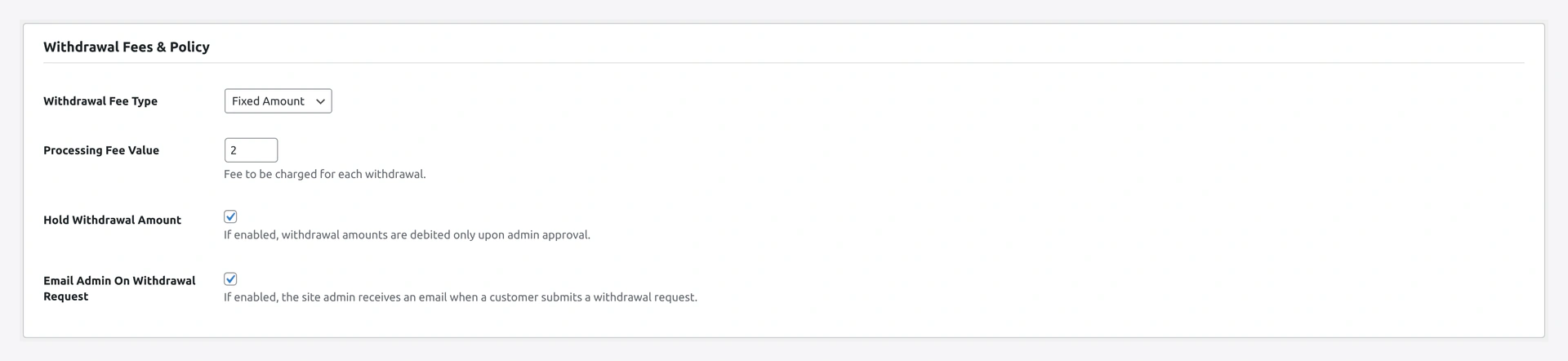
Withdrawal Fees & Policy
The customer-facing cash-out form is gated by these toggles. Min / max amounts, withdrawal fee (fixed or percent), optional fraud-window hold period, allowed methods. Full setup → Withdrawal Settings.
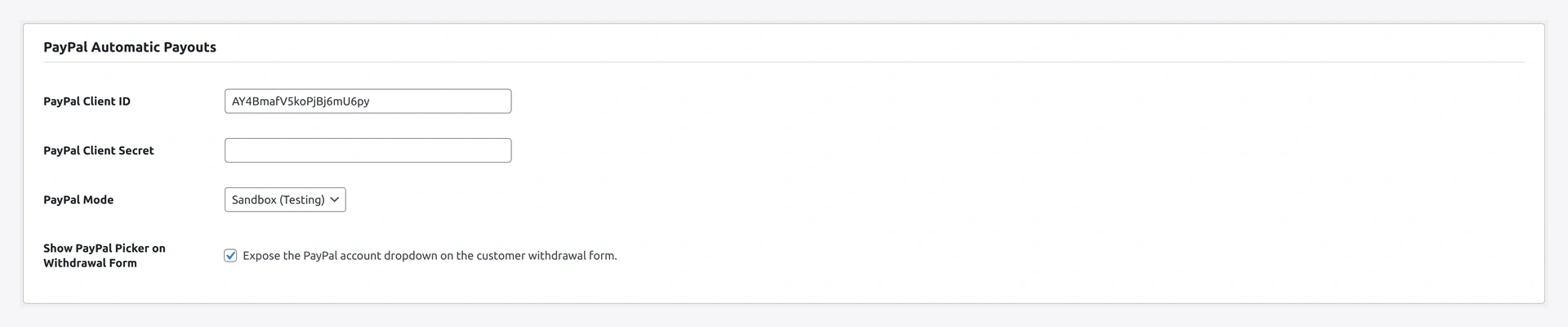
PayPal Automatic Payouts
Paste your PayPal app credentials here so admin-approved withdrawals dispatch via the Payouts API automatically. Sandbox toggle for testing.
Stripe Automatic Payouts
Same idea for Stripe Connect transfers. Test / live keys with mode toggle. Full setup → Payout Settings.

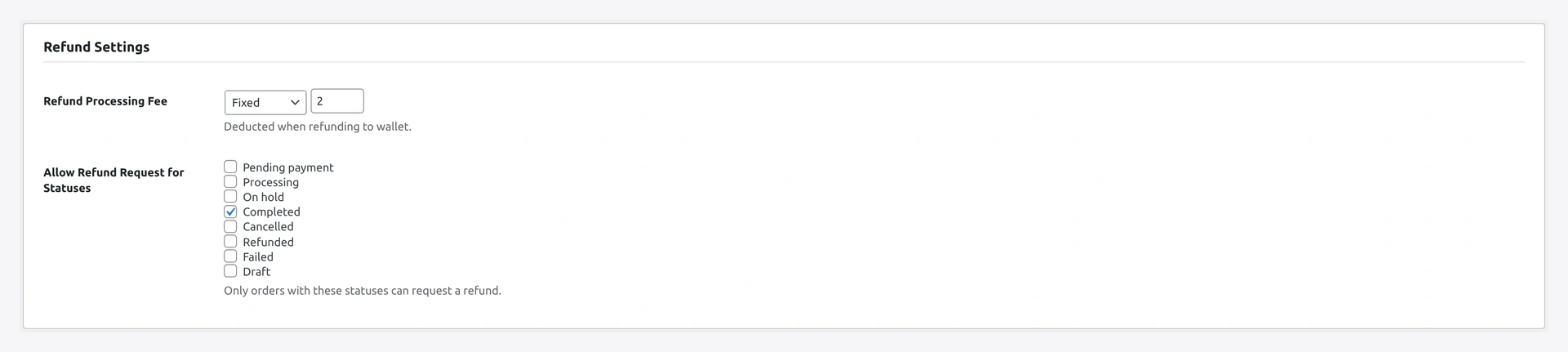
Refund Settings
Default behaviour when an admin issues a WC refund on a wallet-paid order — credit the wallet vs refund the original method.
Transfer Fees
Customer-to-customer wallet transfers. Type (none / fixed / percent), amount, who pays, and an optional daily cap.

Earn & reward
The loyalty levers — cashback, referral, multilevel chains, daily login, invite-friends. All optional. Defaults are off so you can roll them out one at a time.
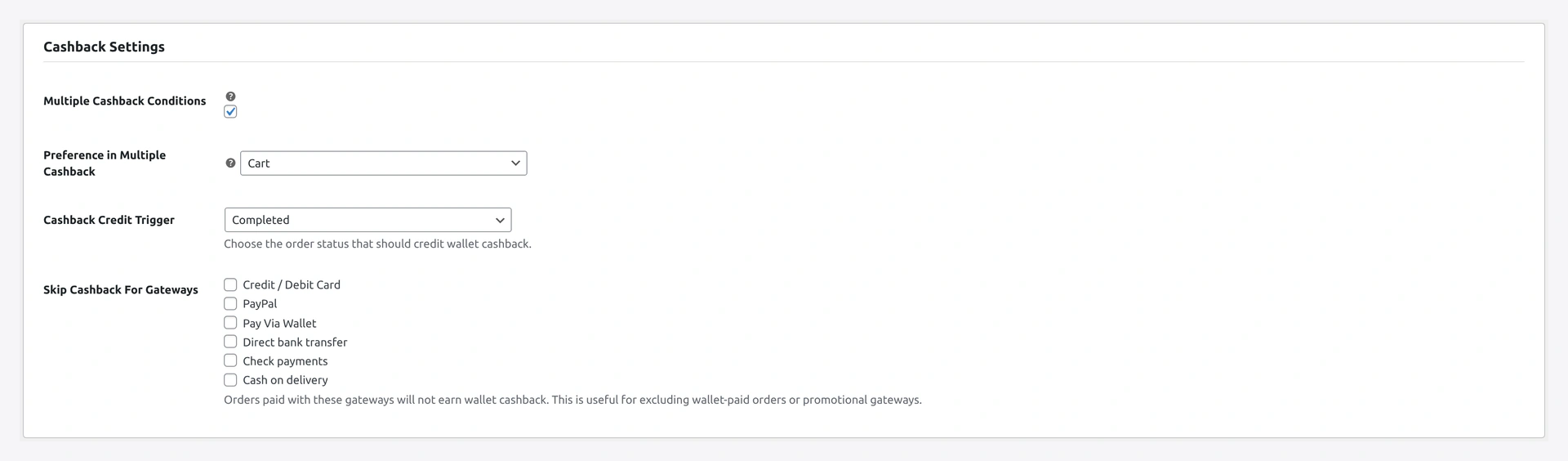
Cashback Settings
Master toggle plus default per-order cap. Individual rules (per product, per category, store-wide) are CRUD-managed under Wallet → Cashback Rules — see Cashback Settings for the rule editor.
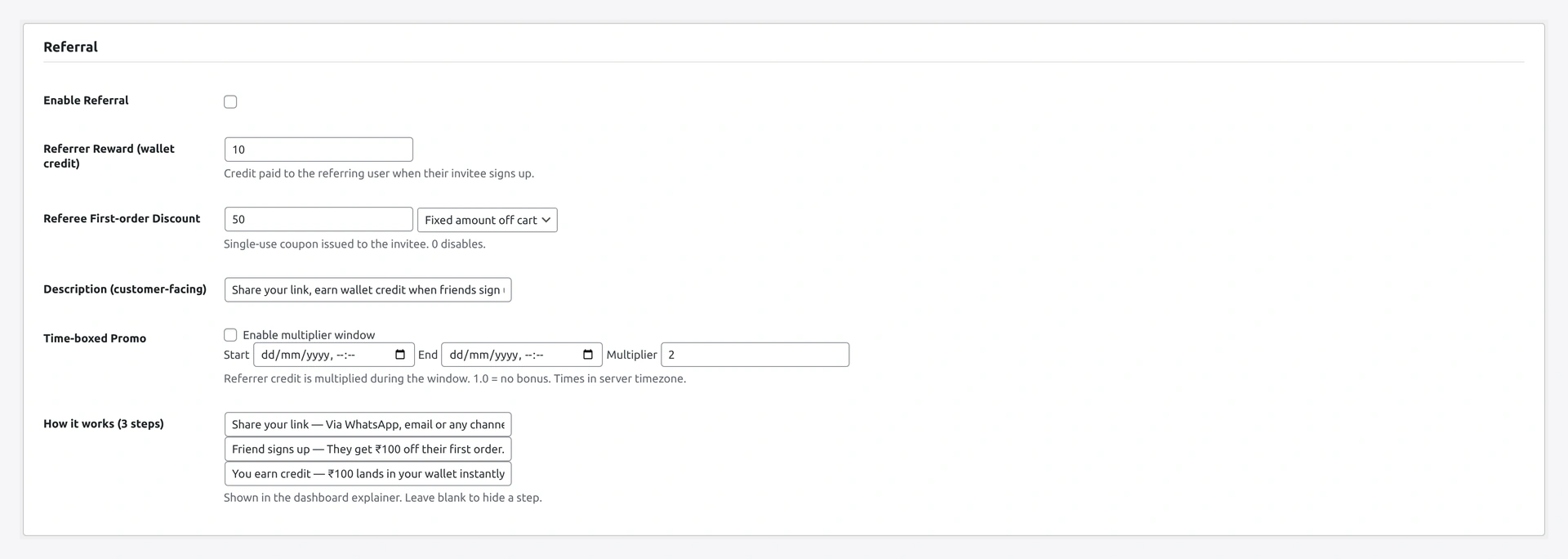
Referral
Single-level referral programme. Set the referrer reward (fixed or percent), the referee's first-order coupon, the cookie attribution window, and an optional time-boxed promo multiplier. Full setup → Referral Settings.
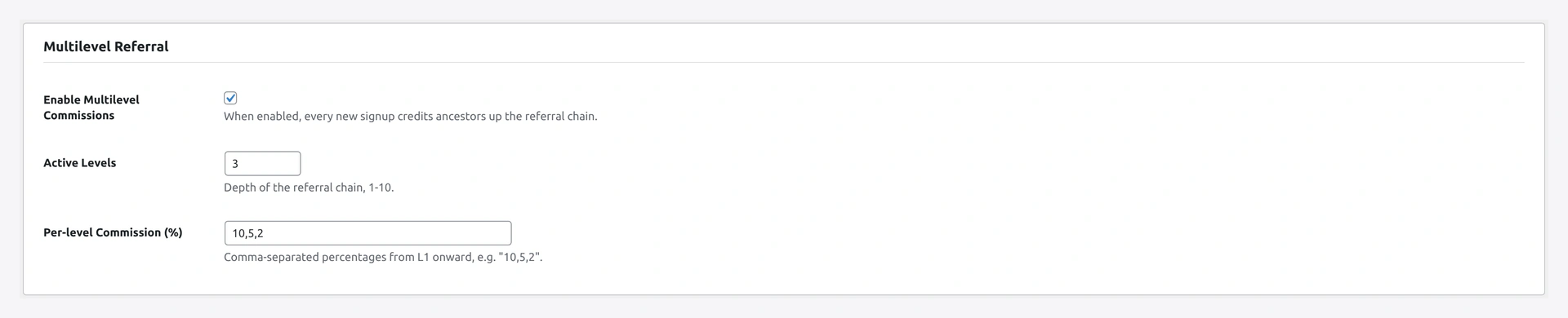
Multilevel Referral
Layer chain commissions on top of the referral programme. Set the depth (1-10) and a percentage per level. Off by default — most stores stay single-level.
Daily Login Reward
Habit-formation lever — credit a small amount on each customer's first login per day. Calendar-date guard prevents multi-credit, monthly cap protects budget.

Invite Friends
Email-invite shortcode that pairs with the referral programme. Per-customer daily limit and per-submit cap stop abuse.

Advanced
Higher-stakes features — BNPL exposes you to debt risk, KYC gates real money flows, QR pay needs HTTPS + camera permission. Roll out carefully.
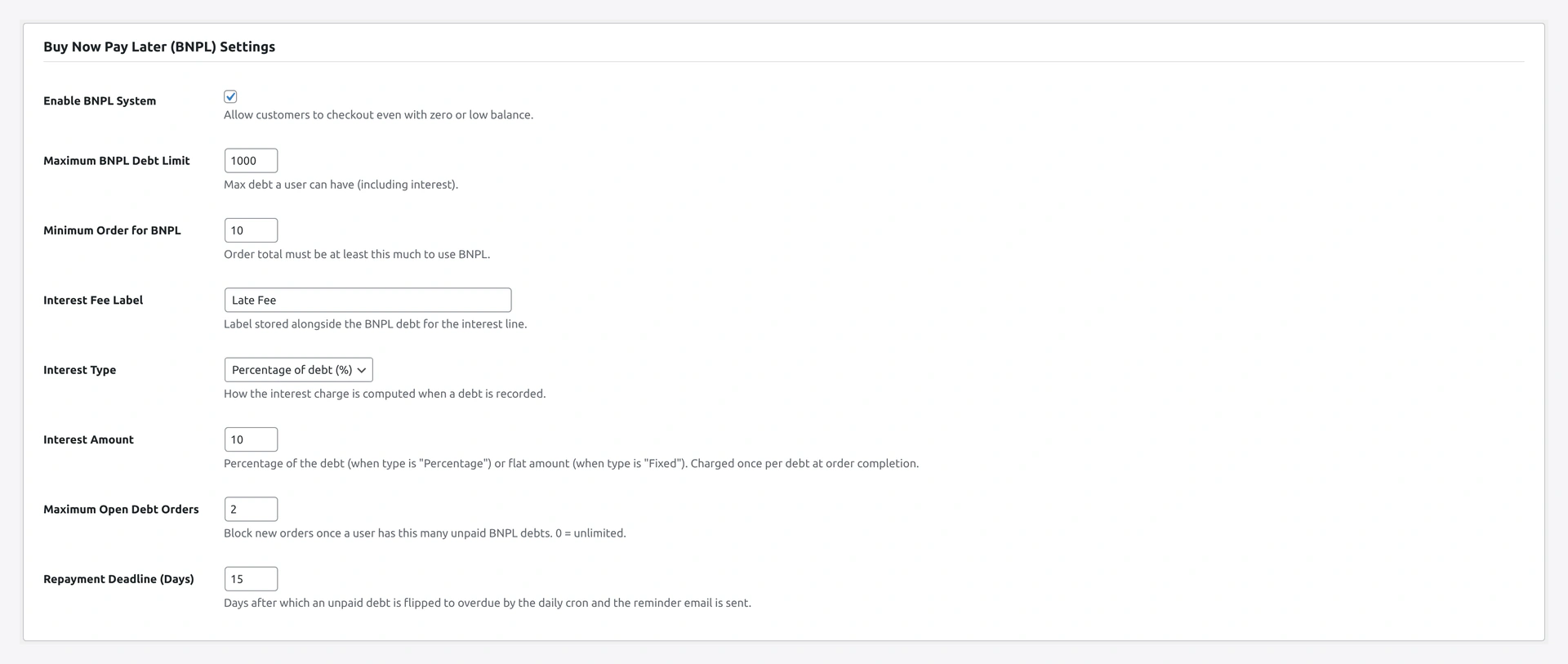
Buy Now Pay Later (BNPL)
Let approved customers check out using wallet even when the balance can't cover the order. Eligibility mode, max debt per user, repayment days, optional interest. Full setup → BNPL Settings.
QR Payments
Peer-to-peer QR receive + scan-to-pay. KYC gate optional, OTP threshold for large amounts, customisable how-it-works copy.

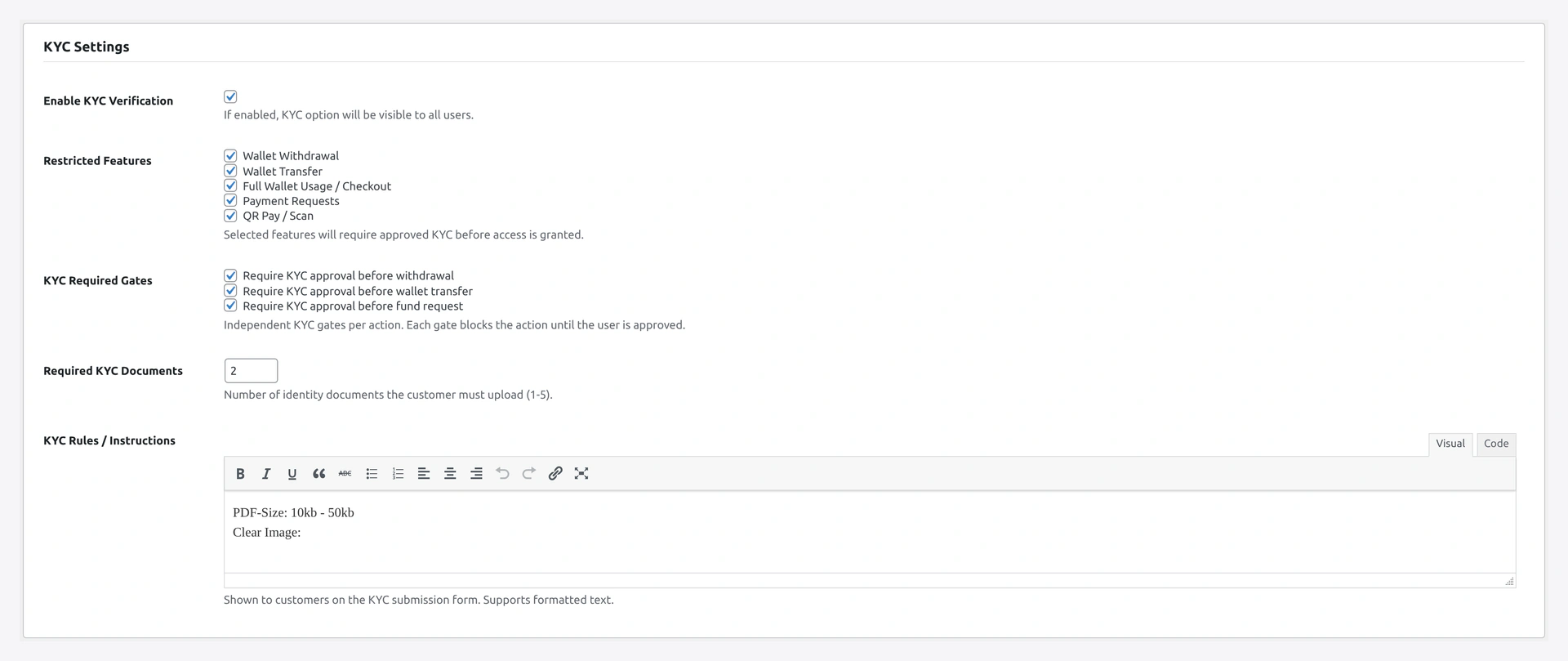
KYC Settings
Identity verification — what documents are accepted, file caps, and which features are gated behind approved KYC (withdrawal / transfer / wallet usage / payment requests / QR pay). Full setup → KYC Settings.
Notifications, UI, integrations, developer
Less customer-visible but matter for operations — what emails fire, how the wallet UI looks, which third-party plugins bridge in, and the REST API surface.
- Notifications — email templates + Twilio SMS + admin digest
- Wallet Central — standalone /wallet-central/ experience
Third-Party Integrations
The bridge auto-detects the target plugin and only loads when present. Toggle it on to integrate with Ultimate Gift Card.
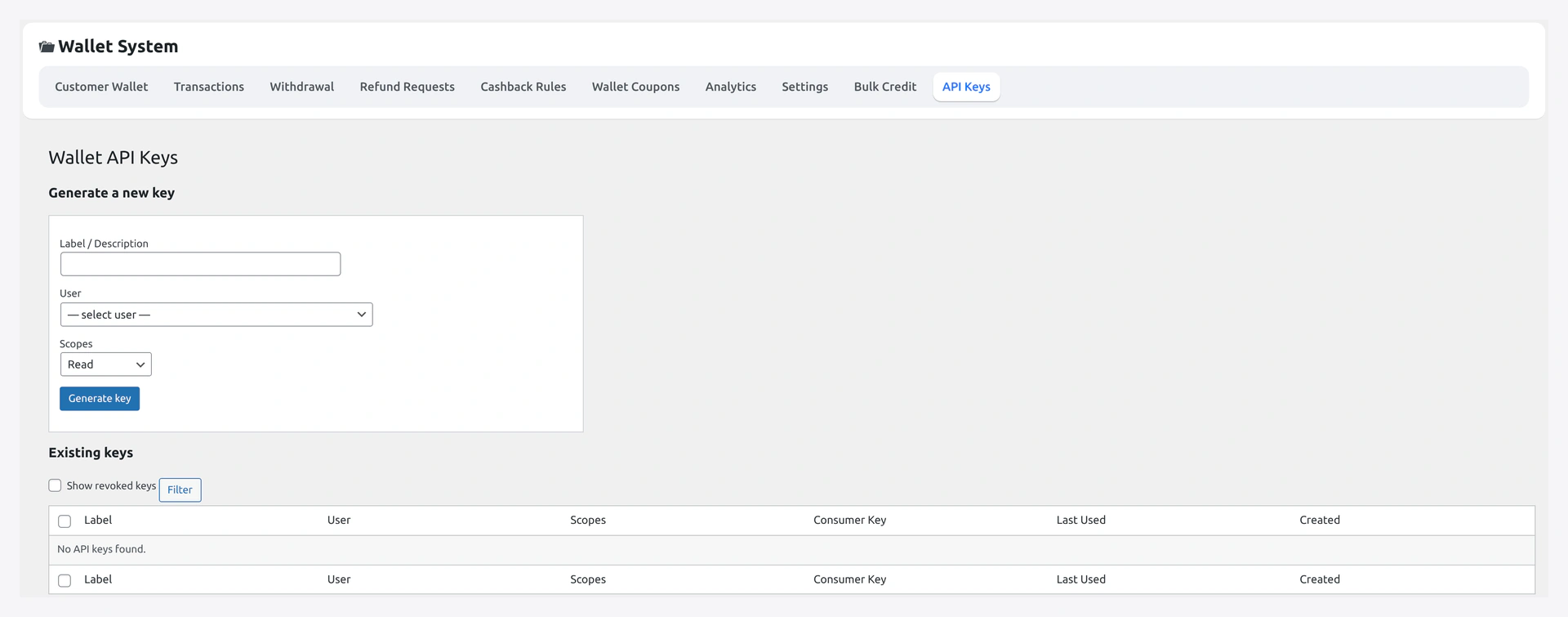
API Keys
Mint Basic-Auth consumer-key/secret pairs for server-to-server access to the wallet REST API. Each key carries a scope and optional IP whitelist. Full setup → API Keys.
Other Admin Pages (not settings tabs)
Settings is one tab. The remaining wallet admin pages are list-views and queues — distinct from the configuration screens above. Each is a daily-operations surface, not somewhere you set defaults.
| Page | Purpose |
|---|---|
| Wallet → Dashboard | KPI overview, quick links to pending queues |
| Wallet → Transactions | Full ledger view, filterable, CSV export |
| Wallet → Withdrawals | Approve / reject pending withdrawal requests |
| Wallet → Refund Requests | Approve / reject customer refund-to-wallet requests |
| Wallet → Cashback Rules | CRUD UI for cashback rules |
| Wallet → KYC Reviews | Approve / reject pending KYC submissions |
| Wallet → Bulk Credit / Debit | Mass-update via manual select or CSV |
| Wallet → Analytics | KPIs + charts + CSV export |
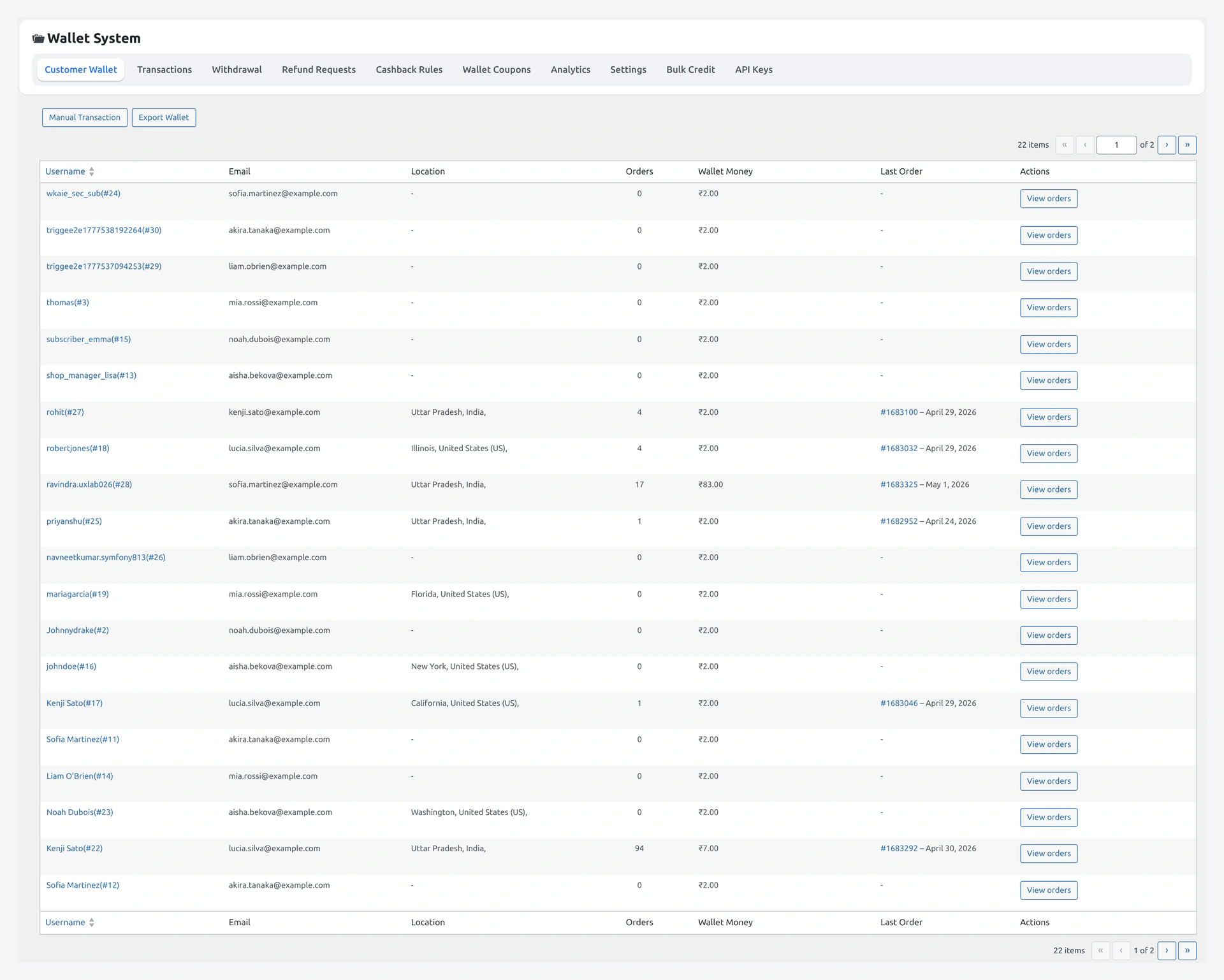
Customer Wallet (Dashboard)
The first thing you land on after activation. Lists every customer's balance, last activity, KYC status, with quick Credit / Debit actions per row.
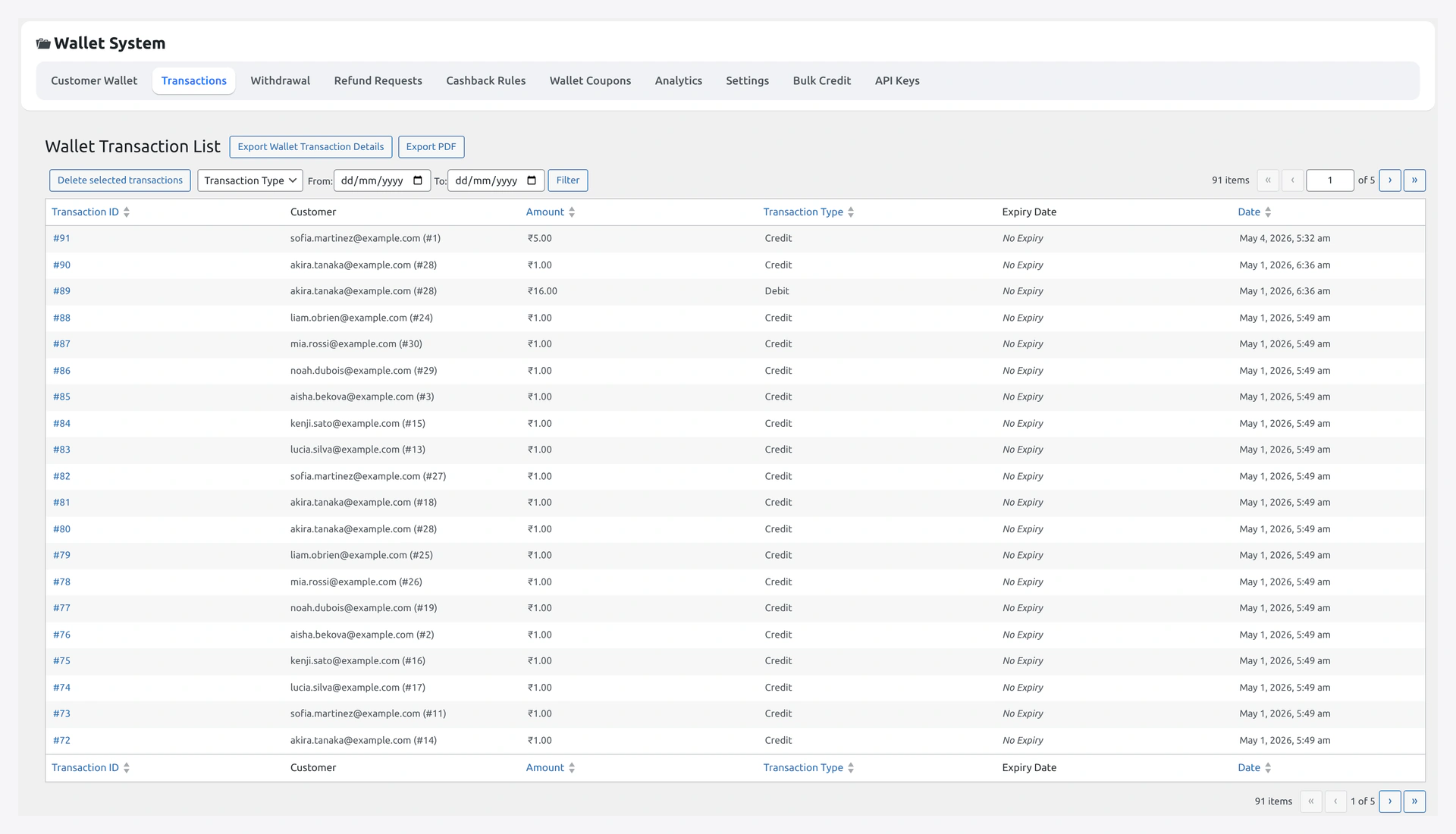
Transactions
The full ledger view of wkwc_wallet_transactions. Type filter, date range, customer search, CSV export of the active filter set.
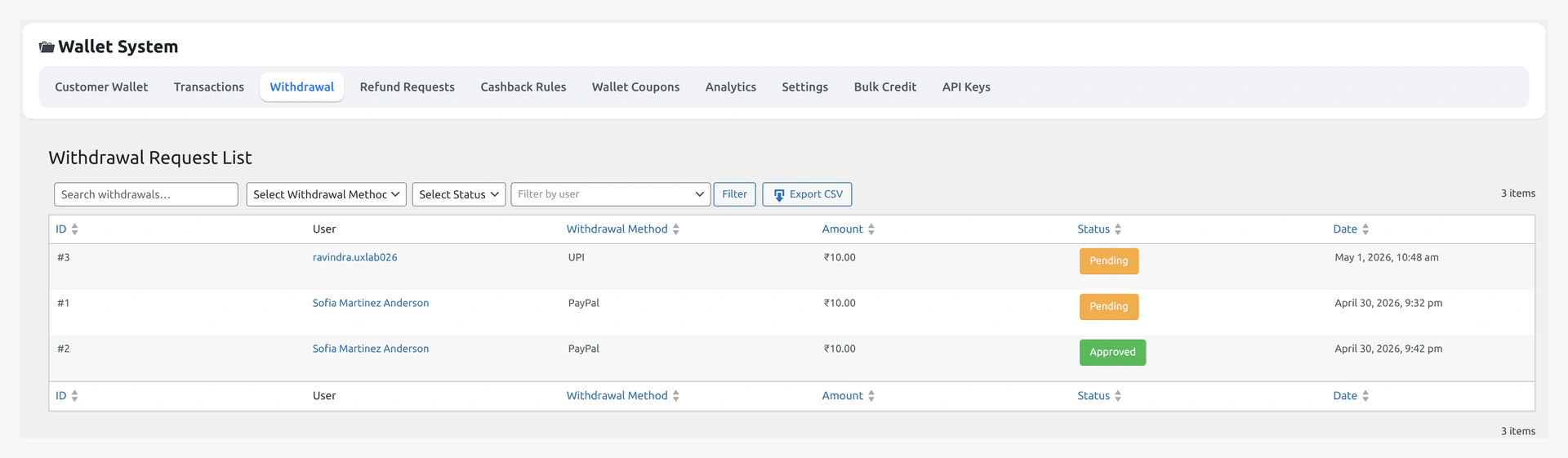
Withdrawals
The action queue. Pending rows show Approve / Reject buttons; approve fires the PayPal / Stripe payout API automatically (or marks paid manually for bank). See Withdrawal.
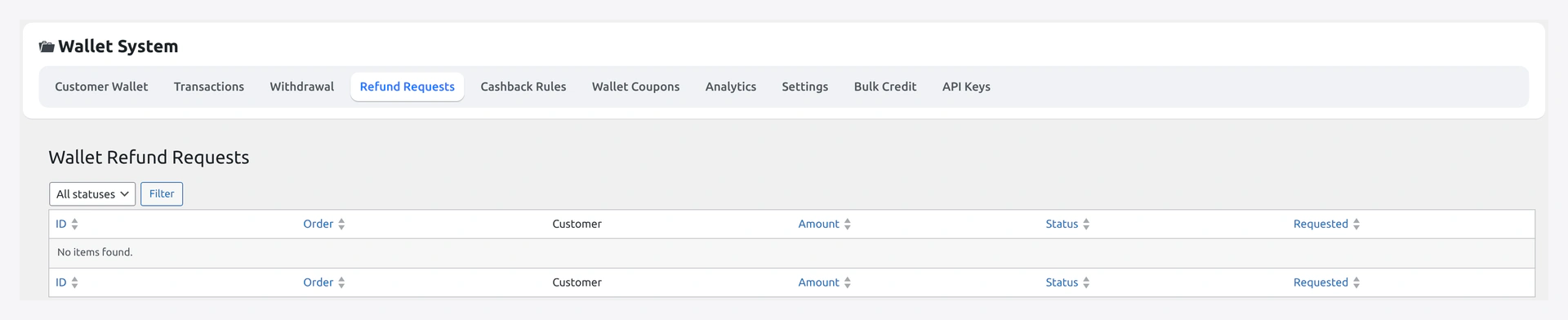
Refund Requests
Customer-submitted refund-to-wallet requests. Approve credits the wallet + emails the customer; reject sends an email with your note. See Refund to Wallet.
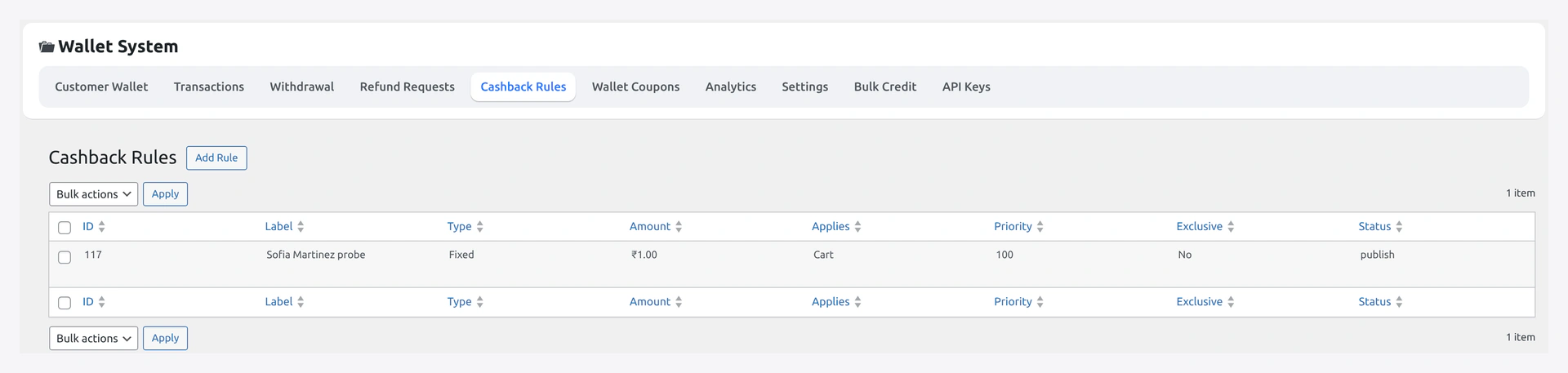
Cashback Rules
CRUD UI for the cashback engine. List sorts by priority. Click any row to open the single-rule editor with scope (product / category / global), match, type, amount, dates, status.
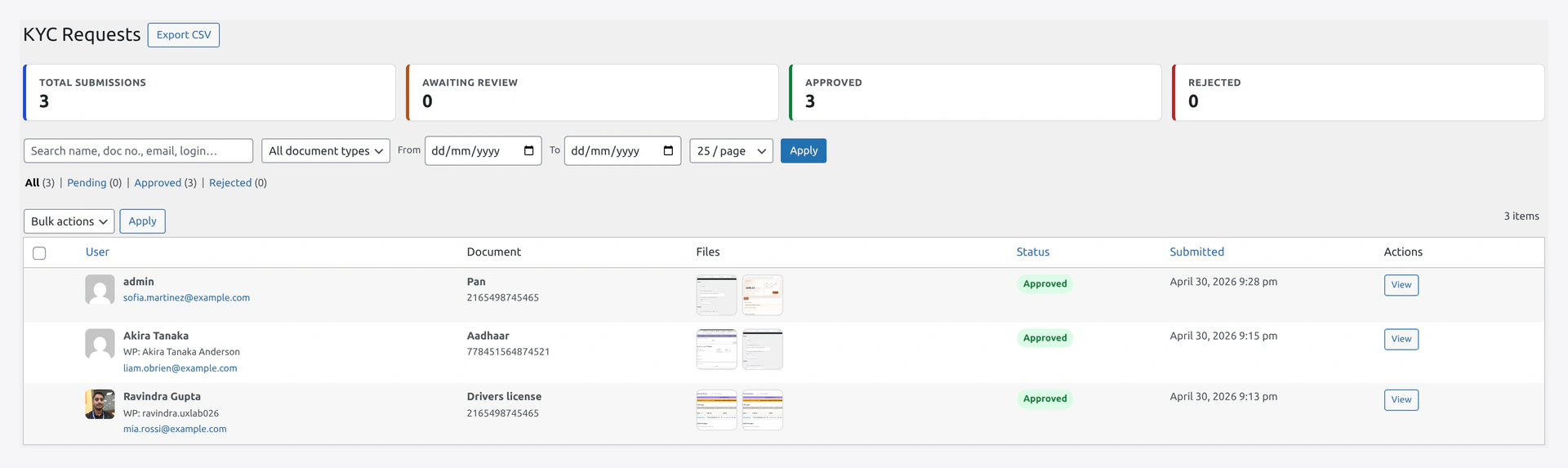
KYC Reviews
Pending KYC submissions queue. Click a row → side drawer with each uploaded document inline (image preview, PDF iframe), Approve, or Reject (admin note required, shown to customer).
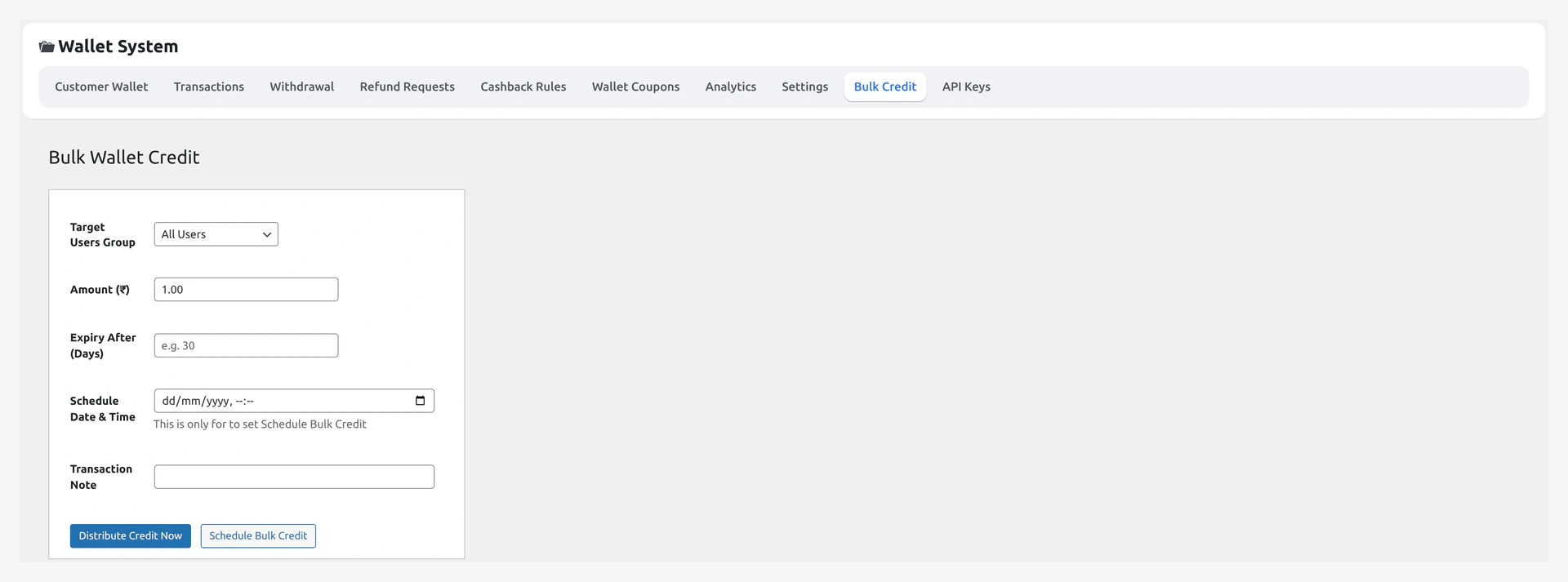
Bulk Credit / Debit
Two tabs — manual customer multiselect for small batches (1-100), CSV upload for thousands. CSV jobs queue into wkwc_wallet_bulk_queue and process async. See Bulk Operations.
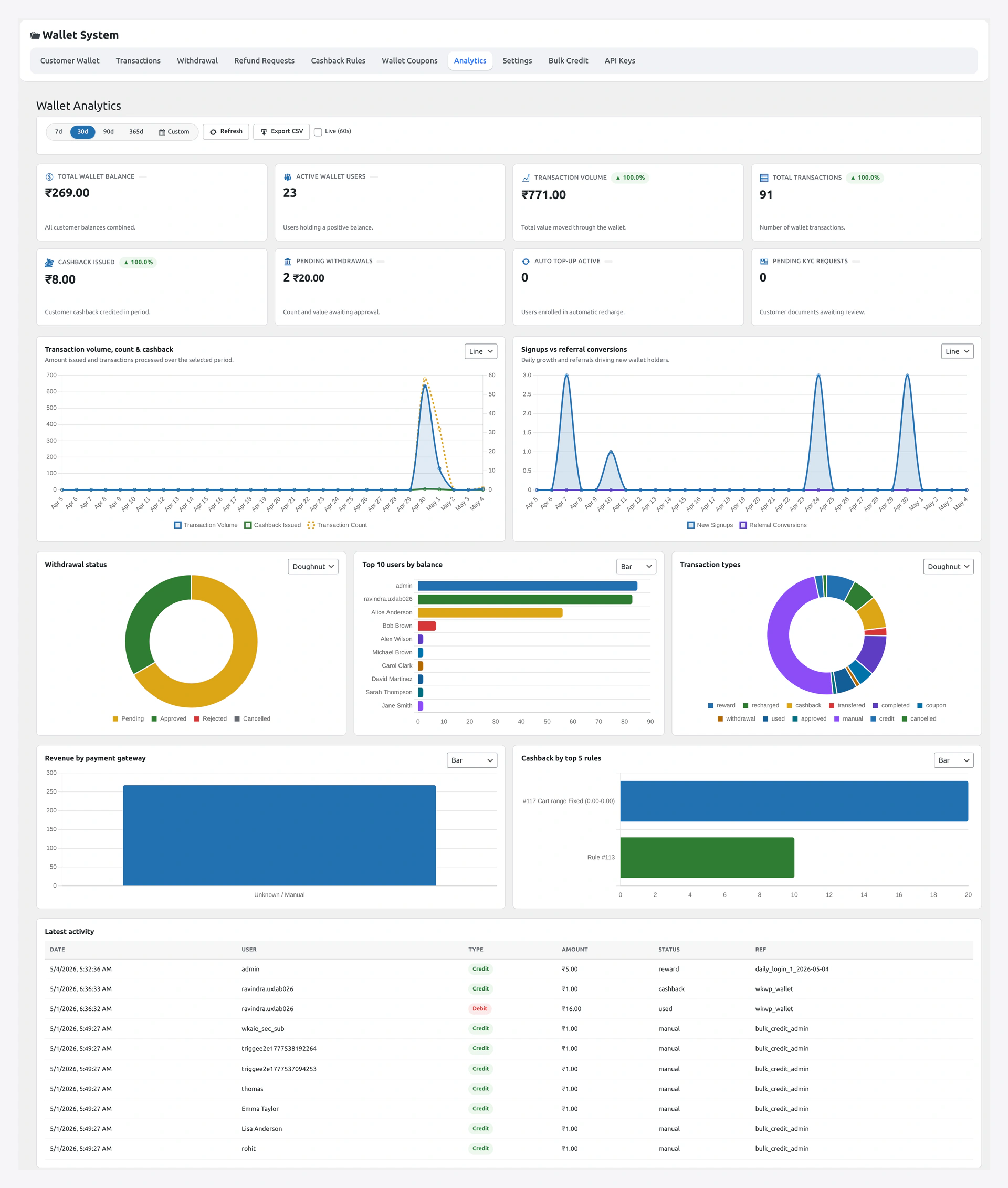
Analytics
KPIs (total credited / debited / active wallets / pending queues / outstanding BNPL) plus 30-day trend charts. Cached, invalidates on wallet writes. See Analytics.
For a deeper walkthrough of each, see Admin Tour.
Reset to Defaults
Each tab has a small Reset this tab button (typed-confirm) — restores admin-shipped defaults for that tab only. Other tabs untouched.
For full reset: WooCommerce → Status → Tools → Wallet → Reset all wallet settings.
Warning
Reset wipes settings, not the ledger. Customer balances are preserved.
Hooks
Each settings page has its own developer hook section (in :::details blocks). For the global hook reference, see Filters & Hooks.