
Checkout Settings
Three places to configure wallet behaviour at checkout: the WC payment gateway settings, the discount tab, and the restriction tab.
Want the feature overview?
See Wallet Payment Gateway, Checkout Discount, and Checkout Restriction for full feature pages.
1. Wallet Payment Gateway
Where
WooCommerce → Settings → Payments → Wallet → Manage.
Step-by-step Setup
| Field | Recommendation |
|---|---|
| Enable | ON |
| Title | Pay with Wallet (radio label shown at checkout) |
| Description | Use your wallet balance — fast, no card needed. |
| Show on zero balance | OFF (cleaner UX — gateway hides on zero) |
| Min usable amount | leave blank for no min |
| Max usable amount | leave blank for full balance |
| Allow split payment | ON (lets short balance pay partial + secondary gateway covers rest) |
| Order status after pay | processing |
| Refund back to wallet | ON (admin refunds credit wallet instead of original method) |
Click Save changes.
See Wallet Payment Gateway for the full feature.
2. Checkout Discount

Where
Wallet → Settings → Checkout Discount.
Step-by-step Setup
2a. Enable
Toggle. When ON, exposes the discount fields.
2b. Discount type
| Type | Effect |
|---|---|
none | no discount |
fixed | flat amount off the cart |
percent | percent off the cart |
2c. Discount amount
Currency value (fixed) or percent value.
2d. Min cart total
Discount only fires above this cart total. Leave blank for no minimum.
2e. Max cap
Optional ceiling on the discount.
2f. Label
Default Wallet payment discount. Shown on the cart fee line.
Click Save changes.
Common Setups
| Goal | Settings |
|---|---|
| Soft incentive | Type percent, Amount 5, no min, no cap |
| Big push | Type percent, Amount 10, Max cap 500 |
| Flat off | Type fixed, Amount 100, Min cart 2000 |
See Checkout Discount.
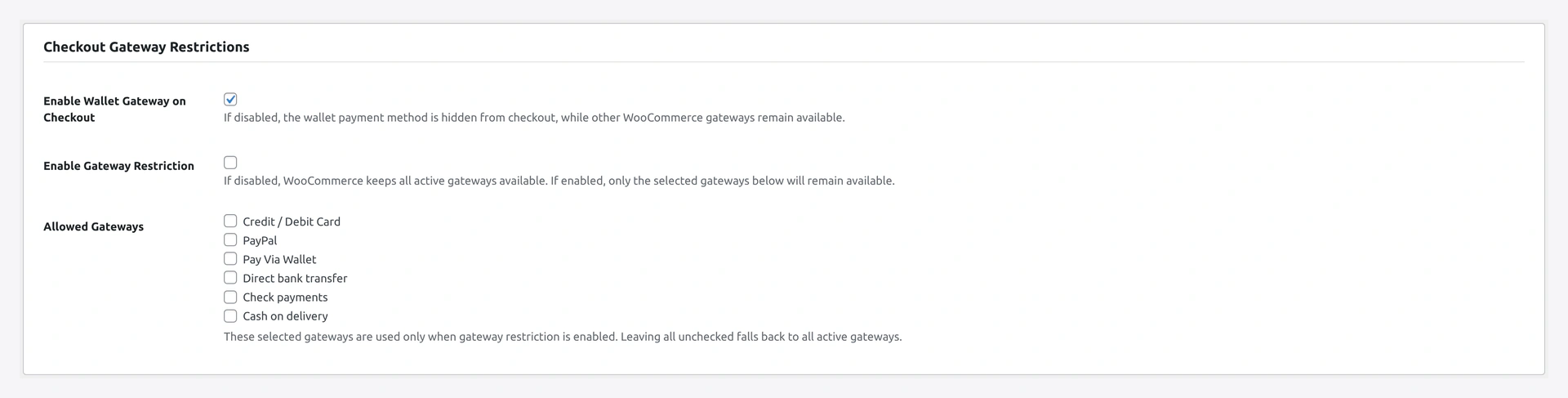
3. Checkout Restriction
Per-product (per-product editor)
Block wallet on specific products.
Where
Products → [edit product] → Inventory tab.
Step
- Tick Exclude wallet payment
- Save
When any line item in the cart has this flag, the wallet gateway hides at checkout.
Variable products
Parent flag covers all variations. Override per variation by setting the field at the variation level — variation flag wins.
Global "Disable on sale items"

Where
Wallet → Settings → Checkout Restriction.
Step
Toggle Disable on sale items → ON.
When ON: any cart containing a sale-priced product hides the wallet gateway. Honours WC scheduled sale dates.
Use: keep margin on clearance / discounted items.
See Checkout Restriction.
How They Combine
Checkout-time visibility check order:
- KYC gate (if
wallet_usageis in KYC required features) - Per-product exclude flag
- Global "disable on sale items"
- Zero balance + "Show on zero" OFF
- Otherwise → gateway shows
First fail short-circuits — gateway hides + discount also hides automatically.
Verify
As test customer:
- Add normal product to cart → checkout → wallet appears
- Discount line shown if discount enabled
- Add an excluded product to cart → wallet disappears
- Remove → wallet reappears
- Add a sale-priced product (with global toggle ON) → wallet disappears
Troubleshooting
| Problem | Fix |
|---|---|
| Gateway not visible at checkout | Run through the visibility check above — KYC, excluded product, sale items, zero balance |
| Discount applied with non-wallet method | Should not happen — chosen-method check |
| Negative fee not subtracted | Theme or other plugin cancelling fees |