
Withdrawal
Customer-initiated cash-out. Admin approves. Plugin routes the payout via bank transfer (manual), PayPal, or Stripe.
Setting up?
Skip to Withdrawal Settings for the step-by-step admin tab walkthrough (min/max, fee, hold, methods). Payout credentials live under Payout Settings.
What It Does
| For | Means |
|---|---|
| Customer | Request to withdraw any amount within your limits. Track status in their account |
| Admin | Review queue → approve or reject. Approved goes via PayPal / Stripe API or bank (manual). Audit trail per request |
How Customers See It
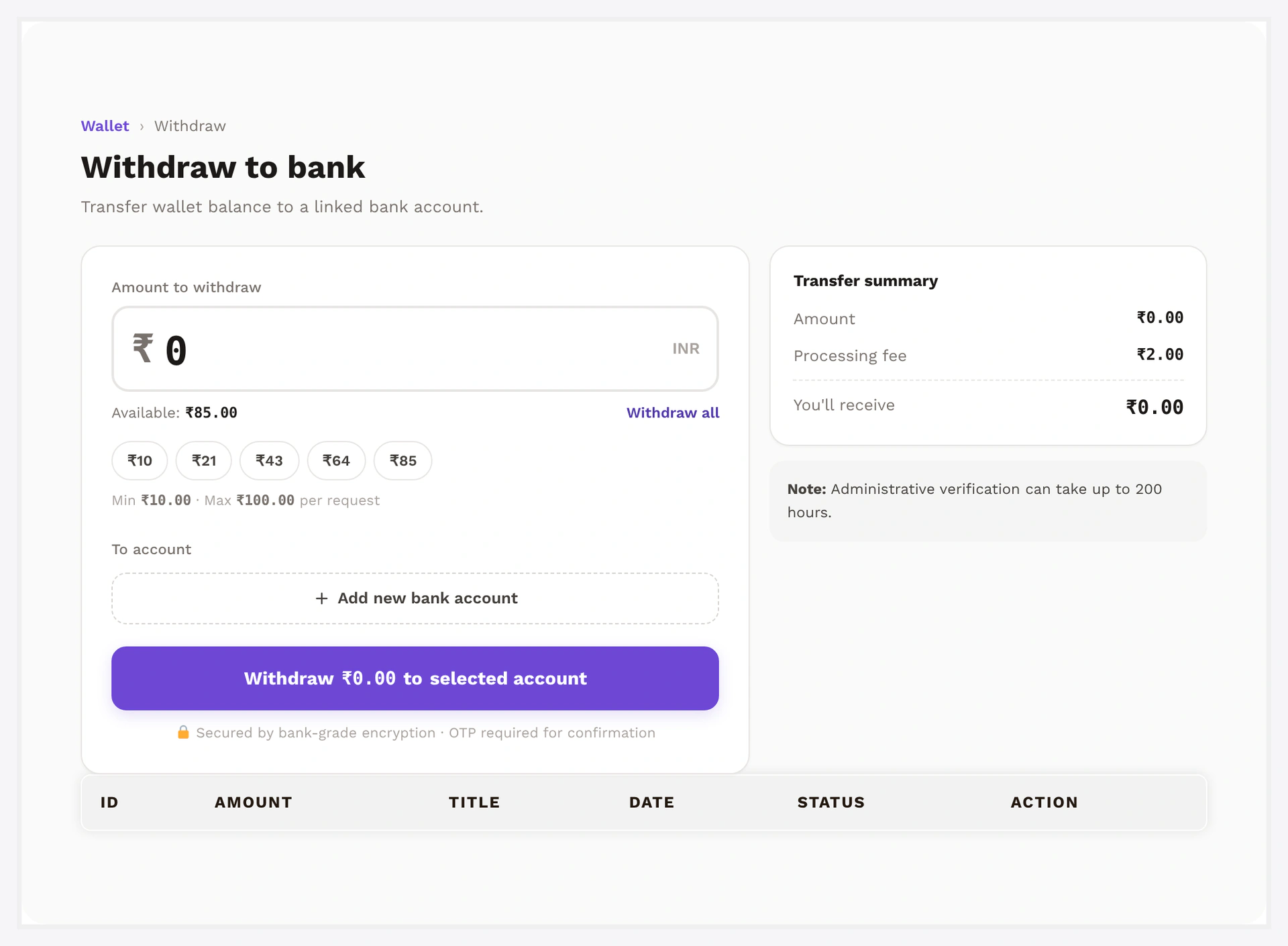
- My Account → Withdrawal (or Wallet Central → Withdraw)
- Pick a method (Bank / PayPal / Stripe — only what you've enabled)
- Type amount + method details (account number, PayPal email, etc.)
- Submit → status
pending, balance held by the system - Track on the Withdrawal Requests list
Balance held on submit
The plugin debits the customer's wallet at request time, not at admin approval. Avoids the customer spending the same money twice while a request is pending. If the admin rejects, balance is fully refunded.
Setup
Wallet → Settings → Withdrawal
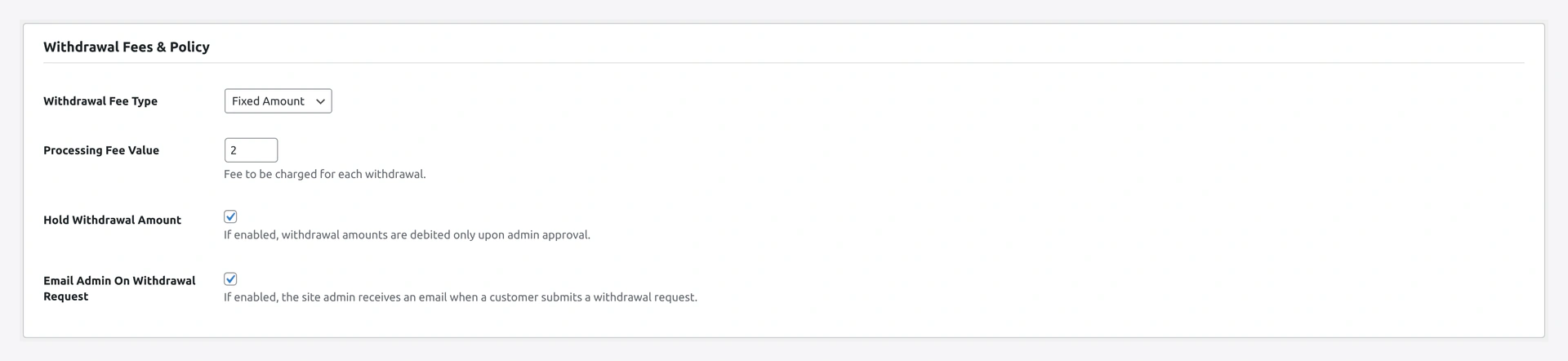
| Setting | Default | What it does |
|---|---|---|
| Enable | OFF | global toggle |
| Min request | 100 | smallest withdrawal allowed |
| Max per request | empty | largest single withdrawal |
| Max per month | empty | per-customer monthly cap |
| Fee type | none | none / fixed / percent |
| Fee amount | 0 | value when fee is fixed/percent |
| Hold enable | OFF | adds a fraud window between approve and payout |
| Hold days | 7 | length of hold |
| Methods | none | tick which payouts your store supports — bank / PayPal / Stripe |
For PayPal / Stripe credentials see PayPal Payout and Stripe Payout.
Admin Review
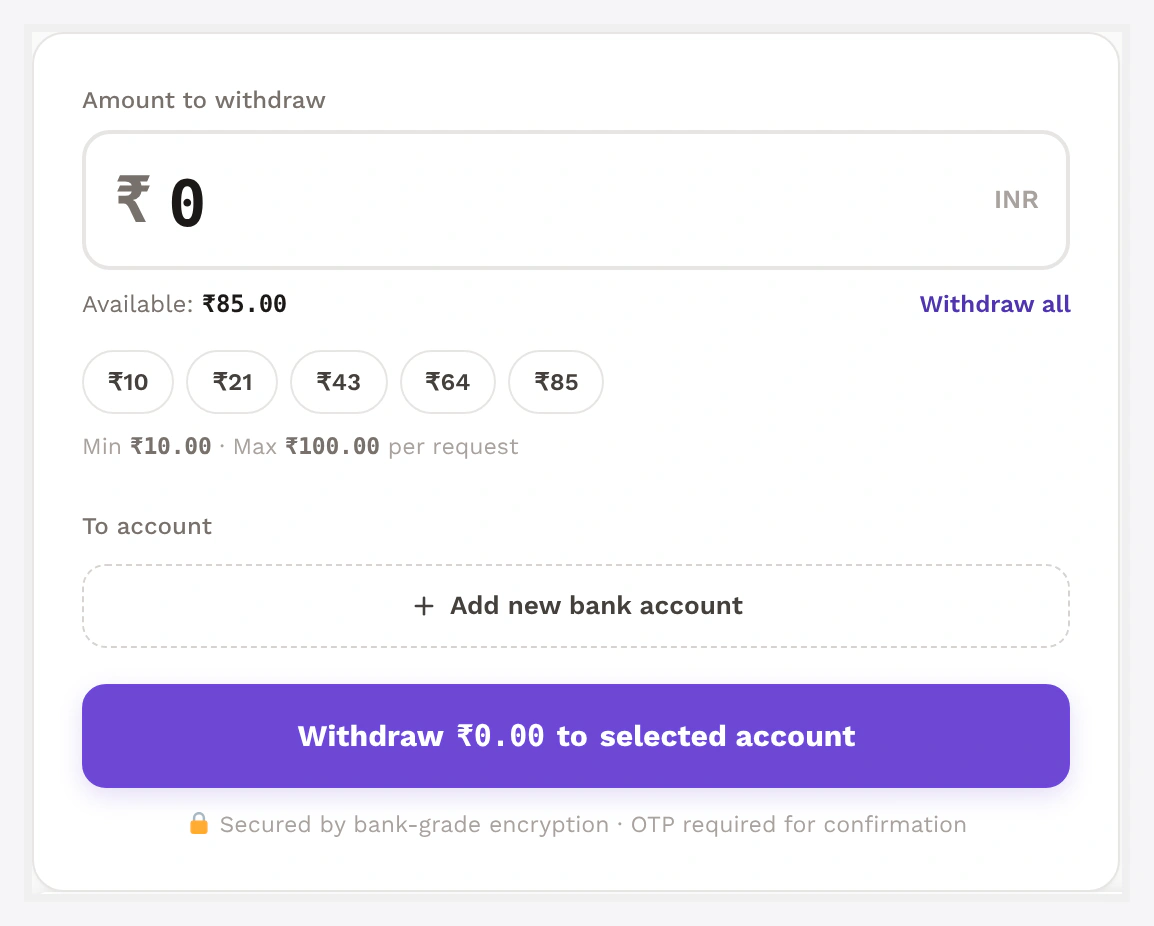
Wallet → Withdrawals lists all rows.
Pending rows have Approve / Reject action buttons.
Approve opens a side drawer:
- Confirm method + amount (after fee deduction)
- Click Approve
- PayPal / Stripe payouts trigger the API call automatically
- Bank transfers — admin marks
paidafter off-platform transfer - Status flows
pending→approved→paid - Customer gets email notifications at each step
Reject flow:
- Admin enters required note (shown to customer)
- Wallet credited back full amount (no fee on rejected)
- Status flips to
rejected - Customer gets rejection email
KYC Gating (recommended)
Most stores require KYC before allowing withdrawals — protects against money-laundering vectors.
Wallet → Settings → KYC → Required features → ✓ Withdrawal
Customers without approved KYC don't see the withdrawal form at all. See KYC.
Hold Period
Optional "fraud window" between admin-approval and actual payout. Useful when reviewing patterns retrospectively.
When hold is on:
- Approved request displays "Will be paid by
<date>" - Payout API call is deferred until the eligible time
- Background cron fires payouts hourly for matured requests
Lets you claw back questionable approvals during the window.
Fee
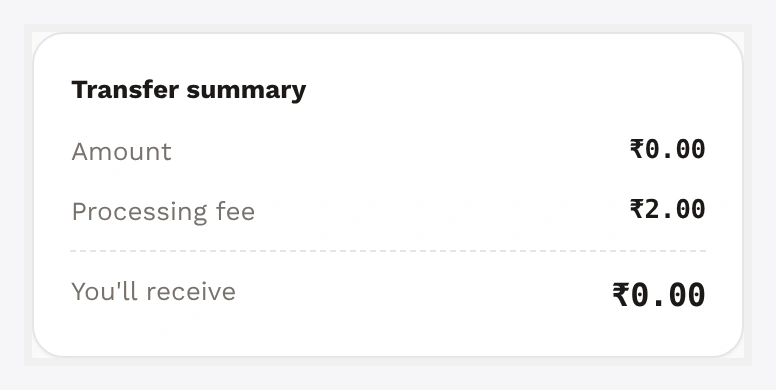
Configurable as fixed or percent. Customer receives withdrawal_amount - fee.
| Type | Example |
|---|---|
| Fixed | 2.50 per request |
| Percent | 2.5% of amount |
Fee row is logged separately for accounting.
Status States
pending → approved → paid
       → rejected (balance refunded)
| Status | Meaning |
|---|---|
pending | submitted, awaiting admin |
approved | admin OK, payout queued (or in hold) |
paid | payout API succeeded OR admin marked paid (bank) |
rejected | admin declined, balance refunded |
failed | payout API errored, admin can retry |
CSV Export
Wallet → Withdrawals → Export CSV dumps all rows matching active filters. Columns include id, customer, gross, fee, net, method, status, dates.
Common Scenarios
Customer asks "where's my money?"
Open the row in admin → side drawer shows:
- Status timeline (submitted → approved → paid)
- Last payout API response (if PayPal / Stripe)
- Admin note from approval / rejection
If status = paid, share the PayPal batch ID or Stripe transfer ID with the customer for their bank to trace.
Withdrawal stuck on failed
API failures show in the row's error column (PayPal "RECEIVER_UNREGISTERED", Stripe "balance_insufficient", etc.). Common causes:
- Customer's PayPal email not registered (PayPal)
- Insufficient balance in your platform Stripe account
- Connected account not finished onboarding (Stripe)
Reject the row → refund customer → ask them to fix the cause → submit again.
Disable withdrawals temporarily
Toggle "Enable" → OFF. Customer-side form replaced with "Withdrawals are currently disabled."
When Something Goes Wrong
| Problem | Fix |
|---|---|
| Request form not visible to customer | Feature enabled? Method enabled? KYC gate satisfied? |
| Approve button does nothing | Payout creds missing — check PayPal / Stripe settings |
| Customer says balance disappeared | Withdrawal debit happens at request time. Reject the row to refund |
| Hold period not respected | Payout cron not firing — check WP cron config |
| Customer over month limit too early | Check _wkwp_withdrawal_month_total_<YYYY-MM> user meta — auto-resets at month boundary |
For developers — hooks + storage
Hooks
| Hook | Type | When |
|---|---|---|
wkwc_wallet_withdrawal_requested | action | row written |
wkwc_wallet_withdrawal_approved | action | status flips to approved |
wkwc_wallet_withdrawal_paid | action | payout API succeeded |
wkwc_wallet_withdrawal_rejected | action | status flips to rejected, balance refunded |
wkwc_wallet_withdrawal_failed | action | payout API errored |
wkwp_wallet_withdrawal_fee | filter | mutate fee per request |
wkwp_wallet_withdrawal_eligible | filter | gate request submission |
Server-side enforcement
WKWP_Wallet_Withdrawal_KYC_Guard intercepts POST at wp_loaded priority 5 — rejects manual POSTs bypassing the UI.
Reporting
| Metric | Source |
|---|---|
| Total paid out (30d) | sum amount where status = paid |
| Pending volume | sum amount where status = pending |
| Fees collected | sum fee where status = paid |
| Rejection rate | count rejected / count approved+rejected |
Charts via the Analytics endpoint. See Analytics.