
QR Code Payments
Receive and pay between customers via QR. Two modes — show your QR to receive, scan another's to pay.
Setting up?
Skip to QR Pay Settings for the step-by-step admin tab walkthrough (min/max, OTP threshold, KYC gate, how-it-works copy).
What It Does
| For | Means |
|---|---|
| Customer | Generate a personal QR. Friends scan and send. Or scan someone else's QR to pay them — instant, no email lookup |
| Admin | Optional KYC gate. Optional OTP for large amounts. All transfers logged with audit trail |
How Customers See It
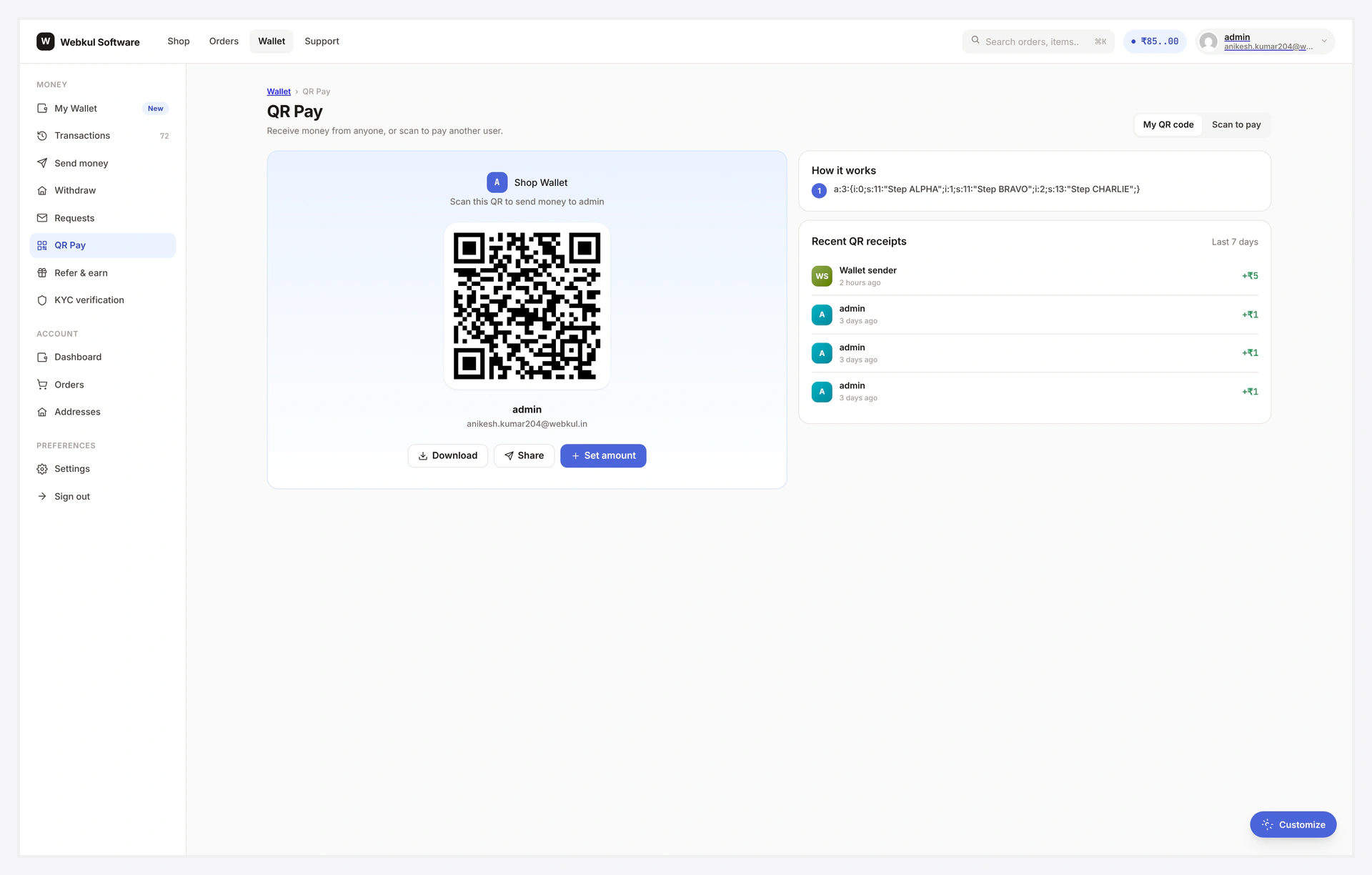
Receive
Each customer gets a unique QR linked to their wallet.
- Visible on My Wallet → Receive QR tile or
/wallet-central/qr/?mode=mine - Download as PNG
- Share via the device's native share sheet
- Optional "Set amount" — locks the receive amount in the QR (sender's scanner pre-fills)
QR can be regenerated by the customer at any time — old images become invalid (useful if leaked).
Pay
Scanner UI → camera frame → point at another customer's QR → recipient resolved → enter amount → submit.
Falls back to "Upload QR image" if camera permission is denied.
Setup
Wallet → Settings → QR Pay

| Setting | Default | What it does |
|---|---|---|
| Enable | OFF | global toggle |
| KYC required | OFF | tick to require approved KYC for scan-to-pay |
| Min pay amount | 1 | smallest scan-pay |
| Max pay amount | empty | largest single scan-pay |
| OTP threshold | empty | amounts above this require OTP confirmation |
| How-it-works steps | 3 default steps | shown on the receive QR card |
OTP for Large Amounts
If you set the OTP threshold (e.g. 5000), any QR pay above that triggers an OTP step — same flow as Wallet Transfer. Belt-and-braces for amounts large enough to matter.
Mobile Notes
| Browser | Behaviour |
|---|---|
| iOS Safari 16+ | works — camera permission granted on prompt |
| iOS in-app (Instagram / FB) | camera often denied → file fallback kicks in |
| Android Chrome | works |
| Embedded WebViews | needs explicit camera permission grant |
QR scanning needs HTTPS — won't work on http:// localhost dev URLs without a tunnel.
Common Scenarios
Customer prints QR for an event
QR card has a "Download as PNG" button → high-res image → printable. Useful for "Pay X by scanning" stickers at pop-ups, vendor stalls.
Lock the receive QR to a fixed amount
Open the QR card → "Set amount" → type → confirm. Sender's scanner pre-fills (and locks) that amount. Useful for "Pay $250 for product X" use cases.
Disable QR pay store-wide
Toggle "Enable" → OFF. Customer-side view shows "QR Pay is currently disabled."
When Something Goes Wrong
| Problem | Fix |
|---|---|
| Camera says "permission denied" | HTTPS required; user explicitly granted; iOS in-app browsers force file fallback |
| QR scanned but resolve fails | Nonce expired (24h) — recipient regenerates QR |
| Pay button does nothing | JS error; check console; confirm scanner script loaded |
| OTP screen appearing on small amounts | OTP threshold set too low; raise it |
For developers — payload format + hooks
QR payload
wkwp:<wallet_id>:<nonce>:<sig>
| Part | Notes |
|---|---|
wallet_id | masked synthetic ID (e.g. WK00001234) — not the WP user_id |
nonce | random 12 chars, expires in 24h (rotating) |
sig | HMAC-SHA256 of wallet_id:nonce with site secret |
Signature stops a fake QR carrying a valid wallet_id from being trusted.
Server flow on scan-pay
- Verify nonce + logged-in
- Decode + verify QR payload signature
- Resolve
wallet_idto recipient user ID - Run KYC gate if active
- Validate amount (min / max)
- If amount > OTP threshold → return
requires_otp = true - On OTP verified → atomic debit sender + credit recipient
- Two ledger rows tagged
qr_pay:#<request_id>
Hooks
| Hook | Type | When |
|---|---|---|
wkwp_qr_payload_payload | filter | mutate the encoded payload |
wkwp_qr_pay_amount | filter | mutate amount before debit |
wkwp_qr_pay_completed | action | both ledger rows written |
wkwp_qr_pay_failed | action | rollback |
wkwp_qr_pay_kyc_gate | filter | per-pay KYC gate decision |