
Withdrawal Settings
Customer cash-out configuration.
Want the feature overview?
See Withdrawal for the customer flow, status states, admin review process, and developer hooks.
Where
Wallet → Settings → Withdrawal.
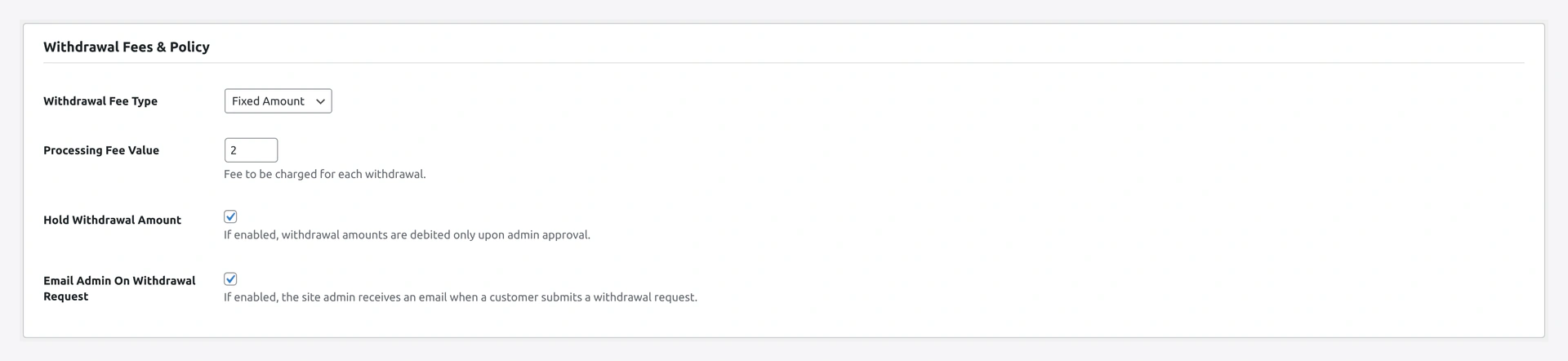
Step-by-step Setup
1. Enable
Toggle to expose the withdrawal flow to customers.
When OFF: form replaced with "Withdrawals are currently disabled."
2. Min request
Smallest amount allowed.
Default: 100. Stops customers requesting tiny payouts that cost more in fees than they're worth.
3. Max per request
Largest single withdrawal allowed.
Default: empty (no max). Set if you want to cap exposure per request.
4. Max per month
Per-customer monthly cap. Plugin tracks usage and resets at month boundary.
Use case: prevent any one customer from draining wallet faster than your reconciliation cycle.
5. Fee type
| Option | Effect |
|---|---|
none | no fee, customer receives full amount |
fixed | flat amount per request |
percent | percent of withdrawal amount |
6. Fee amount
Value matching the type. Examples:
| Type | Amount | Customer receives on $1000 |
|---|---|---|
fixed | 25 | $975 |
percent | 2.5 | $975 |
Fee logged separately for accounting.
7. Hold enable
Optional fraud window between admin-approval and actual payout.
| Toggle | Effect |
|---|---|
| ON | Approved row sits in approved state for hold_days before payout API call |
| OFF | Payout API fires immediately on approval |
Use: lets you claw back questionable approvals during the window.
8. Hold days
Number of days to hold. Default 7. Range typically 1-14.
9. Methods
Tick which payout methods to expose:
| Method | Setup needed |
|---|---|
bank | Customer fills bank fields; admin marks paid manually after off-platform transfer |
paypal | Configure PayPal credentials → see PayPal Payout |
stripe | Configure Stripe keys + Connect → see Stripe Payout |
Recommended: start with bank only, add PayPal / Stripe once tested.
10. Save
Click Save changes.
Verify
As a test customer:
- Visit
/my-account/wkwc_withdrawal/(or Wallet Central → Withdraw) - Confirm form renders (or KYC-locked card if you've gated)
- Enter amount → summary shows fee + you-receive
- Submit → status
pending - Open admin → Wallet → Withdrawals → row visible
- Approve → status flips
- Customer email fires
Common Combos
| Goal | Settings |
|---|---|
| Soft launch | Enable ON, Methods bank only, Min 500, Fee none, Hold OFF |
| Production | Enable ON, all 3 methods, Fee percent 2.5, Hold 7 days |
| Strict | + KYC required (set in KYC settings), Max per month 50000 |
KYC Recommended
Most stores should require KYC for withdrawals. Set in KYC Settings → Required features → ✓ Withdrawal.
Troubleshooting
| Problem | Fix |
|---|---|
| Form not rendered | Enable OFF, OR no methods enabled, OR KYC gate active and customer not approved |
| Approve button does nothing | Payout creds missing — see Payout Settings |
| Customer says balance disappeared | Withdrawal debit happens at request time. Reject the row to refund |
| Hold period not respected | Cron wkwp_wallet_withdrawal_payout_cron not firing — check WP cron |