
Admin Tour
Every wallet admin screen, what it does, and where it writes data.
Where Everything Lives
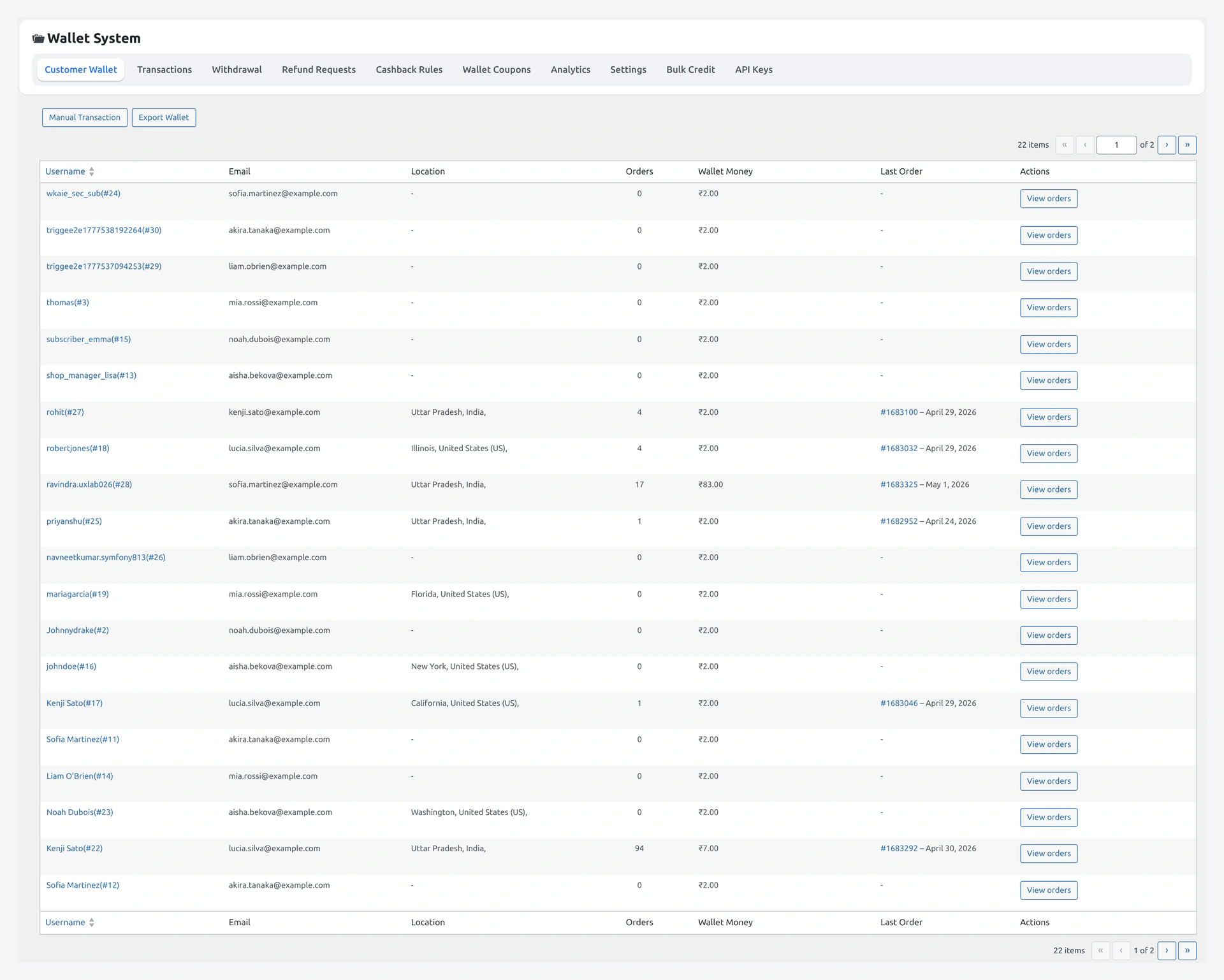
The plugin nests under the Webkul Addons admin hub.
WordPress Admin
└─ Webkul Addons
   └─ Wallet
      ├─ Dashboard
      ├─ Settings
      │   ├─ General
      │   ├─ Recharge
      │   ├─ Withdrawal
      │   ├─ KYC
      │   ├─ Cashback
      │   ├─ Referral
      │   ├─ Multilevel
      │   ├─ BNPL
      │   ├─ QR
      │   ├─ Notifications
      │   ├─ Payout (PayPal / Stripe / Twilio)
      │   └─ Third-Party Integrations
      ├─ Transactions
      ├─ Withdrawals
      ├─ Refund Requests
      ├─ Cashback Rules
      ├─ KYC Reviews
      ├─ Bulk Credit / Debit
      ├─ Analytics
      └─ License (via wk-plugin-updates)
Dashboard
Quick KPIs:
| Card | Source |
|---|---|
| Total credited (30d) | wkwc_wallet_transactions SUM amount > 0 |
| Total debited (30d) | SUM amount < 0 |
| Active wallets | distinct user_id with non-zero _wkwc_wallet_amount |
| Pending withdrawals | wkwc_wallet_withdrawal WHERE status = pending |
| Pending KYC | wkwp_wallet_kyc WHERE status = pending |
| Pending refund requests | wkwc_wallet_refund_requests WHERE status = pending |
Click any KPI to jump to the matching list page.
Settings
13 tabs. Each tab is its own doc page — see Admin Settings.

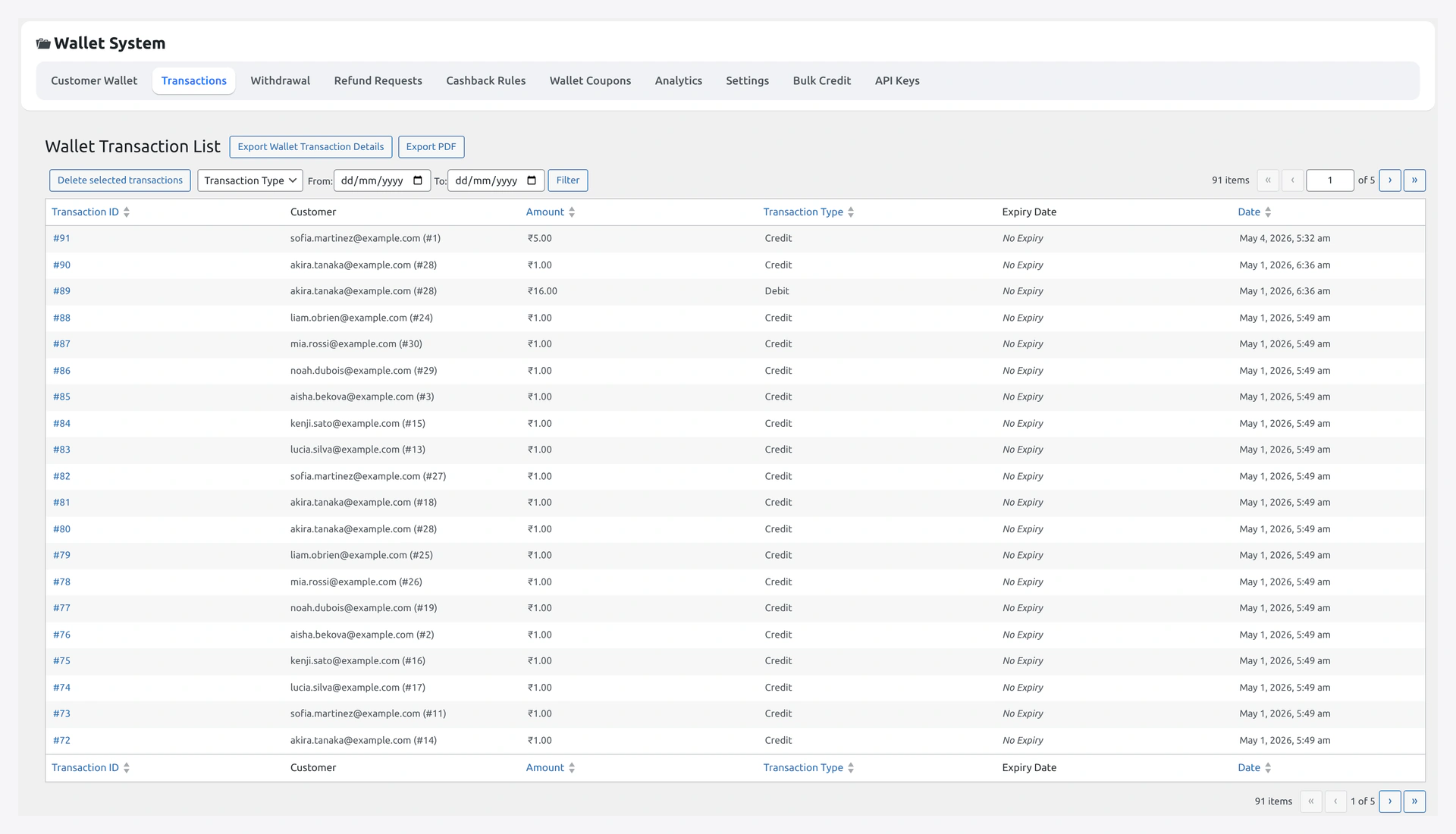
Transactions
Full ledger view of wkwc_wallet_transactions. Columns:
| Column | What |
|---|---|
| ID | Row id |
| Date | created_at |
| Customer | username + email link |
| Type | credit / debit / refund / cashback / transfer / withdrawal / bnpl_repay |
| Amount | signed + or - with currency symbol |
| Balance after | running balance |
| Order | linked order ID where applicable |
| Note | admin or system note |
| Reference | ledger reference tag |
Filters: type, date range, customer, order. Bulk action: export CSV.
Withdrawals
wkwc_wallet_withdrawal list table. Pending rows show Approve / Reject action buttons.
Approve flow:
- Click Approve
- Modal asks payout method (bank / PayPal / Stripe) and confirms amount minus fee
- On submit:
- PayPal —
PayoutAPI call toWKWP_PayPal_Payout::send - Stripe —
TransferAPI call toWKWP_Stripe_Payout::send - Bank — admin marks
paidmanually after off-platform transfer
- PayPal —
- Status flips to
approved→paid - Action
wkwc_wallet_withdrawal_approvedfires
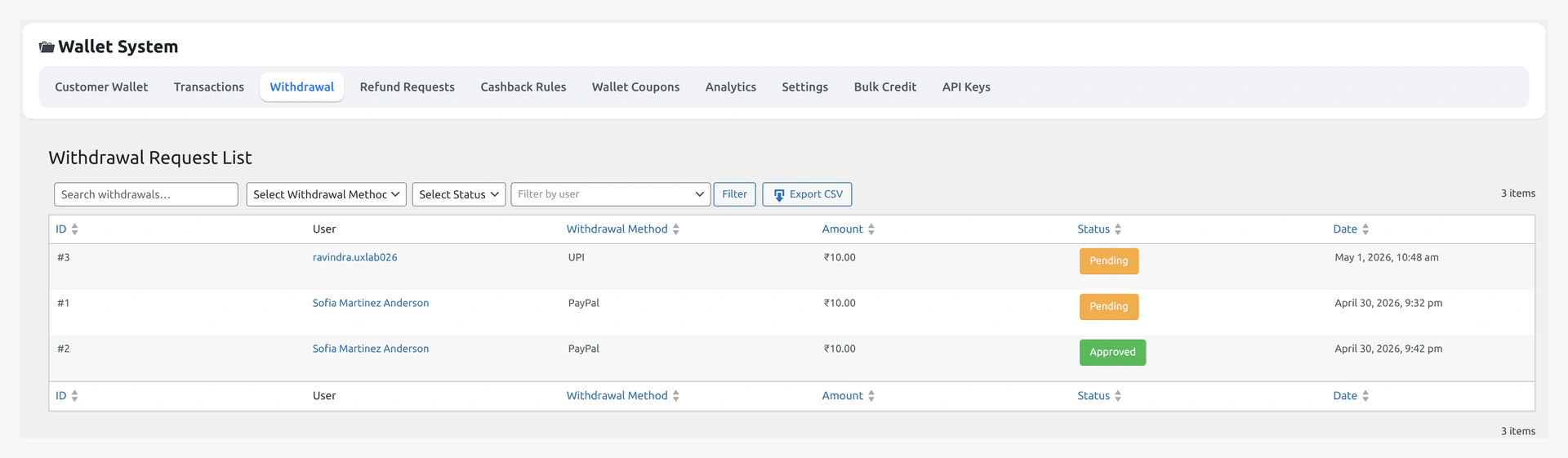
CSV export and bulk reject available.
See Withdrawal for full flow.
Refund Requests
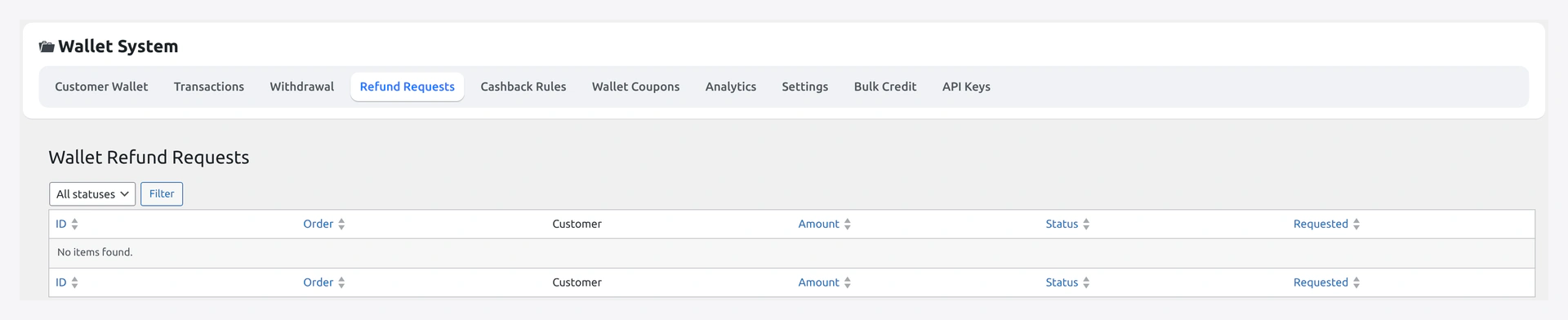
wkwc_wallet_refund_requests list table. Customer-submitted via My Wallet → Redeem / Request refund.
Columns: ID, customer, order, amount requested, reason, status, action.
Approve credits wallet + sends email. Reject sends email with admin note. See Refund to Wallet.
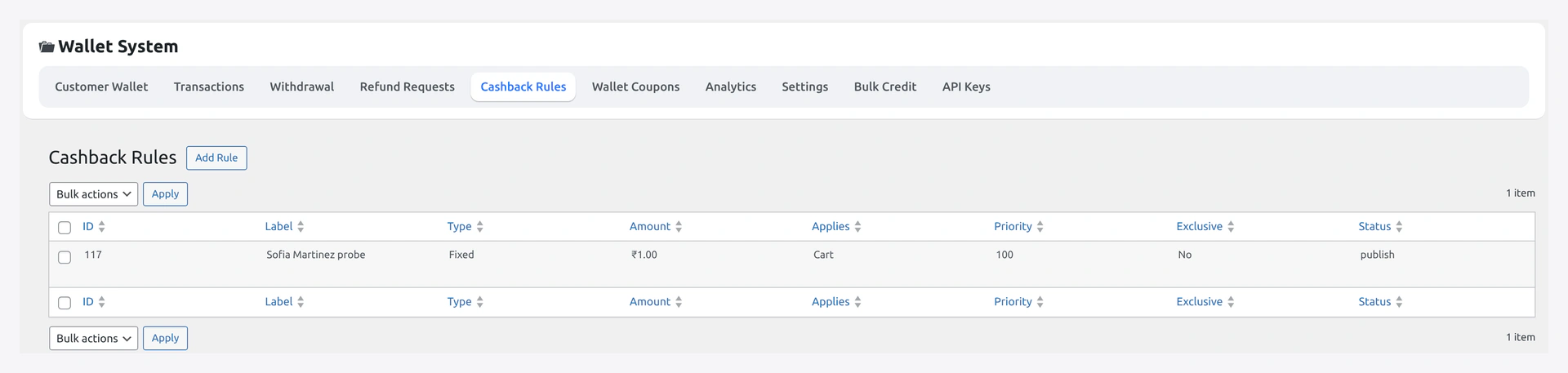
Cashback Rules
CRUD UI for the cashback engine.
List view shows priority, scope (product / category / global), type (% / fixed), status (active / paused).
Single editor:
| Field | Notes |
|---|---|
| Name | internal label |
| Scope | product IDs / category IDs / global |
| Match | OR / AND |
| Min order value | required when scope = global |
| Type | percent / fixed |
| Amount | percent or currency value |
| Max cap | optional ceiling per order |
| Priority | lower = first |
| Active | on / off |
| Start / End date | optional window |
Saved rules fire on woocommerce_order_status_completed priority 25. Duplicate-credit guarded via _wkwp_cashback_processed order meta. Full guide: Cashback Engine.
KYC Reviews
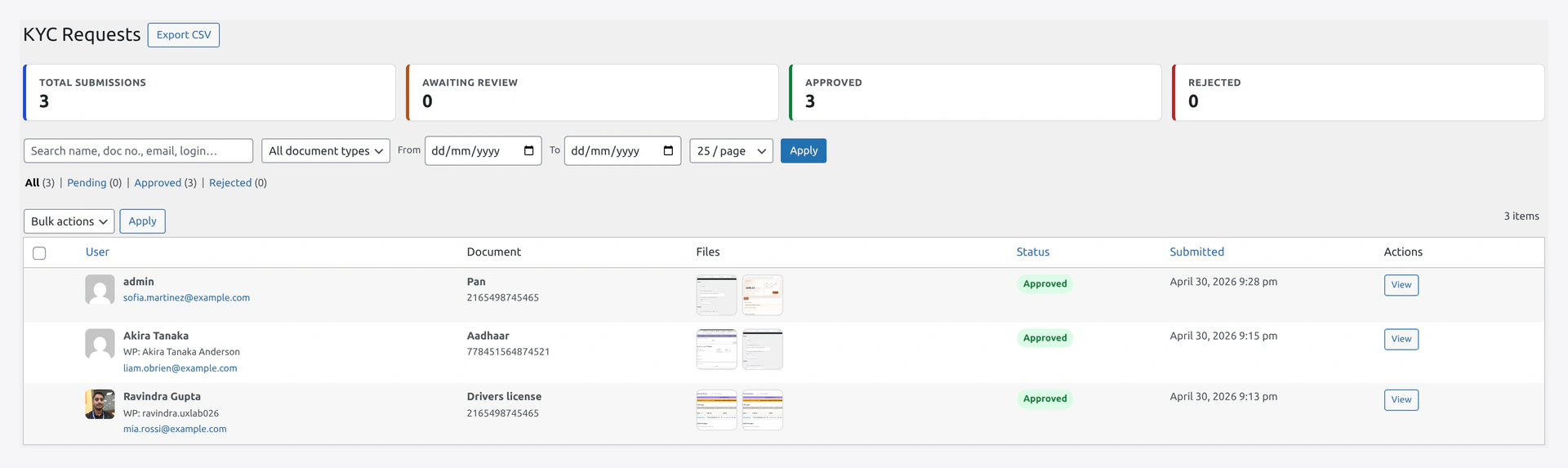
wkwp_wallet_kyc list table.
Columns: ID, customer, status pill, document count, submitted, action.
Action drawer:
- Preview each uploaded document (image inline, PDF in viewer)
- Approve →
_wkwp_kyc_status=approved - Reject → admin note required →
_wkwp_kyc_status=rejected - Re-open → status back to
pending
Approve / reject fires email. Approved status releases all KYC-gated features for that user. See KYC.
Bulk Credit / Debit
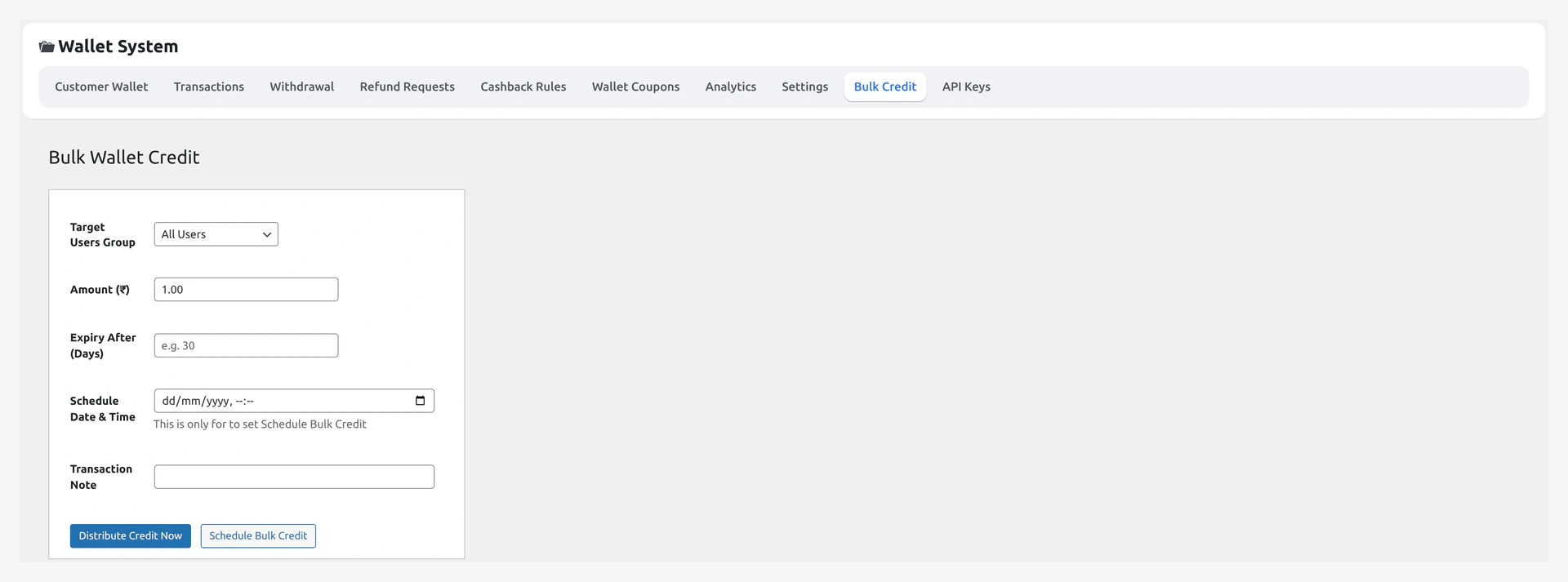
Two tabs:
Manual — search customer multiselect → amount → note → Apply. Writes one row per selected user.
CSV — upload CSV with columns email,amount,note,type (type = credit or debit). Rows enqueue into wkwc_wallet_bulk_queue, processed async by the background indexer. Status panel polls every 5 sec.
See Bulk Credit / Debit.
Analytics
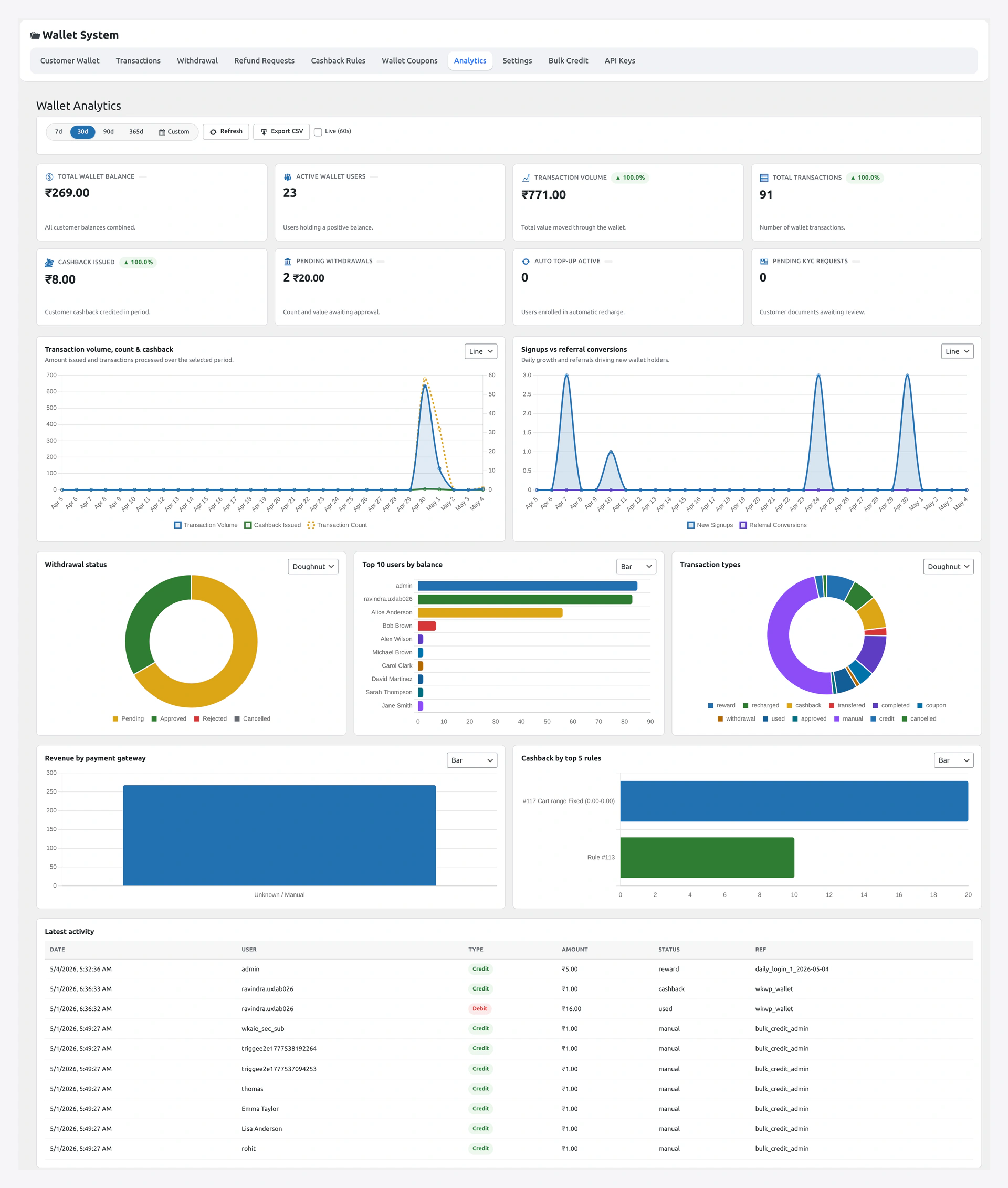
Charts via the admin REST endpoints.
| Card | Endpoint |
|---|---|
| Summary KPIs | GET /wkwp-wallet/v1/analytics/summary |
| 30-day chart | GET /wkwp-wallet/v1/analytics/chart?days=30 |
| Top spenders | client-side filter on summary payload |
| Top referrers | derived from wallet_referrals table |
Cached payloads — invalidate on wallet update + withdrawal approval. See Analytics.
License
Sub-page from modules/wk-plugin-updates. Paste your Webkul or Envato licence key. Plugin updates download through this gate. See Installation.
User Profile — Wallet Card
Open any Users → All Users → [user]. Scroll to the Wallet card:
| Section | What |
|---|---|
| Balance | current _wkwc_wallet_amount |
| Quick credit | amount + note → Credit button |
| Quick debit | amount + note → Debit button |
| KYC status pill | current _wkwp_kyc_status |
| Referral code | _wkwp_referral_code (regen button if empty) |
| Recent transactions | last 10 ledger rows for this user |
This card is the fastest way to fix a balance dispute one-off.
Order Edit Screen — Wallet Box
Open any WC order. Side meta-box Wallet:
- Whether wallet was used and how much
- Cashback row (if any)
- Refund-to-wallet button (admin)
- Link to the ledger rows tied to this order
Status / Tools
WooCommerce → Status → Tools → Wallet offers:
- Recreate recharge product
- Re-run installer (for missing tables)
- Re-index ledger
- Clear
wk_cachingcache - Reset
_wkwp_*user meta for a single user (typed-confirm)
Warning
Reset-meta wipes referral code, KYC status, and bonus-credited flags for that user. Use only when a customer asks for a full reset.
Next
- Admin Settings — every settings tab in detail
- Analytics — read the charts
- REST API — power your own admin