
Cashback Engine
Reward customers automatically on every order. Drives repeat purchase by parking the reward in their wallet — they spend it next time.
Setting up?
Skip to Cashback Settings for the step-by-step rule-editor walkthrough + 5 ready-to-use recipes.
What It Does
| For | Means |
|---|---|
| Customer | Earn wallet credit automatically on completed orders. Spend it on the next purchase |
| Admin | Build rules in the admin UI — by product, category, or store-wide. Pick percent or fixed amount. Set caps |
How Customers See It
- Place an order → pay → order completes
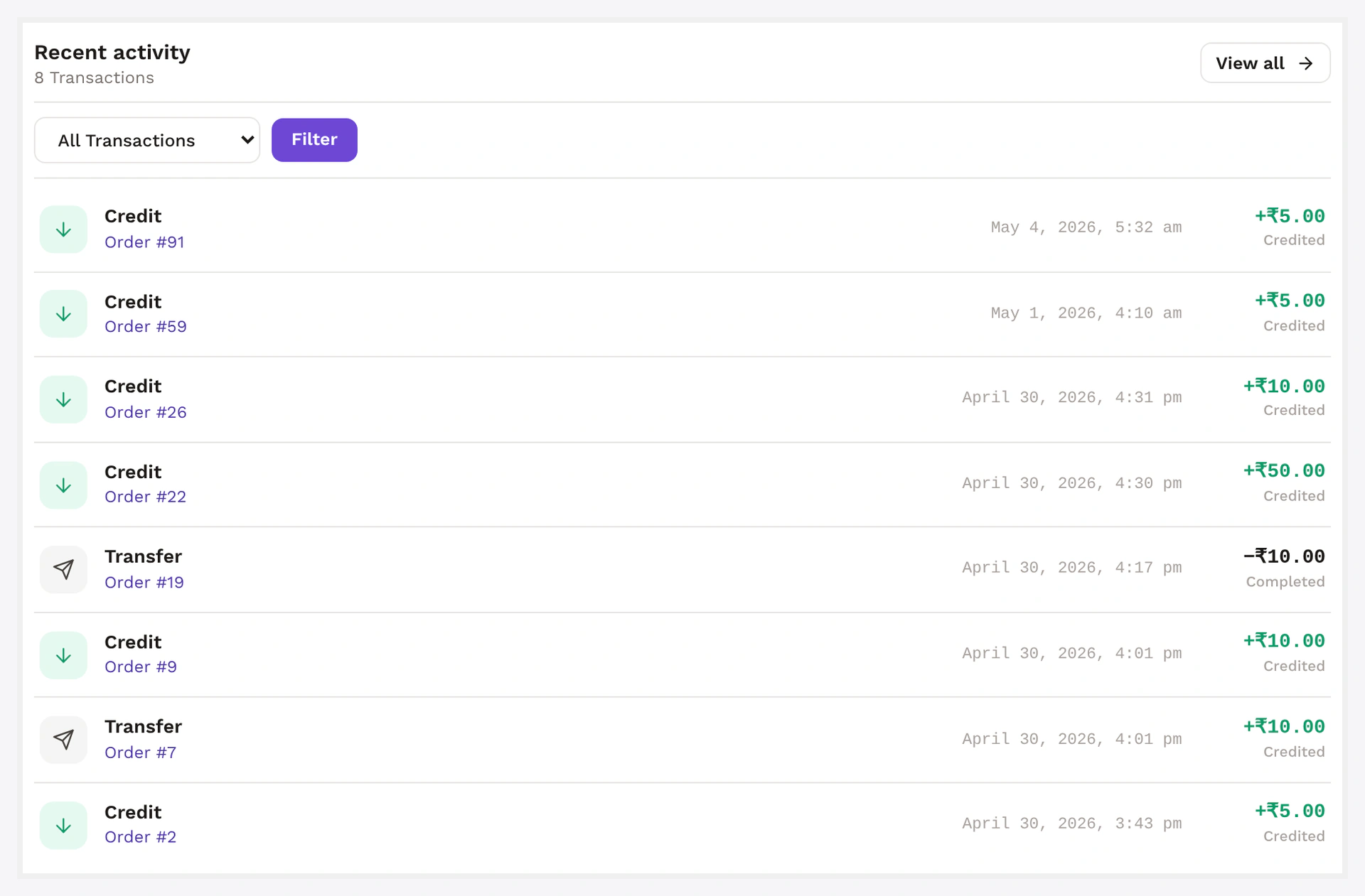
- Wallet gets credited automatically
- Activity feed shows a
Cashbackrow with the rule name + amount - Cashback email fires (if enabled)
That's it. No coupon codes, no claim flow.
Rule Anatomy
Wallet → Cashback Rules → Add new
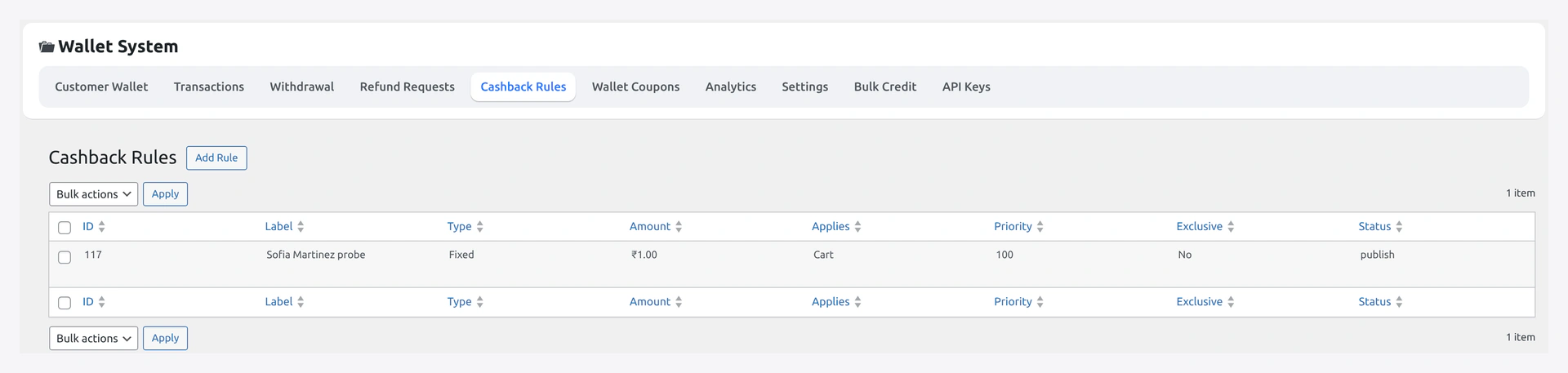
| Field | What it does |
|---|---|
| Name | internal label (also shown in customer activity feed) |
| Active | rule fires only when ON |
| Scope | product / category / global |
| Targets | the products / categories — only when scope is product/category |
| Match | OR (any line item matches) / AND (all line items match) |
| Min order value | rule fires only above this cart total |
| Max order value | optional ceiling |
| Type | percent / fixed |
| Amount | the percent (e.g. 5 = 5%) or currency value |
| Max cashback cap | optional per-order ceiling |
| Priority | lower runs first; first matching rule wins |
| Start / End date | optional window |
| Per-customer cap | max times this rule can fire for one customer |
One cashback per order
The engine awards one cashback per order — whichever rule matches first by priority. To stack multiple percentages, build a single rule that combines them.
Common Setups
5% on everything, no minimum
| Field | Value |
|---|---|
| Scope | global |
| Min order value | 0 |
| Type | percent |
| Amount | 5 |
Simplest possible rule. Drives wallet engagement across the catalogue.
10% only on Electronics, min order $2000, capped at $1000
| Field | Value |
|---|---|
| Scope | category |
| Targets | Electronics |
| Min order value | 2000 |
| Type | percent |
| Amount | 10 |
| Max cap | 1000 |
Higher-margin categories get more aggressive cashback.
Flat $50 cashback on the launch SKU
| Field | Value |
|---|---|
| Scope | product |
| Targets | LAUNCH-SKU-1 |
| Type | fixed |
| Amount | 50 |
Drives attention to a specific product.
Limited-time double cashback
Build two rules:
- Rule A: priority
10, scope global, percent5(your baseline) - Rule B: priority
5, scope global, percent10, withstart_date+end_dateset to the campaign window
During the window Rule B (lower priority = checked first) wins. After the window, only Rule A matches.
Refund Reversal
When the order is refunded, cashback reverses automatically.
| Refund | Cashback |
|---|---|
| Full refund | full cashback debited |
| Partial refund | proportional cashback debited |
| Order cancelled | no reversal — cashback applies on completed, not processing |
Reversal is protected — never debits below zero. If the customer has spent the cashback already, the shortfall becomes BNPL debt (only when BNPL is enabled).
Settings That Affect This
| Setting | Where | Effect |
|---|---|---|
| Cashback basis | filterable | subtotal-ex-tax (default), subtotal-inc-tax, or total |
| Cashback email | Notifications tab | toggle the credited-confirmation email |
When Something Goes Wrong
| Problem | Fix |
|---|---|
| Cashback not credited | Rule active? Min met? Order in completed? Already credited? |
| Wrong rule fired | Check priority — lower number runs first |
| Cashback credited twice | Should not happen — guard meta on order. Delete the duplicate ledger row + open a ticket |
| Want cashback on subtotal but it's on total | Use the wkwp_cashback_basis filter (see dev section) |
For developers — hooks + idempotency
Resolution flow
WKWP_Cashback_Engine::resolve_for_order:
- Load all active rules ordered by
priority ASC - For each rule, check date window, scope, min/max order value, per-customer cap
- First rule passing all checks → compute amount → break
Idempotency
Order meta _wkwp_cashback_processed = yes written immediately after credit. Subsequent runs of woocommerce_order_status_completed (admin flipping statuses) are no-ops.
To re-issue cashback (rare): delete the meta + the matching ledger row, then re-trigger order status.
Hooks
| Hook | Type | When |
|---|---|---|
wkwp_cashback_eligible_rules | filter | mutate the rules list before resolution |
wkwp_cashback_resolved_rule | filter | swap out the chosen rule |
wkwp_cashback_amount | filter | mutate computed cashback before credit |
wkwp_cashback_credited | action | after credit row written |
wkwp_cashback_reversed | action | after refund reversal |
wkwp_cashback_basis | filter | subtotal_ex_tax / subtotal_inc_tax / total |
Reporting
Filter Wallet → Transactions by type = cashback. CSV export for accounting reconciliation.