Advance Import and Export for WooCommerce DocumentationAdvance Import and Export for WooCommerce Documentation
Buy Now
View Demo
  • Getting Started

    • Introduction
    • Quick Start
    • Features
    • Installation
    • First-Time Setup
    • CSV Preparation
    • Sample Files
    • Use Cases
    • Common Mistakes
  • Tutorials

    • Google Sheets Live Sync
    • Shopify Migration
    • Daily Backup to S3
    • Multi-Store Sync
  • Using the Plugin

    • Dashboard
    • Quick Import Wizard
    • Quick Export
    • Settings
    • Compatibility
  • Import In Detail

    • Import Sources
    • Import Modes
    • Column Mapping
    • Transformations
    • Migration Presets
    • Delta Import
  • Export In Detail

    • Export Features
    • Export Destinations
    • Browser Download
    • Server Path (REST / CLI)
  • Data Types

    • Products
    • Variable Products
    • Orders
    • Customers
    • Categories & Tags
    • Coupons
    • Reviews
    • Posts
    • Pages
    • Users
    • Subscriptions
    • Bookings
    • Memberships
    • Menus
  • Automation

    • Scheduled Jobs
    • History & Logs
    • Rollback
    • Health Check
  • Cloud Service Setup

    • Google API Setup
    • Amazon S3 Setup
    • Dropbox Setup
    • Email / SMTP Setup
  • Server Configuration

    • PHP Configuration
    • Server Cron Setup
    • Image Handling
  • Developer

    • REST API
    • WP-CLI Commands
  • Compare

    • vs WP All Import
    • vs Product Import Export (WebToffee)
  • Help

    • Troubleshooting
    • FAQ
    • Glossary
    • Security
    • Changelog
Support
Buy Now
View Demo
  • Getting Started

    • Introduction
    • Quick Start
    • Features
    • Installation
    • First-Time Setup
    • CSV Preparation
    • Sample Files
    • Use Cases
    • Common Mistakes
  • Tutorials

    • Google Sheets Live Sync
    • Shopify Migration
    • Daily Backup to S3
    • Multi-Store Sync
  • Using the Plugin

    • Dashboard
    • Quick Import Wizard
    • Quick Export
    • Settings
    • Compatibility
  • Import In Detail

    • Import Sources
    • Import Modes
    • Column Mapping
    • Transformations
    • Migration Presets
    • Delta Import
  • Export In Detail

    • Export Features
    • Export Destinations
    • Browser Download
    • Server Path (REST / CLI)
  • Data Types

    • Products
    • Variable Products
    • Orders
    • Customers
    • Categories & Tags
    • Coupons
    • Reviews
    • Posts
    • Pages
    • Users
    • Subscriptions
    • Bookings
    • Memberships
    • Menus
  • Automation

    • Scheduled Jobs
    • History & Logs
    • Rollback
    • Health Check
  • Cloud Service Setup

    • Google API Setup
    • Amazon S3 Setup
    • Dropbox Setup
    • Email / SMTP Setup
  • Server Configuration

    • PHP Configuration
    • Server Cron Setup
    • Image Handling
  • Developer

    • REST API
    • WP-CLI Commands
  • Compare

    • vs WP All Import
    • vs Product Import Export (WebToffee)
  • Help

    • Troubleshooting
    • FAQ
    • Glossary
    • Security
    • Changelog
Support
  • Getting Started

    • Introduction
    • Quick Start — Your First Import in 5 Minutes
    • Features — Full Tour
    • Installation — Full Setup Guide
    • First-Time Setup — Complete Checklist
    • CSV Preparation — How to Make a Good Import File
    • Sample Files — Download Ready-to-Use Templates
    • Use Cases — "I Want To..." Quick Reference
    • Common Mistakes — Things To Watch Out For
  • Tutorials

    • Tutorial — Google Sheets Live Sync
    • Tutorial — Migrate from Shopify to WooCommerce
    • Tutorial — Daily Backup to Amazon S3
    • Tutorial — Sync Between Two WooCommerce Stores
  • Using the Plugin

    • Dashboard — What You See First
    • Quick Import Wizard — 5 Steps to Import Any File
    • Quick Export — One-Page Export Tool
    • Settings — Every Option Explained
    • Compatibility — Third-Party Plugin Support
  • Import In Detail

    • Import Sources — 11 Ways to Pull Data In
    • Import Modes — Create, Update, Delete, Replace
    • Column Mapping — Connect Your Columns to WooCommerce
    • Transformations — Change Values During Import
    • Migration Presets — Move From Shopify, Magento, BigCommerce
    • Delta Import — Skip Unchanged Rows
  • Export In Detail

    • Export Features
    • Export Destinations — Where Your Files Go
    • Export Download — One-Click Browser Download
    • Export to Server Path — WP-CLI
  • Data Types

    • Products Import — Full Field Reference
    • Variable Products — The Complete Guide
    • Orders Import — Historical Orders and Line Items
    • Customers Import — With Addresses and Notes
    • Categories and Tags Import
    • Coupons Import — Discount Codes
    • Reviews Import — Product Reviews and Ratings
    • Posts Import — WordPress Blog Posts
    • Pages Import — WordPress Pages
    • Users Import — WordPress User Accounts
    • Subscriptions Import — WooCommerce Subscriptions
    • Bookings Import — WooCommerce Bookings
    • Memberships Import — WooCommerce Memberships
    • Menus Import — WordPress Navigation Menus
  • Automation

    • Jobs — Saved and Scheduled Imports and Exports
    • History — Every Run You Have Ever Done
    • Rollback — Undo Any Import in One Click
    • Health Check — Data Integrity Checks With Auto-Fix
  • Cloud Service Setup

    • Google API Setup — Sheets, Drive, OAuth
    • Amazon S3 Setup — IAM User and Bucket Permissions
    • Dropbox Setup — API Token for Private Files
    • Email Setup — Making Notifications Actually Work
  • Server Configuration

    • PHP Configuration — Memory, Execution Time, Upload Size
    • Server Cron Setup — Reliable Scheduled Imports
    • Image Handling — Download, Resize, Watermark
  • Developer

    • REST API — Developer Reference
    • WP-CLI Commands — Command Line Automation
  • Compare

    • Advance Import and Export vs WP All Import
    • Advance Import and Export vs Product Import Export for WooCommerce
  • Help

    • Troubleshooting — Fix Common Problems
    • FAQ — Common Questions
    • Glossary — Every Term Explained
    • Security — How Your Data Is Protected
    • Changelog — What Changed

Coupons Import

Bulk-create discount codes for your store.
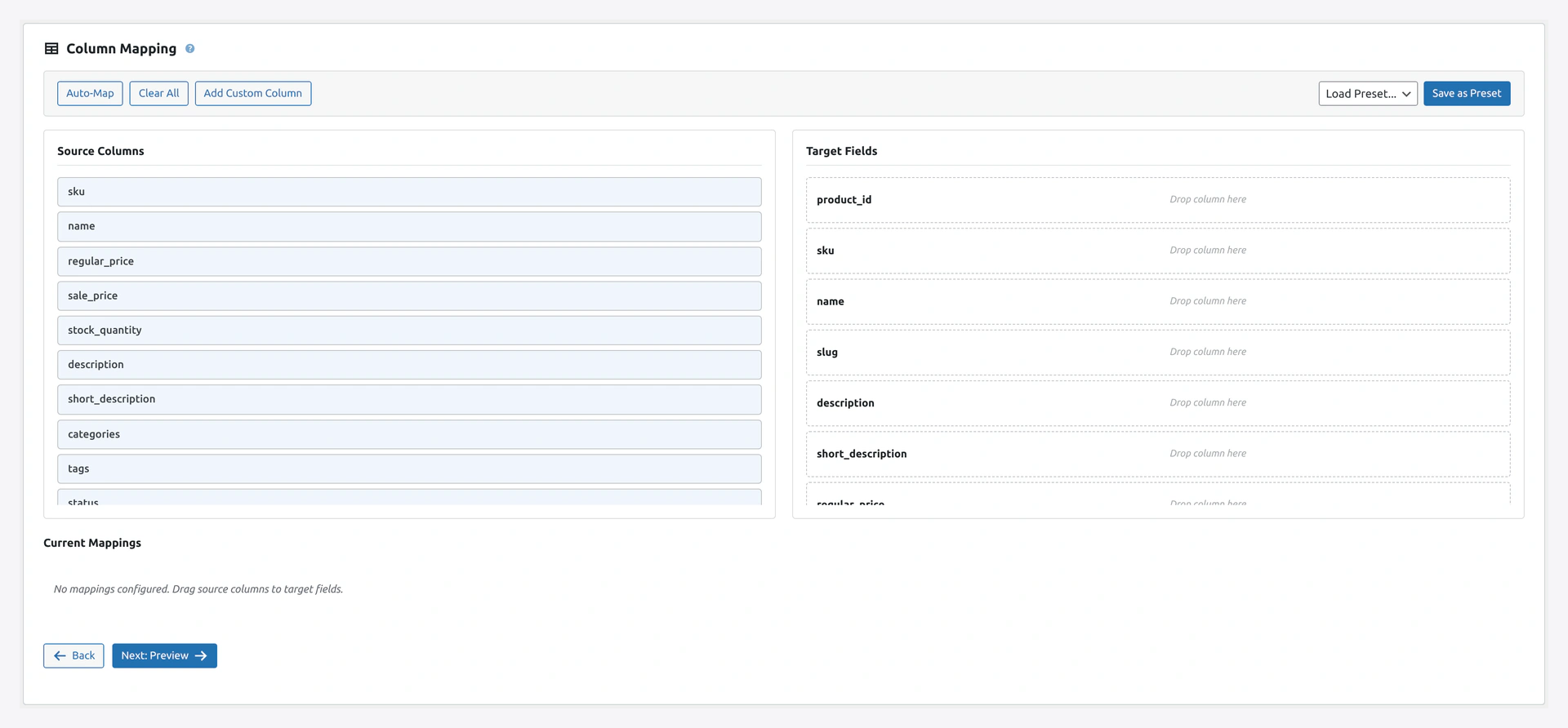
Wizard step 2 — column mapping for couponsStep 2 maps your source columns to coupon fields: code, discount_type, coupon_amount, usage limits, and email restrictions.

When to Use

  • Seasonal promos (500 unique codes for a Black Friday campaign)
  • VIP customer codes
  • Bulk email marketing campaigns
  • Restoring coupons from a backup

Match Keys

  • code (default) — The coupon code
  • id — WordPress post ID

Column Reference

Basic Fields

ColumnRequiredExample
idNo42 (for updates)
codeYesSUMMER25
descriptionNo25% off summer collection
discount_typeNo (default fixed_cart)percent, fixed_cart, fixed_product
coupon_amountYes25 (percent or dollars)
amountAlternative to coupon_amount25
date_expiresNo2026-12-31 23:59:59

Discount Types

TypeWhat It Does
percentPercentage off total
fixed_cartFixed amount off cart subtotal
fixed_productFixed amount off each product

Usage Limits

ColumnExample
usage_limit100 (total uses)
usage_limit_per_user1 (per customer)
limit_usage_to_x_items5 (only applies to first 5 items)
usage_count42 (current usage, for migrations)

Minimum and Maximum

ColumnExample
minimum_amount50.00
maximum_amount500.00

Free Shipping

ColumnExample
free_shipping1 (yes) or 0 (no)

Exclusions

ColumnExample
exclude_sale_items1 or 0
individual_use1 (cannot combine with others) or 0

Product Restrictions

ColumnExample
product_ids123,124,125 (comma-separated product IDs)
excluded_product_ids200,201
product_categories5,10 (category IDs)
excluded_product_categories99

Email Restrictions

ColumnExample
customer_email[email protected],*@company.com
email_restrictionsAlternative name for same field

Use *@domain.com for whole-domain restrictions.

Complete Example

code,description,discount_type,coupon_amount,minimum_amount,usage_limit,date_expires,free_shipping,individual_use,product_categories
SUMMER25,Summer sale 25% off,percent,25,50.00,1000,2026-09-30 23:59:59,0,1,5
SHIP10,$10 off shipping,fixed_cart,10,75.00,500,2026-12-31 23:59:59,1,0,
VIPFREE,VIP free shipping,percent,0,0,,2026-12-31 23:59:59,1,0,

Use Cases

Bulk Unique Codes for a Campaign

Create 100 unique codes:

code,discount_type,coupon_amount,usage_limit_per_user
SAVE001,percent,10,1
SAVE002,percent,10,1
SAVE003,percent,10,1

VIP Codes Tied to Specific Emails

code,discount_type,coupon_amount,customer_email
VIP-JOHN-2026,percent,20,[email protected]
VIP-JANE-2026,percent,20,[email protected]

Expire-Soon Flash Sale

code,discount_type,coupon_amount,date_expires
FLASH50,percent,50,2026-04-15 23:59:59

Troubleshooting

ProblemFix
Coupon created but not workingCheck start/end dates, usage limits, and minimum spend
Wrong discount typeValues are case-sensitive: percent not Percent
Expired on creationCheck date_expires is in the future
Product restriction ignoredUse product_ids (numeric IDs)
Category restriction not workingproduct_categories must be IDs, not names

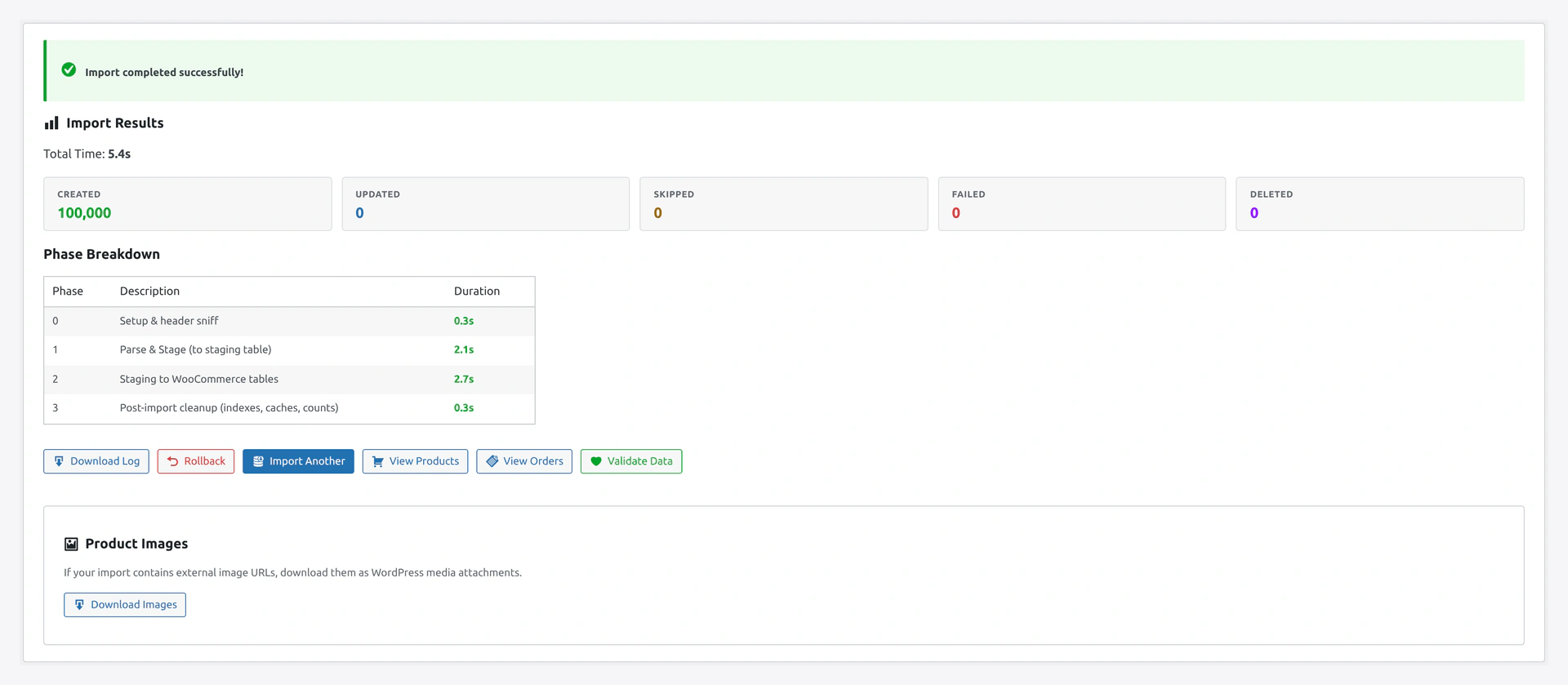
Wizard step 5 — import results summaryThe results screen shows how many codes were created, updated, or skipped — handy proof when you push a thousand unique Black Friday codes at once.

Related Pages

  • Products Import — Import products first for restrictions
  • Import Modes — Update existing coupons
  • Quick Import Wizard — How to run the import
Prev
Categories and Tags Import
Next
Reviews Import — Product Reviews and Ratings