
Subscriptions Import
Import WooCommerce Subscriptions from a CSV, XML, or JSON file.
Requires WooCommerce Subscriptions
This entity type only appears in the wizard if the WooCommerce Subscriptions plugin is active. If you do not have it, this entity type is hidden.
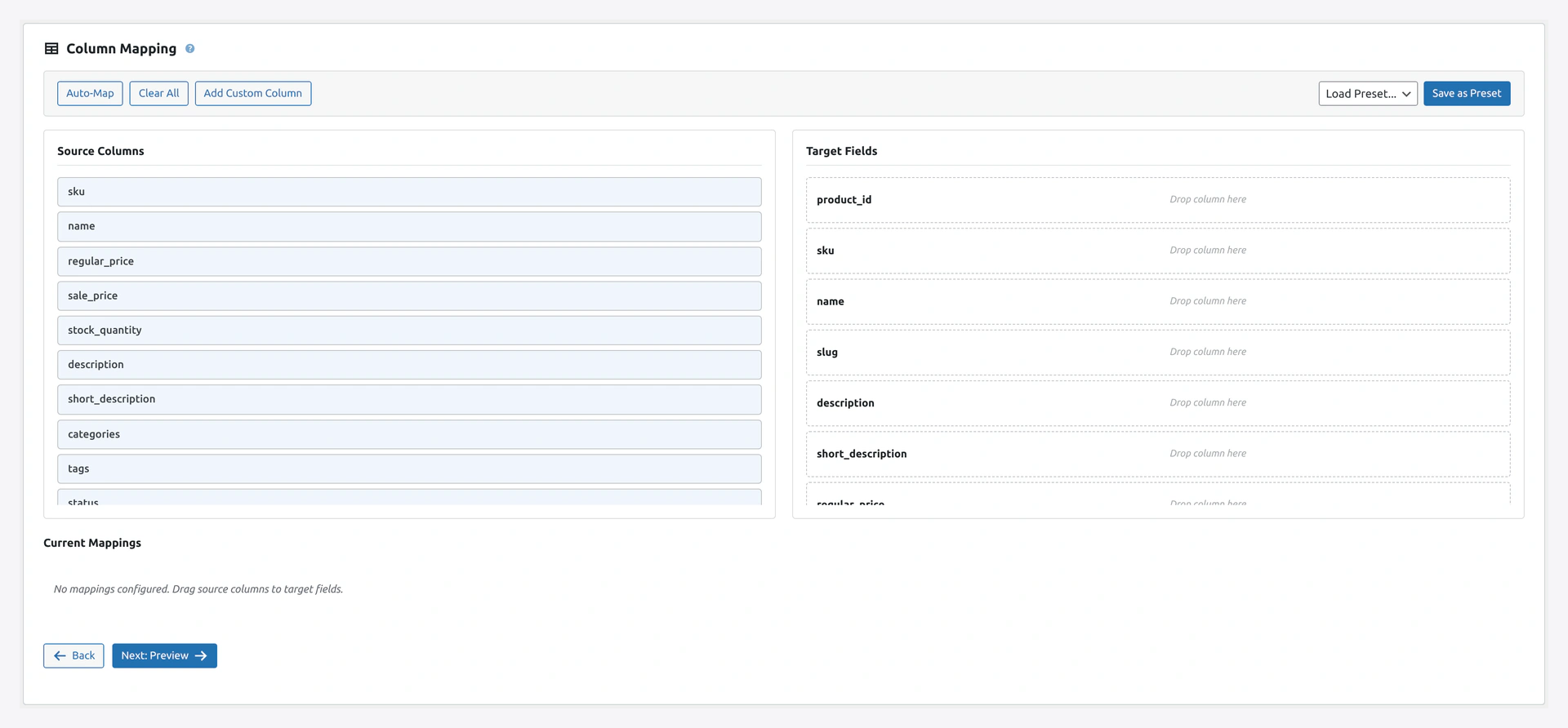 Step 2 maps source columns to subscription fields: customer_email, billing_period, billing_interval, next_payment, and the line_items bundle.
When to Use
- Migrating subscriptions from another platform
- Bulk creating subscription records
- Restoring subscriptions from a backup
Match Keys
id(default)customer_email
Column Reference
Basic Fields
| Column | Required | Example |
|---|---|---|
id | No | 42 (for updates) |
customer_email | Yes | [email protected] |
status | No (default pending) | See status list below |
start_date | No | 2026-04-14 10:30:00 |
next_payment | No | 2026-05-14 10:30:00 |
end_date | No | 2027-04-14 10:30:00 (empty for unlimited) |
Billing Cycle
| Column | Required | Example |
|---|---|---|
billing_period | Yes | day, week, month, year |
billing_interval | Yes | 1 (every period), 2 (every other), etc. |
Example combinations:
- Monthly:
billing_period=month, billing_interval=1 - Bi-weekly:
billing_period=week, billing_interval=2 - Quarterly:
billing_period=month, billing_interval=3 - Yearly:
billing_period=year, billing_interval=1
Trial Period
| Column | Example |
|---|---|
trial_period | day, week, month, year |
trial_end | 2026-04-28 10:30:00 |
Payment
| Column | Example |
|---|---|
payment_method | stripe, paypal, bacs, cheque, cod |
Line Items
Subscriptions can have multiple products. Use this format:
product_id|qty|total; product_id|qty|total
Example:
123|1|29.99; 124|2|35.00
Separate items with ;. Separate product_id, qty, total within each item with |.
Billing Address
| Column | Example |
|---|---|
billing_first_name | John |
billing_last_name | Doe |
billing_address_1 | 123 Main St |
billing_address_2 | Apt 4 |
billing_city | Boston |
billing_state | MA |
billing_postcode | 02101 |
billing_country | US |
billing_phone | 555-1234 |
Shipping Address
Same columns as billing, but prefixed shipping_:
shipping_first_nameshipping_last_nameshipping_address_1,shipping_address_2shipping_city,shipping_state,shipping_postcode,shipping_country
Subscription Statuses
| Status | Meaning |
|---|---|
active | Currently running, customer is paying |
on-hold | Paused by admin or customer |
cancelled | Customer cancelled |
expired | Reached end date |
pending-cancel | Will cancel at next period end |
pending | Created but not yet active |
Example CSV
customer_email,status,start_date,next_payment,billing_period,billing_interval,payment_method,line_items,billing_first_name,billing_last_name
[email protected],active,2026-04-14 10:30:00,2026-05-14 10:30:00,month,1,stripe,123|1|29.99,John,Doe
[email protected],active,2026-04-01 10:00:00,2026-04-15 10:00:00,week,2,paypal,124|1|15.00,Jane,Smith
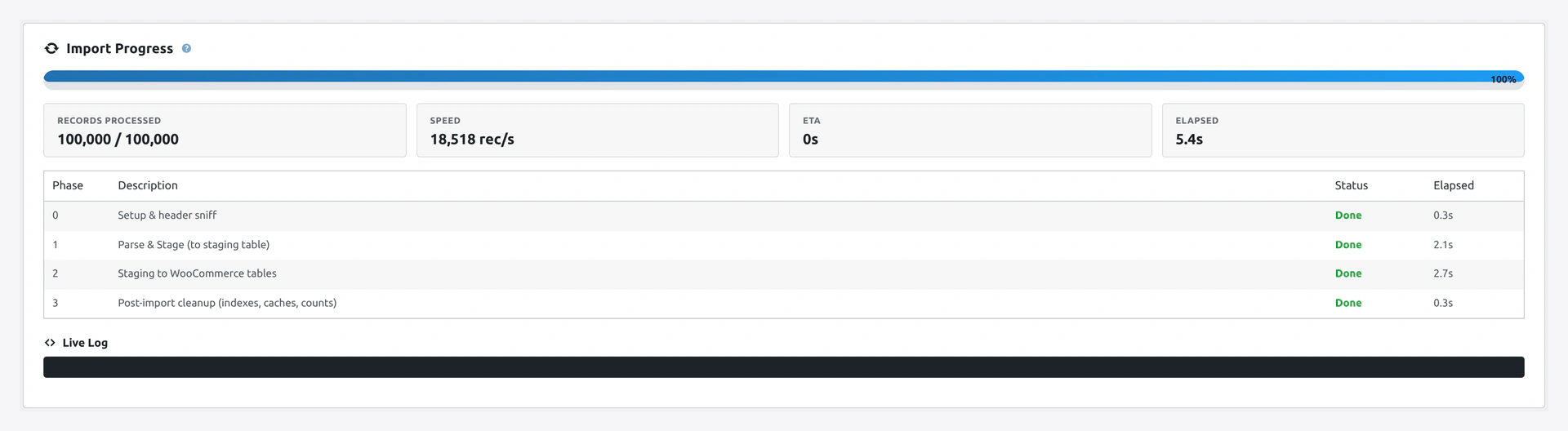 Progress screen while subscriptions are being written — the phase table shows how records move through validation, customer lookup, and subscription creation.
Troubleshooting
| Problem | Fix |
|---|---|
| Entity type not in dropdown | WooCommerce Subscriptions plugin is not active |
| "Invalid customer" | Customer email must match an existing user. Import users first |
| Next payment date wrong | Use format Y-m-d H:i:s (e.g., 2026-04-14 10:30:00) |
| Line items not applied | Check the format: `product_id |
| Wrong recurring amount | Check billing_period and billing_interval match your intent |
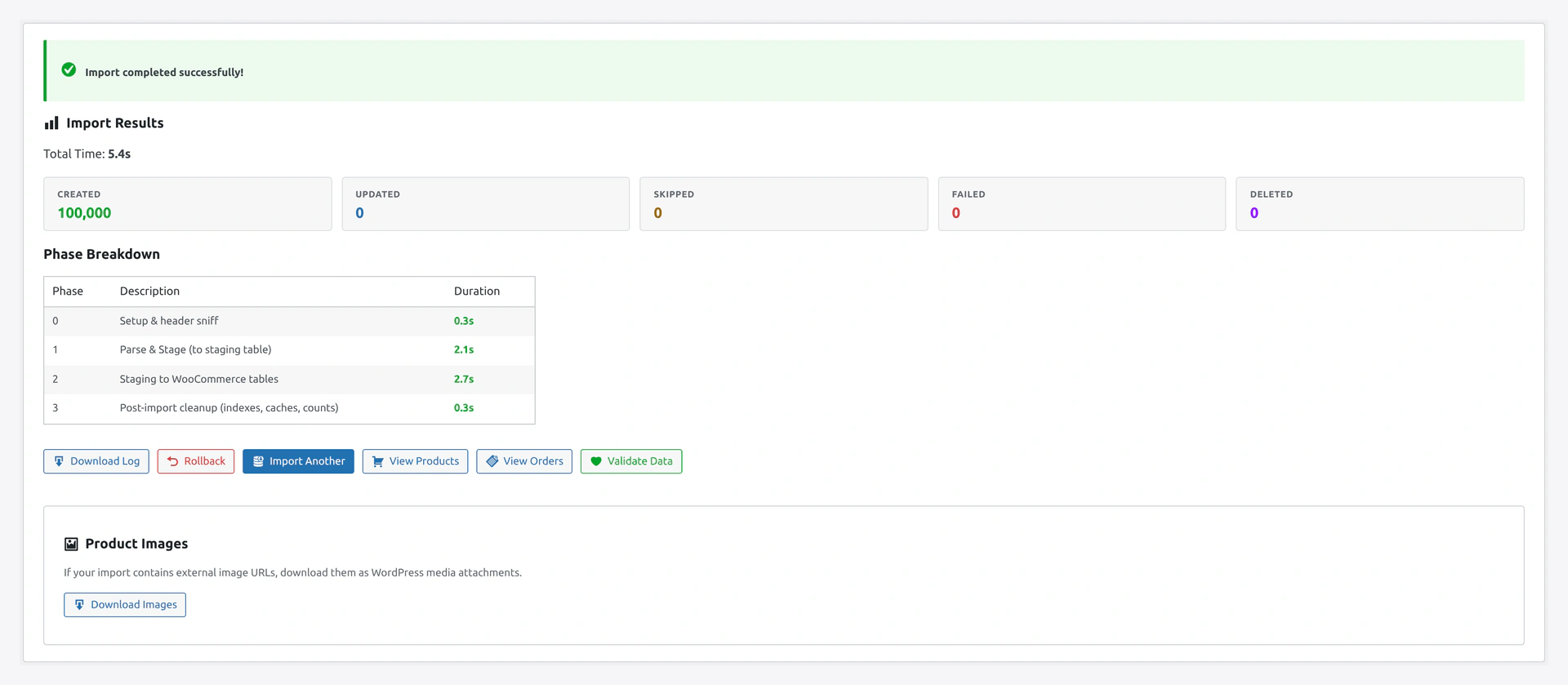 Final results: subscriptions created, existing records updated, and any that failed because the customer email did not map to a WordPress user.
Related Pages
- Customers Import — Import customers first
- Products Import — Products must exist before subscriptions
- Quick Import Wizard — How to run the import