
WP-CLI Commands
For developers and server admins, every plugin feature is available on the command line.
Requirements
- WP-CLI 2.0 or higher
- SSH access to the server
Command Prefix
Most commands live under wp wkaie. The export command uses wp wkaie-export.
8 Command Groups
1. Run a Saved Job
wp wkaie run 42
Where 42 is the job ID.
Options:
--async— run in background via WP scheduled event--quiet— less output
2. Run a Job Chain
wp wkaie run-chain <chain_id>
Runs a chain of jobs in order.
3. Validate a Job
Check if a job is configured correctly without running it.
wp wkaie validate 42
Output:
Job: Daily Products Import
Source: https://docs.google.com/spreadsheets/d/... (accessible)
Rows: 10000
Columns: 42
✅ All required columns present
⚠️  12 rows have empty descriptions
✅ Mapping is valid
4. Preview / Dry Run
Run a job without committing changes.
wp wkaie preview 42 --limit=10
Shows the first 10 rows as they will be imported.
5. Job Management
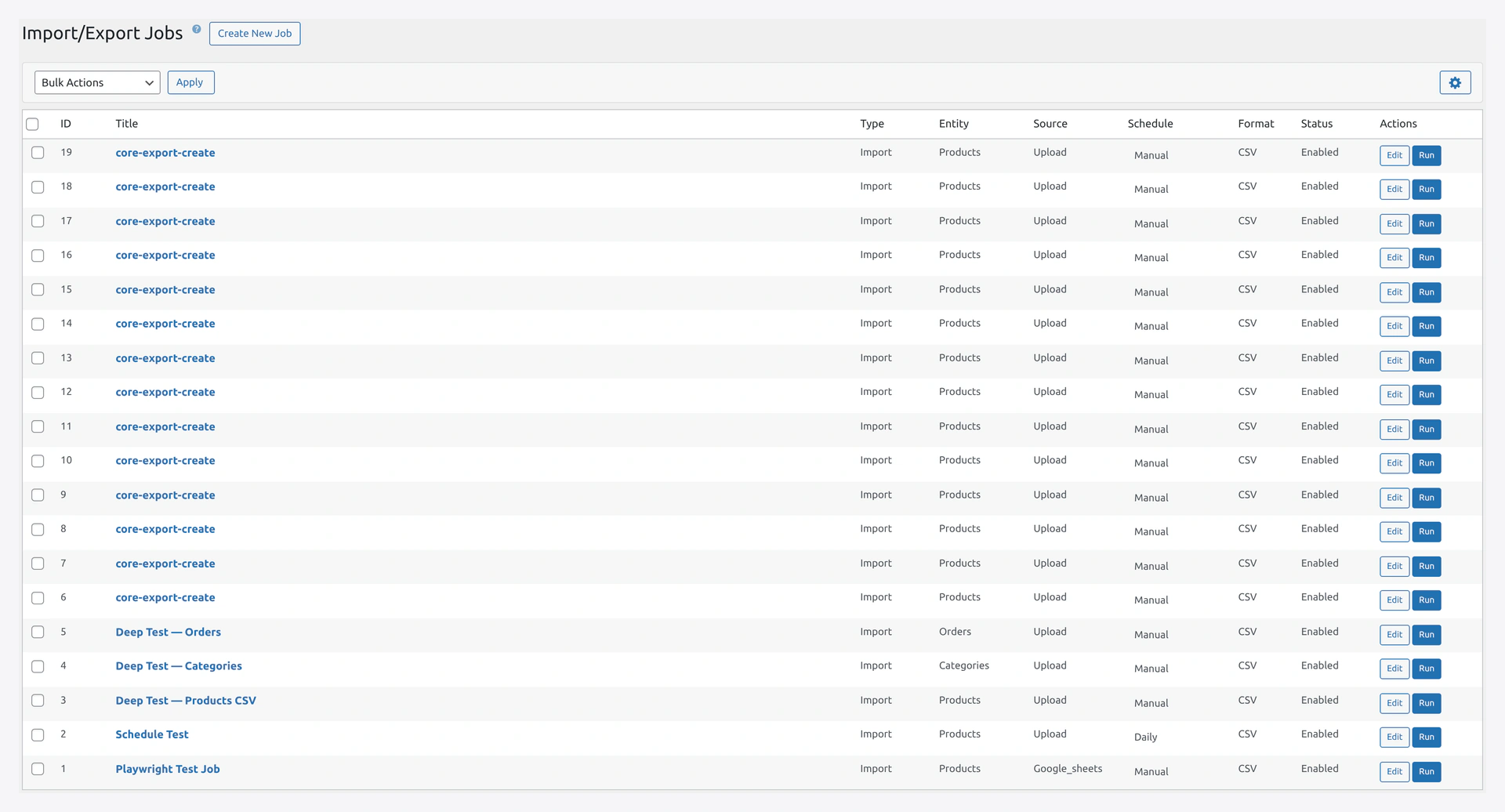 The same saved jobs listed in the UI are what
 wp wkaie job list returns on the CLI.
# List all jobs
wp wkaie job list

# Create a new job
wp wkaie job create --name="Daily Import" --type=import --entity=products
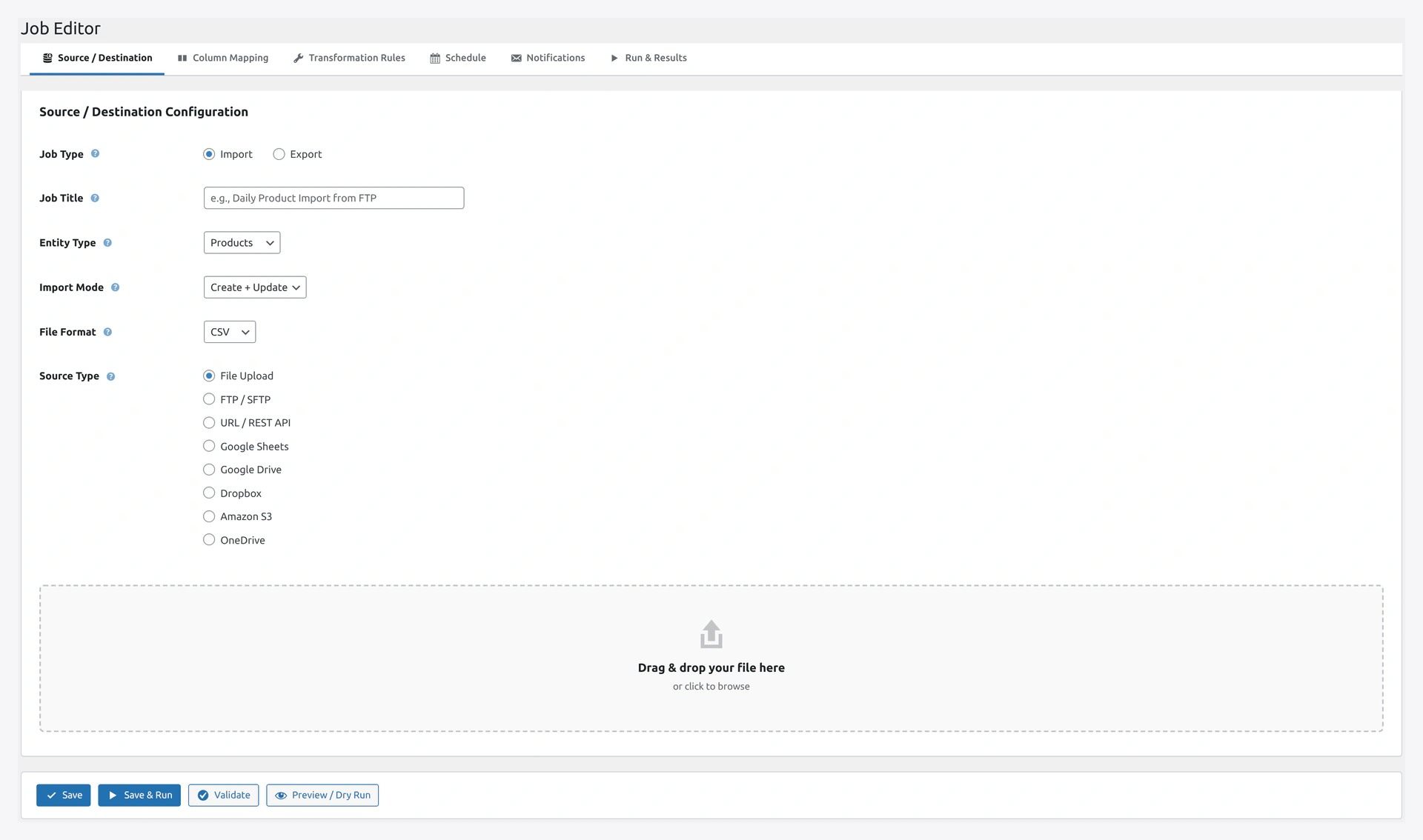 A CLI-created job opens the same six-tab Job Editor in the admin UI for further tuning.
# Enable or disable a job
wp wkaie job enable 42
wp wkaie job disable 42

# Delete a job
wp wkaie job delete 42 --yes
The --yes flag confirms deletion (no prompt).
6. History
# List recent runs
wp wkaie history list

# Filter by job
wp wkaie history list --job_id=42

# Show a specific run
wp wkaie history show 123
7. Rollback
# Rollback a run
wp wkaie rollback 123 --yes
8. Presets
# List mapping presets
wp wkaie preset list

# Export a preset to a file
wp wkaie preset export my-preset --file=preset.json

# Import a preset from a file
wp wkaie preset import --file=preset.json
Direct Export Command
Separate command for one-off exports:
# Export products as CSV
wp wkaie-export products --format=csv

# Export with filter
wp wkaie-export orders --format=csv --filter='{"status":"completed"}'

# Run a saved export job
wp wkaie-export run 42
Automation Examples
Nightly Full Sync
System cron to run every night at 2 AM:
0 2 * * * cd /var/www/html && wp wkaie run 42 >> /var/log/wkaie.log 2>&1
Hourly Health Check with Email on Failure
Create a script:
#!/bin/bash
if ! wp wkaie validate 42 --quiet; then
  echo "Validation failed on $(hostname)" | mail -s "WooCommerce Job Validation Failed" [email protected]
fi
Add to cron:
0 * * * * /path/to/health-check.sh
Deploy Pipeline Health Gate
For CI/CD after every deploy:
#!/bin/bash
set -e

# Validate critical jobs
wp wkaie validate 42
wp wkaie validate 43

echo "✅ All post-deploy checks passed"
Output Formats
Most commands support these formats:
--format=table(default)--format=csv--format=json--format=yaml--format=count(just show count)--format=ids(just show IDs)
Good for piping into other tools:
wp wkaie history list --format=ids --status=failed | xargs -I {} wp wkaie rollback {} --yes
Getting Help
Every command has --help:
wp wkaie --help
wp wkaie run --help
wp wkaie job list --help
Troubleshooting
| Problem | Fix |
|---|---|
wp: command not found | WP-CLI is not installed. Install from wp-cli.org |
Error: The site you have requested is not installed | Run commands from the WordPress root directory |
Fatal error: Class WooCommerce not found | WooCommerce is not active. Activate it first |
| Commands are slow | Cache may be stale. Run wp cache flush first |