
Products Import
Products is the most common import. This page covers every column you can use and every feature.
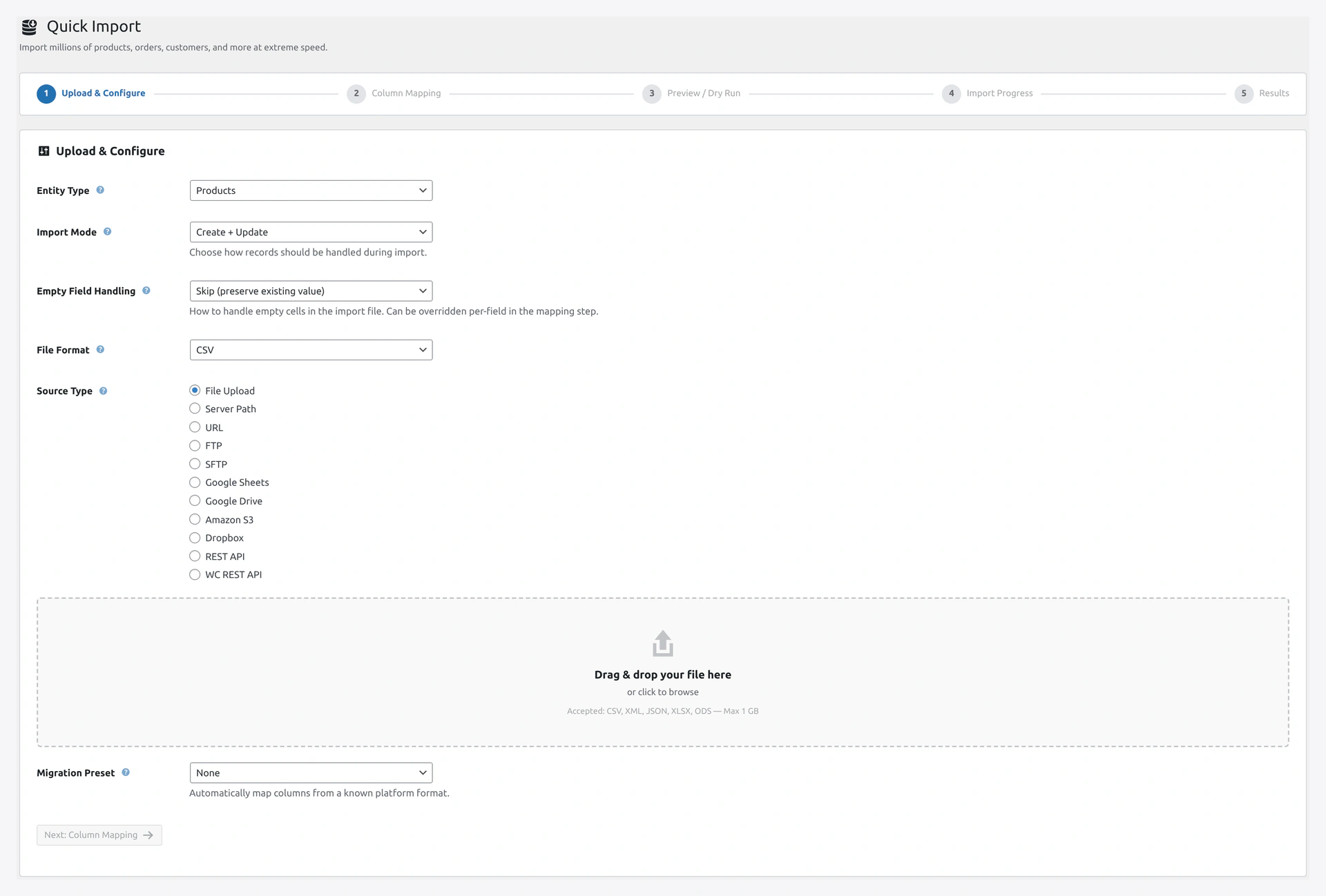 Step 1 of the Quick Import wizard: pick the entity type, upload your catalog file, and set basic options.
Supported Product Types
| Type | Description |
|---|---|
| Simple | Standard single-SKU products |
| Variable | Parent product with options (size, color, etc.) |
| Variation | Each specific combination of options |
| Grouped | A product that groups other products |
| External | Affiliate links to other sites |
| Virtual | No shipping needed |
| Downloadable | Digital files |
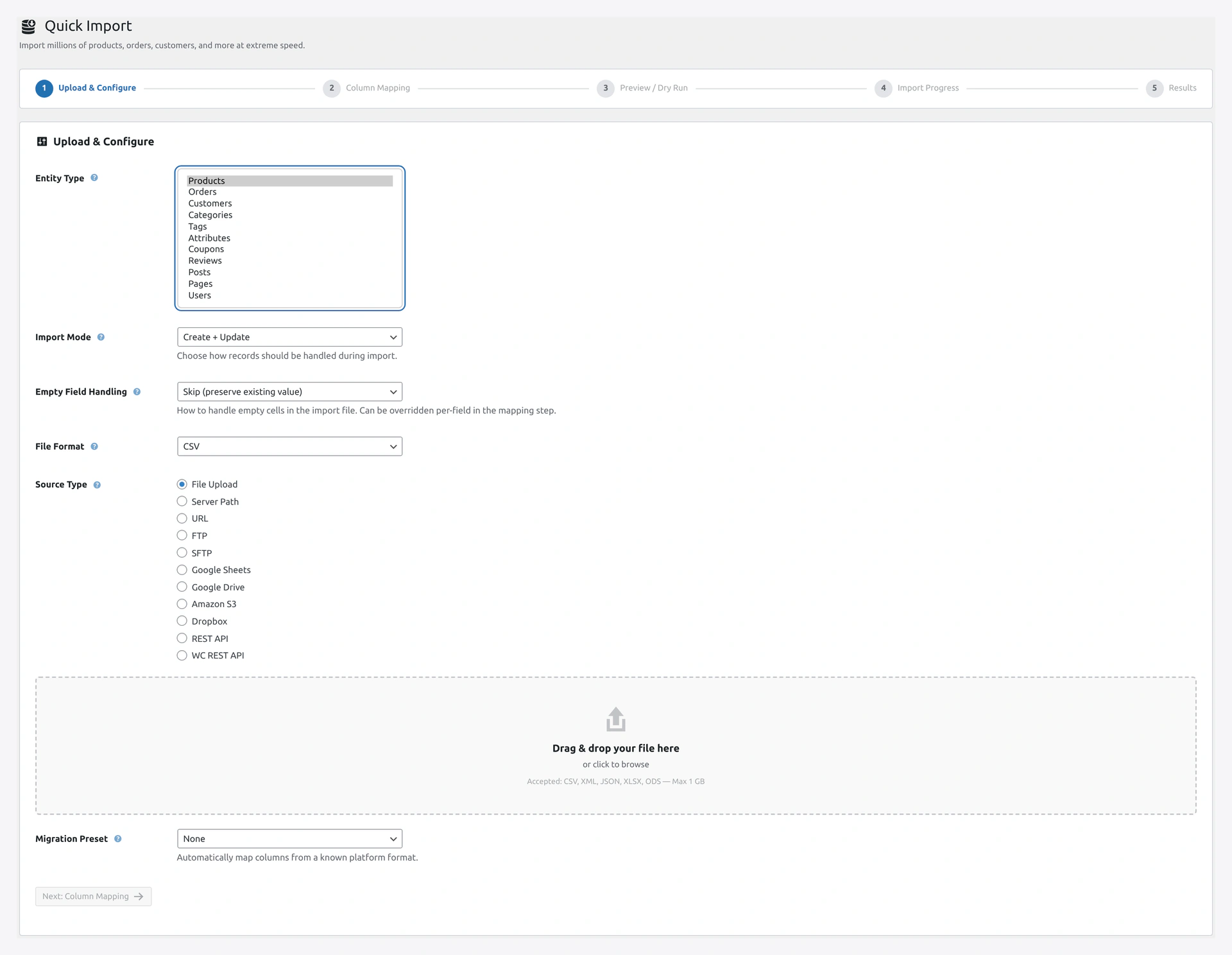 The entity dropdown lists every object type the plugin can import — choose Products for SKUs, variations, grouped, and downloadable goods.
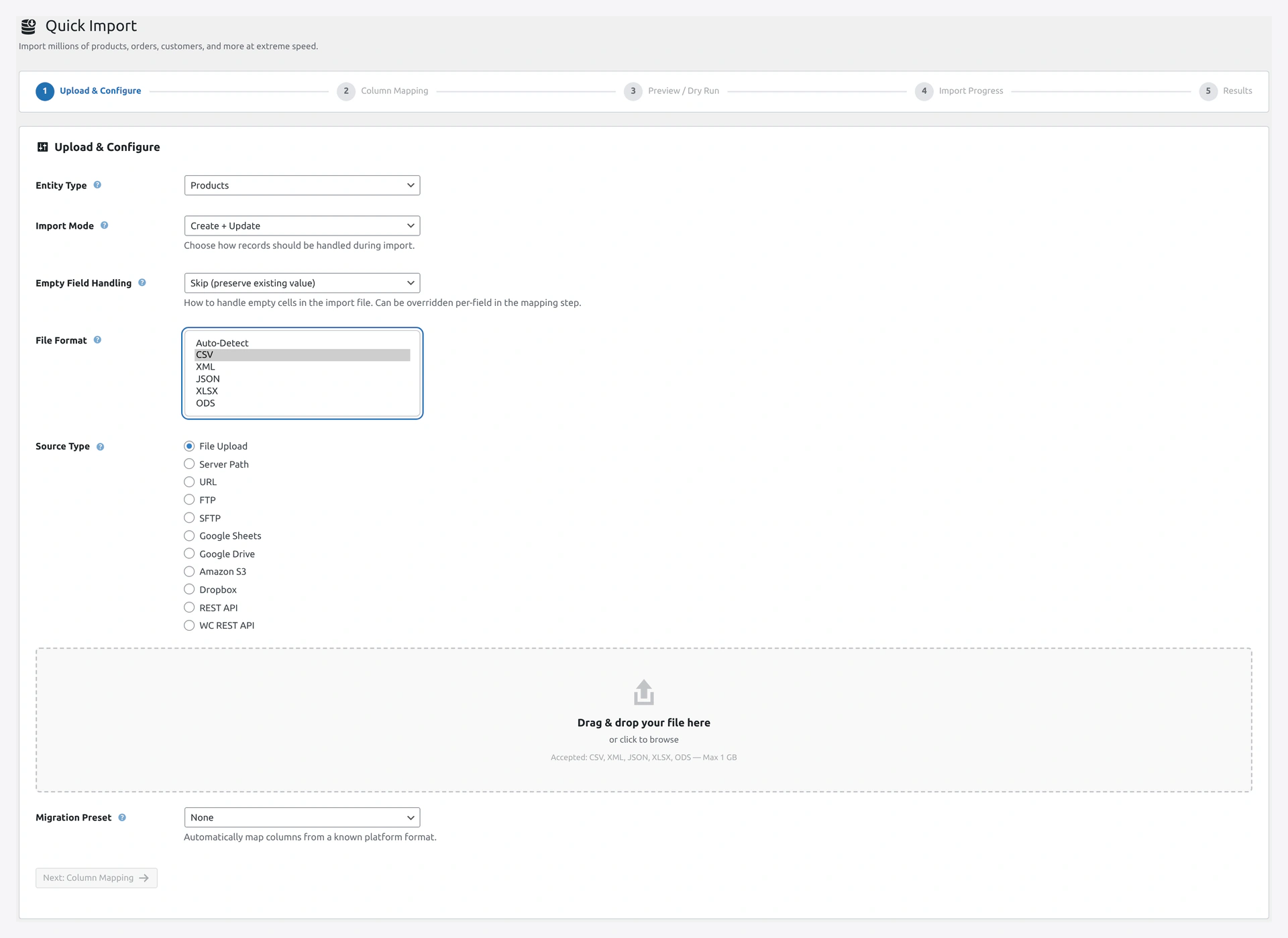 Auto-detect works for almost every catalog, but you can force CSV, XLSX, XML, JSON, or ODS when the extension lies.
Complete Column List
Basic Fields
| Column | Required | Example |
|---|---|---|
SKU | Yes (or Name) | WK-TEE-001 |
Name | Yes (if no SKU) | Cotton T-Shirt |
Slug | No | cotton-t-shirt |
Type | No (defaults to simple) | simple, variable, variation, grouped, external |
Description | No | Soft breathable tee... |
Short description | No | Premium cotton |
Status | No (defaults to publish) | publish, draft, pending, private |
Published | No | 1 (published) or 0 (draft) |
Is featured? | No | 1 or 0 |
Visibility in catalog | No | visible, catalog, search, hidden |
Date sale price starts | No | 2026-04-14 00:00:00 |
Date sale price ends | No | 2026-04-30 23:59:59 |
Pricing
| Column | Example |
|---|---|
Regular price | 29.99 |
Sale price | 24.99 |
Cost price | 15.00 (custom field) |
Tax
| Column | Example |
|---|---|
Tax status | taxable, shipping, none |
Tax class | standard, reduced-rate, zero-rate, or empty |
Inventory
| Column | Example |
|---|---|
In stock? | 1 or 0 |
Stock | 150 |
Low stock amount | 5 |
Backorders allowed? | 0 (no), 1 (yes), notify |
Sold individually? | 0 or 1 |
Shipping
| Column | Example |
|---|---|
Weight (kg) | 0.5 |
Length (cm) | 30 |
Width (cm) | 20 |
Height (cm) | 5 |
Shipping class | bulky, light, etc. |
Reviews
| Column | Example |
|---|---|
Allow customer reviews? | 1 or 0 |
Purchase note | Thank you for your order! |
Categories and Tags
| Column | Example |
|---|---|
Categories | Clothing > Men's > T-Shirts |
Tags | cotton, casual, summer |
Category hierarchy uses > by default. Change the separator in Step 2.
Attributes
Attributes are used for variable product options (size, color) and for product specifications.
Pattern
| Column | Example |
|---|---|
Attribute 1 name | Color |
Attribute 1 value(s) | Red, Blue, Green |
Attribute 1 visible | 1 or 0 |
Attribute 1 global | 1 (stored as taxonomy) or 0 (just text) |
Attribute 1 default | Red (for variable products) |
Repeat for Attribute 2, 3, 4, etc.
Images
| Column | Example |
|---|---|
Images | https://example.com/1.jpg, https://example.com/2.jpg, https://example.com/3.jpg |
First image becomes featured image. Rest go in gallery.
Variations
For variation rows (child products), add:
| Column | Example |
|---|---|
Parent | id:42 (parent post ID) or parent-sku |
Attribute 1 value(s) | Red (the specific value for this variation) |
Attribute 2 value(s) | Small |
Grouped
| Column | Example |
|---|---|
Grouped products | sku1, sku2, sku3 (SKUs of children) |
External / Affiliate
| Column | Example |
|---|---|
External URL | https://amazon.com/dp/B08... |
Button text | Buy on Amazon |
Downloadable
| Column | Example |
|---|---|
Download limit | 3 (downloads allowed per order) |
Download expiry days | 30 (days after purchase) |
Download 1 name | User Manual PDF |
Download 1 URL | https://example.com/manual.pdf |
Repeat for Download 2, 3, etc.
Upsells and Cross-Sells
| Column | Example |
|---|---|
Upsells | sku-upgrade-1, sku-upgrade-2 |
Cross-sells | sku-related-1, sku-related-2 |
Variable Products in Detail
Two Ways to Import
Option 1 — Separate Rows for Parent + Variations
Most common. One row for the variable parent, then one row per variation.
Type,SKU,Name,Parent,Attribute 1 value(s),Regular price
variable,TSHIRT-001,Cotton T-Shirt,,,
variation,TSHIRT-001-RED-S,,TSHIRT-001,"Red|Small",29.99
variation,TSHIRT-001-RED-M,,TSHIRT-001,"Red|Medium",29.99
variation,TSHIRT-001-BLU-S,,TSHIRT-001,"Blue|Small",29.99
Option 2 — Auto-Create Parent from Simple Rows
Upload only simple product rows. Plugin builds the variable parent automatically.
Configure in wizard → Step 3 → "Auto-Create Variable Parent":
- By parent SKU column — all rows with the same "Parent SKU" value group together
- By SKU pattern — first 8 chars of SKU (e.g.,
TSHIRT-001) become the parent - By shared attributes — products with same Color + Material + Fit group together
Great for suppliers who do not understand variable products.
Downloadable Products
Multiple Files per Product
Add columns for each file:
| Column | Example |
|---|---|
Download 1 name | User Manual |
Download 1 URL | https://example.com/manual.pdf |
Download 2 name | Quick Start Guide |
Download 2 URL | https://example.com/guide.pdf |
File Protection
- URLs should be on your server (not public)
- WooCommerce generates download tokens on purchase
- Files are never directly linked from product pages
Product Relationships
Related Products
WooCommerce auto-generates related products based on categories and tags. To override, add an Upsells or Cross-sells column.
- Upsell — "You might like this better version"
- Cross-sell — "People who bought this also bought..."
- Grouped — "This product is part of this bundle"
All use SKU lists (comma-separated).
Handling Products Not in File
When you re-import an updated catalog, what should happen to products NOT in the new file?
In wizard → Step 3 → "Products not in file":
| Option | Use Case |
|---|---|
| Do nothing | Keep them as-is (default) |
| Set out of stock | Mark as out of stock |
| Set quantity to 0 | Reset stock |
| Disable (draft) | Unpublish |
| Delete | Remove them |
Useful for suppliers that send a complete catalog — if a product is missing, it is discontinued.
Image Handling
From Our CSV
Images
"https://example.com/main.jpg, https://example.com/angle1.jpg, https://example.com/angle2.jpg"
First URL becomes the featured image. Others go in the gallery.
What Happens
- The plugin downloads each image
- Adds it to the Media Library
- Assigns to the product
- Caches — if the same URL appears 100 times, it downloads once
Settings to Speed Up
- Deferred image download — finish import first, download in background
- Use external URLs — skip download, link directly
Image Formats
Supported: .jpg, .jpeg, .png, .gif, .webp, .svg
Stock Management
Full Override
SKU,Stock
WK-001,150
WK-002,0
After import:
- WK-001 has exactly 150 in stock
- WK-002 is out of stock
Incremental (Add to Existing)
In wizard → Advanced → "Stock is additive" = Yes
SKU,Stock
WK-001,50
Before: 150. After: 200 (150 + 50).
Stock-Only Quick Sync
If you only want to update stock (no other fields), turn on "Stock-only mode" for the fastest possible import. Only stock and stock_status get written.
SEO Fields
With Yoast, RankMath, or AIOSEO compat turned on:
SKU,_yoast_wpseo_title,_yoast_wpseo_metadesc,rank_math_title
WK-001,Best T-Shirt 2026,The ultimate cotton tee,Top Rated Cotton T-Shirt
See Compatibility for the full list.
Custom Meta Fields
For any custom field not in the standard list:
Simple Custom Field
Map the column to Meta: custom_key. The plugin writes to _custom_key postmeta.
Multiple Custom Fields
Just add columns with the right meta key names:
SKU,Name,Meta: gtin,Meta: manufacturer,Meta: warranty_years
WK-001,Shirt,1234567890123,Acme Corp,2
Product Visibility
| Value | What It Means |
|---|---|
visible | Show everywhere (default) |
catalog | Show in catalog pages only, hide from search |
search | Show in search only, hide from catalog |
hidden | Hide from both |
Product Status
| Value | What It Means |
|---|---|
publish | Live on the site |
draft | Saved but not live |
pending | Awaiting review (for contributors) |
private | Visible only to editors and admins |
trash | Soft-deleted |
Troubleshooting
| Problem | Fix |
|---|---|
| Variations have no parent | Parent SKU is wrong or parent row is after variations. Put parent first |
| Attributes not saving | Check Attribute N global is set correctly (1 for taxonomy, 0 for custom) |
| Images did not download | Check URL is public and Download Images is on in Settings |
| Variable product has no variations | Variations rows were skipped. Check CSV for errors |
| Prices show as 0 | Currency decimal separator mismatch (use . not ,) |
| Categories all single-level | Category separator needs to be > |
| SKU not unique error | Duplicate SKUs in file. Check for typos |
| Out of stock despite quantity | Check In stock? column. Stock > 0 with In stock = 0 will show as out of stock |
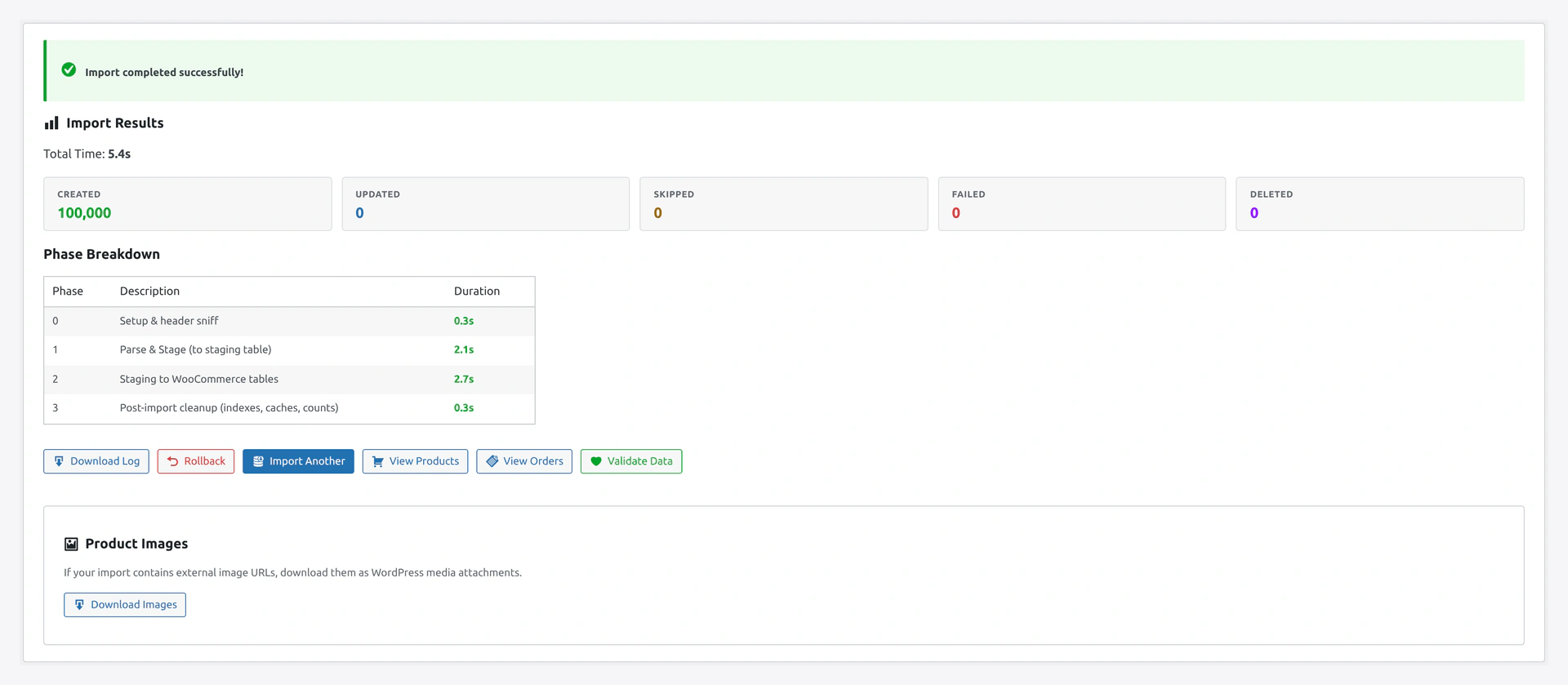 The final results screen shows a success banner, totals for created vs updated products, and a phase-by-phase breakdown so you can verify the catalog landed cleanly.
Related Pages
- Quick Import Wizard — Run the import
- Column Mapping — Map custom columns
- Transformations — Change prices, names during import
- Compatibility — Yoast, ACF, Dokan fields