
Features — The Full Tour
This page lists every feature in the plugin. Use the table of contents on the left to jump to what you need.
Highlights
- 14 entity types in the wizard — Products, Orders, Customers, Coupons, Reviews, Posts, Pages, Users, Categories, Tags, Attributes, and more
- 11 import sources — File upload, Server path, URL, FTP, SFTP, Google Sheets, Google Drive, Dropbox, Amazon S3, REST API, WooCommerce REST API
- 13 export destinations — File download, FTP, SFTP, server path, Amazon S3, Dropbox, Google Drive, Google Sheets, OneDrive, REST API, WC REST API, email
- 5 import modes — Create Only, Update Only, Create + Update, Delete, Replace
- 6 file formats — Auto-Detect, CSV, XML, JSON, XLSX, ODS (plus ZIP and TAR auto-extract)
- 15 third-party plugins supported — Yoast, RankMath, AIOSEO, ACF, Meta Box, WPML, Polylang, Dokan, WCFM, WC Vendors, Product Bundles, Composite Products, Product Add-ons, Brands
- 7 admin pages — Dashboard, Quick Import, Quick Export, Jobs, History, Settings, Health Check
- 23 health checks with one-click auto-fix
- Blazing fast — 10,000 products in seconds, 1 million in a few minutes
- Scheduled jobs — every minute, hourly, daily, weekly, or custom cron
- One-click rollback — undo any import instantly
- REST API for programmatic control
- WP-CLI commands for server-side automation
1. Admin Menu
Under Webkul WC Addons in your sidebar, you will find these 7 pages:
| Menu Slug | Menu Title |
|---|---|
wkaie | Import Export (Dashboard) |
wkaie-import | Quick Import |
wkaie-export | Quick Export |
wkaie-jobs | Jobs |
wkaie-history | History |
wkaie-settings | Settings |
wkaie-health-check | Health Check |
All pages require the manage_woocommerce capability.
2. Entity Types (What You Can Import)
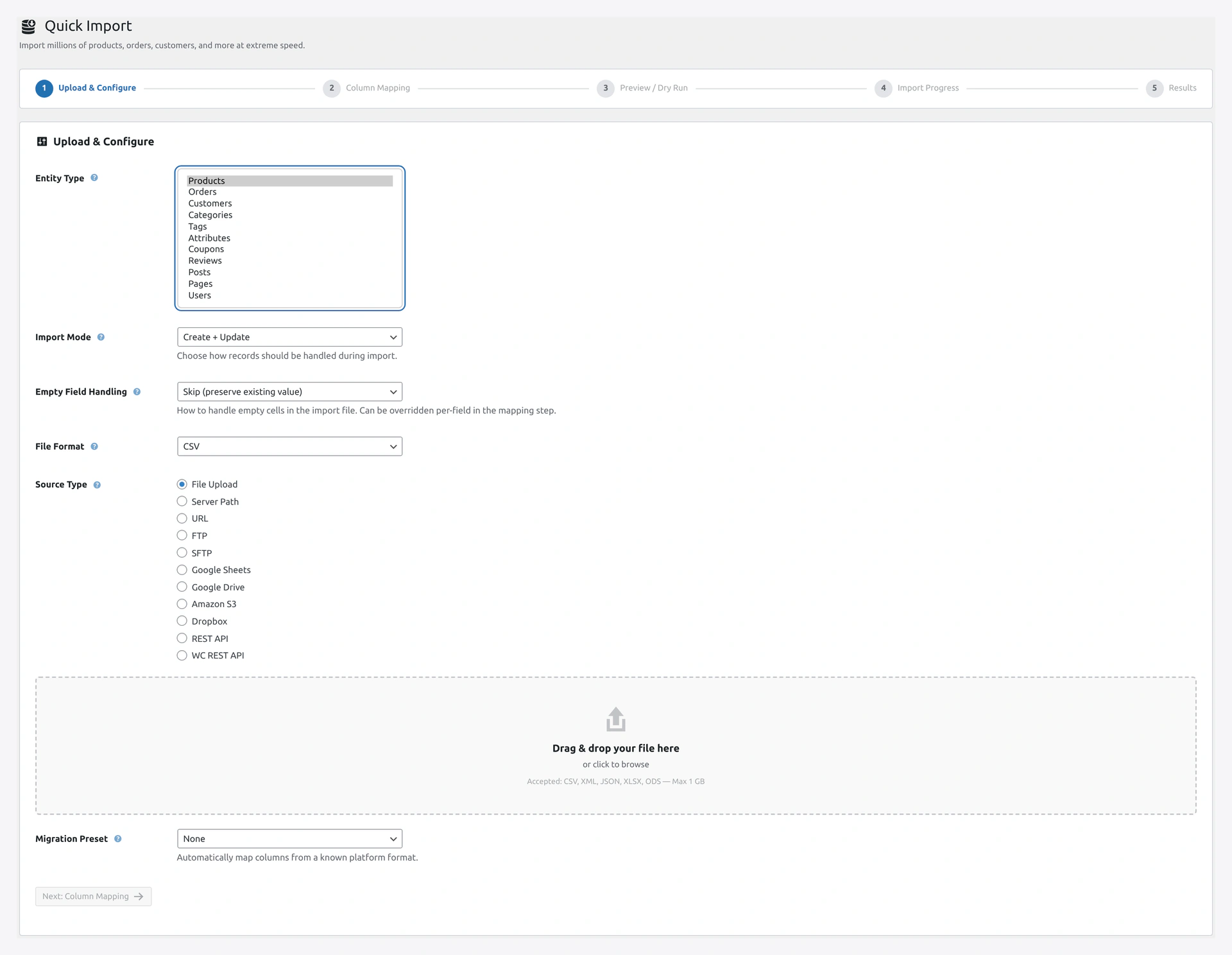 Screenshot: Entity selector — Products, Orders, Customers, Categories, Tags, Attributes, Coupons, Reviews, Posts, Pages, Users.
| Entity | In Wizard | Notes |
|---|---|---|
| Products | Yes | Simple, variable, variation, grouped, external, virtual, downloadable |
| Orders | Yes | With line items, addresses, payments |
| Customers | Yes | With billing and shipping addresses |
| Categories | Yes | With full hierarchy |
| Tags | Yes | Product tags |
| Attributes | Yes | Color, Size, Material, and their terms |
| Coupons | Yes | Discount codes |
| Reviews | Yes | Product reviews with ratings |
| Posts | Yes | WordPress blog posts |
| Pages | Yes | WordPress pages |
| Users | Yes | Any WordPress user |
| Subscriptions | Yes (if plugin active) | WooCommerce Subscriptions |
| Bookings | Yes (if plugin active) | WooCommerce Bookings |
| Memberships | Yes (if plugin active) | WooCommerce Memberships |
3. File Formats
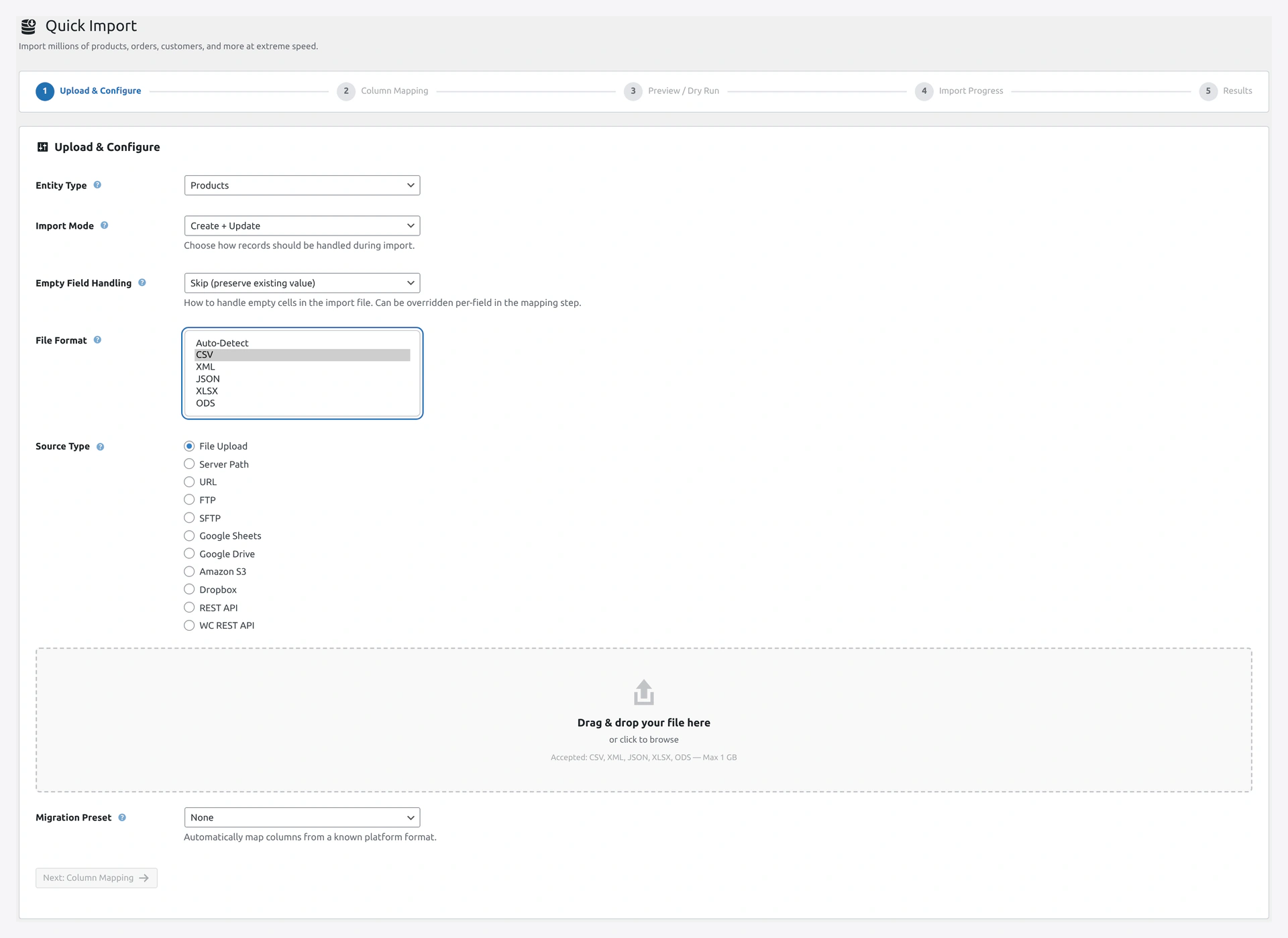 Screenshot: File format dropdown — Auto, CSV, XML, JSON, XLSX, ODS.
| Format | Notes |
|---|---|
| Auto-Detect | Default — plugin figures it out |
| CSV | Most common, auto-delimiter detection (comma, tab, semicolon, pipe) |
| XML | With XSLT transformation support |
| JSON | Flat and nested structures |
| XLSX | Excel 2007+ |
| ODS | LibreOffice / OpenOffice |
Plus auto-extraction for:
- ZIP archives
- TAR archives
Multi-byte character sets (UTF-8, UTF-16, Latin-1) are auto-detected and converted.
4. Import Sources
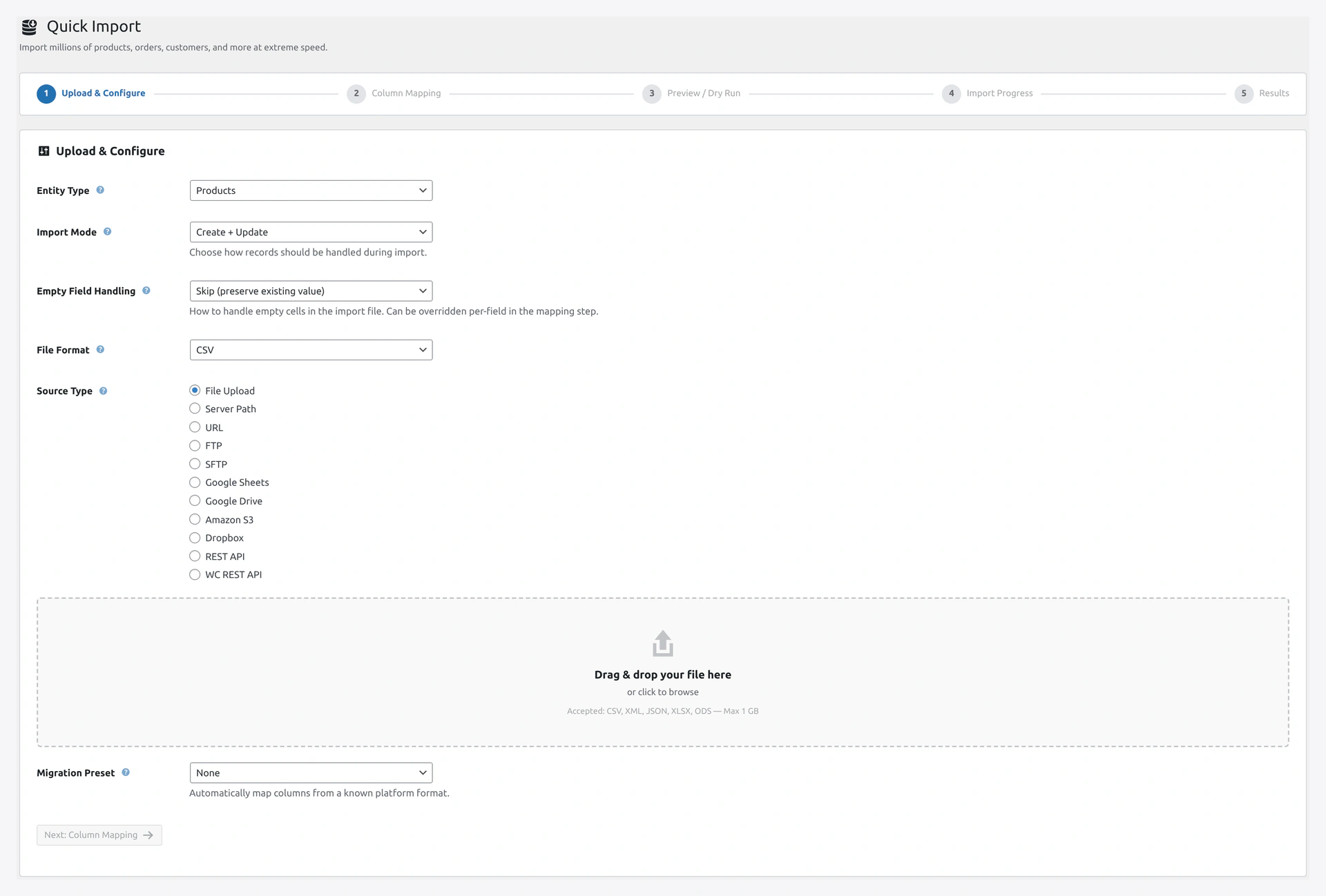 Screenshot: Wizard Step 1 — pick one of 11 sources (File Upload, Server Path, URL, FTP, SFTP, Google Sheets, Google Drive, Amazon S3, Dropbox, REST API, WC REST API).
| Source | What It Does |
|---|---|
| File Upload | Drag and drop a file from your computer |
| Server Path | Pick a file already on your server |
| URL | Download from any HTTPS link |
| FTP | Connect to an FTP server |
| SFTP | Secure FTP with SSH key support |
| Google Sheets | Paste the sheet URL, plugin pulls as CSV |
| Google Drive | Connect with Google account |
| Amazon S3 | Connect to your AWS bucket |
| Dropbox | Paste a shared link |
| REST API | Pull from any REST endpoint |
| WooCommerce REST API | Sync from another WooCommerce store |
See Import Sources for setup of each.
5. Export Destinations
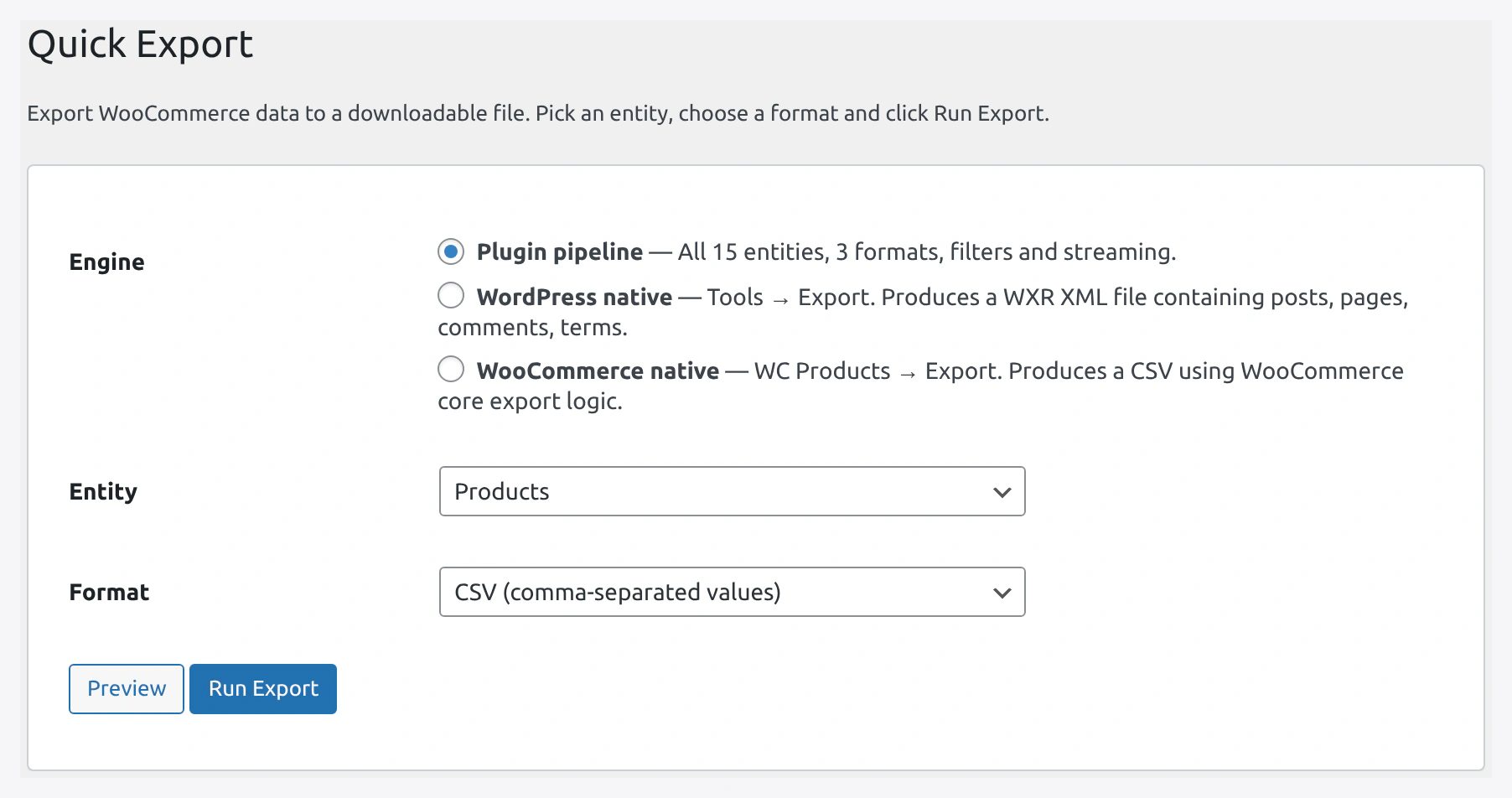 Screenshot: Quick Export page — pick engine, entity, format; Preview shows row/column counts; Run Export produces a download link or pushes to the destination.
| Destination | What It Does |
|---|---|
| File Download | Download the file in your browser |
| Server Path | Save to a folder on the server |
| FTP | Push to an FTP server |
| SFTP | Secure FTP push |
| Amazon S3 | Upload to S3 bucket |
| Dropbox | Upload to Dropbox |
| Google Drive | Upload to Drive |
| Google Sheets | Write rows to a Google Sheet |
| OneDrive | Upload to Microsoft OneDrive |
| REST API | POST to any endpoint |
| WooCommerce REST API | Push to another WooCommerce store |
| Send as attachment |
See Export Destinations.
6. Import Modes
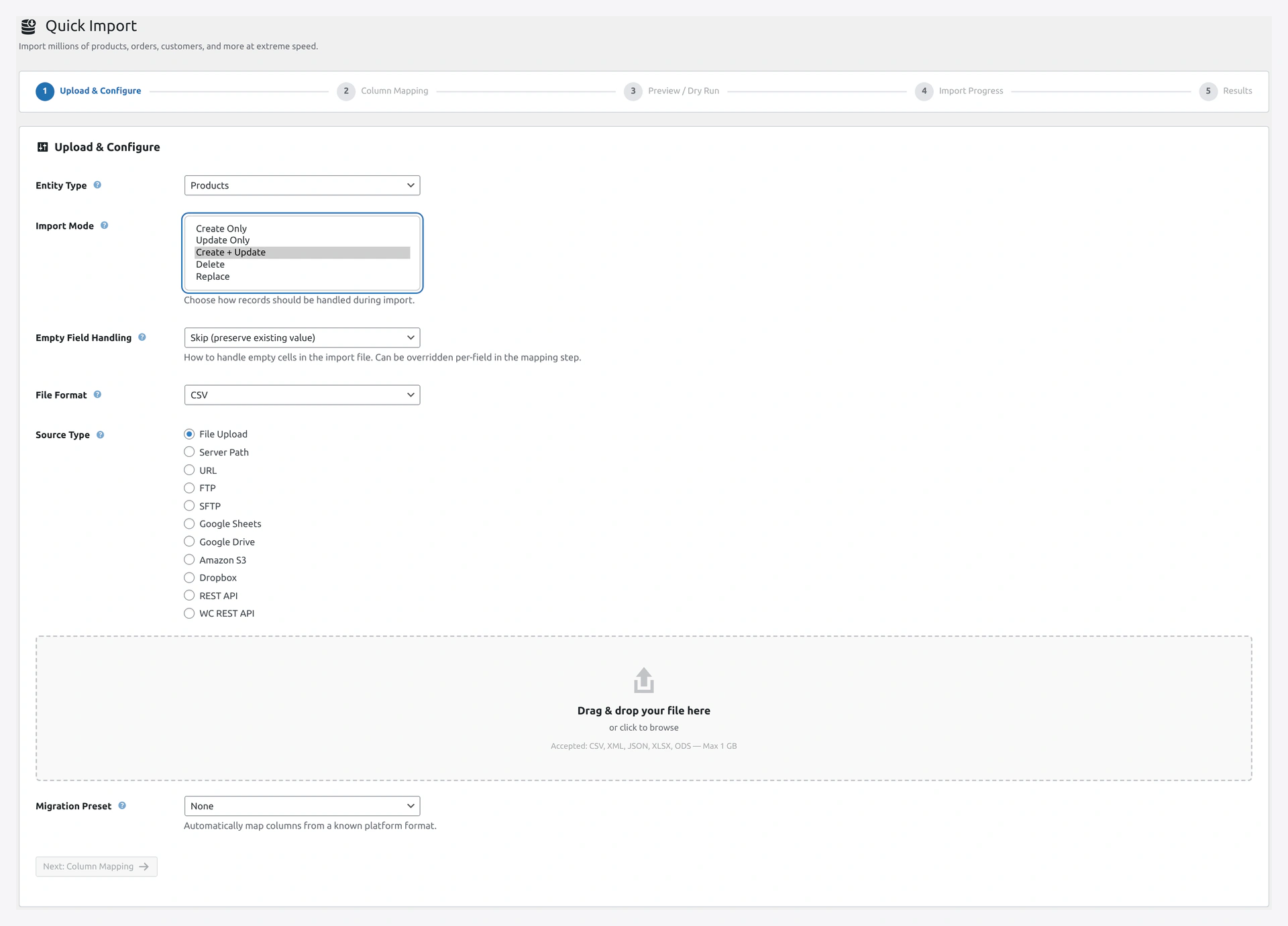 Screenshot: Import mode selector — Create Only, Update Only, Create + Update, Delete, Replace.
| Mode | What It Does |
|---|---|
| Create Only | Add new records, skip existing |
| Update Only | Update existing, skip new |
| Create + Update (default) | Add new AND update existing |
| Delete | Delete records in the file |
| Replace | Wipe everything, then import |
See Import Modes.
7. Record Matching (for Updates)
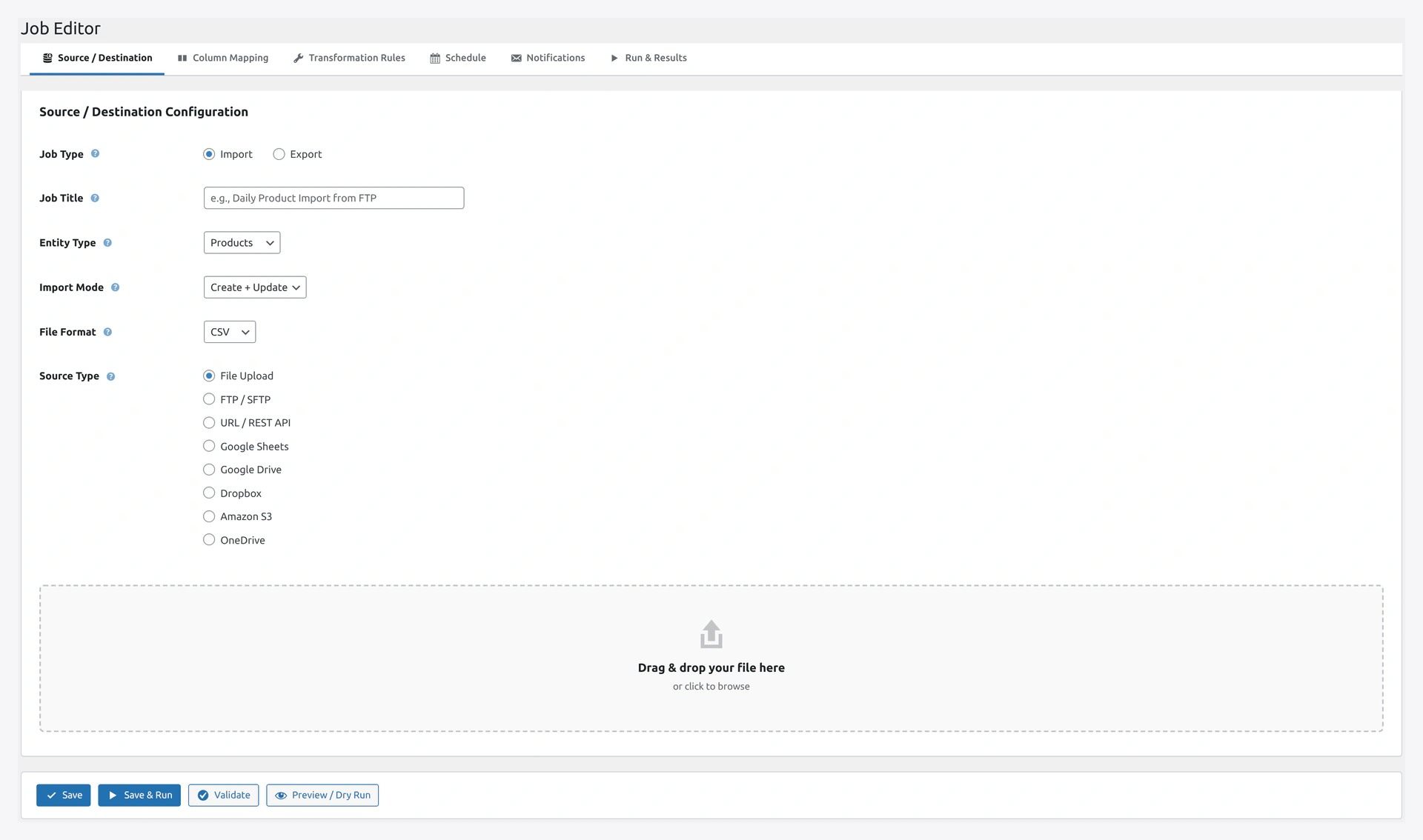 Screenshot: Job Editor — pick the match key (SKU, ID, Email, Order Number, Slug, or a custom meta field) used to find existing records before update.
To know which record is "existing," the plugin uses a match key.
| Match Key | Default For |
|---|---|
| SKU | Products |
| ID | Any entity |
| Customers, Users | |
| Order Number | Orders |
| Slug | Categories, Tags, Posts, Pages |
| Custom meta field | Any entity |
Pick in wizard Step 1 or in the job editor.
8. Column Mapping
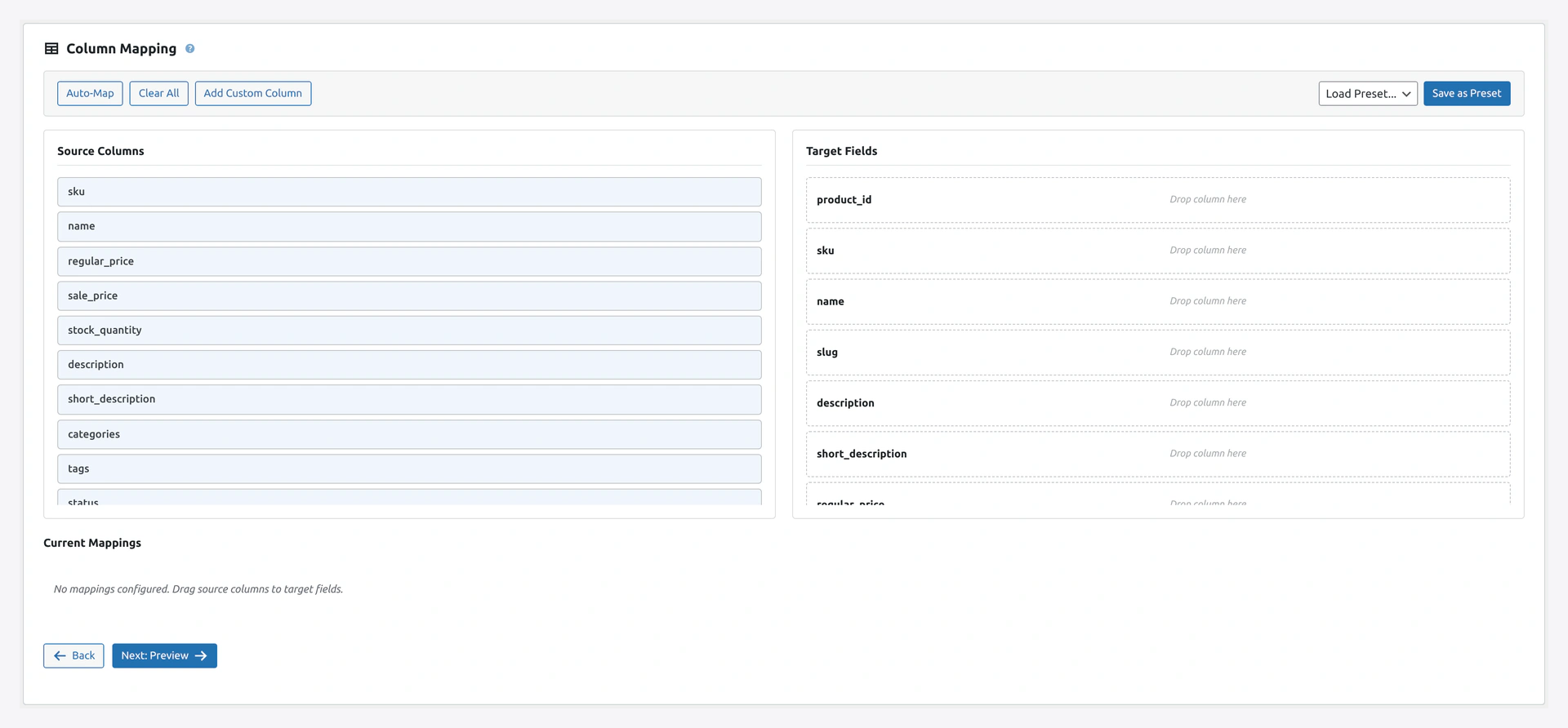 Screenshot: Step 2 — source columns on the left, target WooCommerce fields on the right, current mappings listed below.
Step 2 of the wizard is the column mapper.
- Drag-and-drop visual interface
- Auto-match by column name
- Add columns not in the file (with default values)
- "Use only mapped fields" option
- Save mapping as reusable preset
- Load a saved preset
- Preview mapped data before import
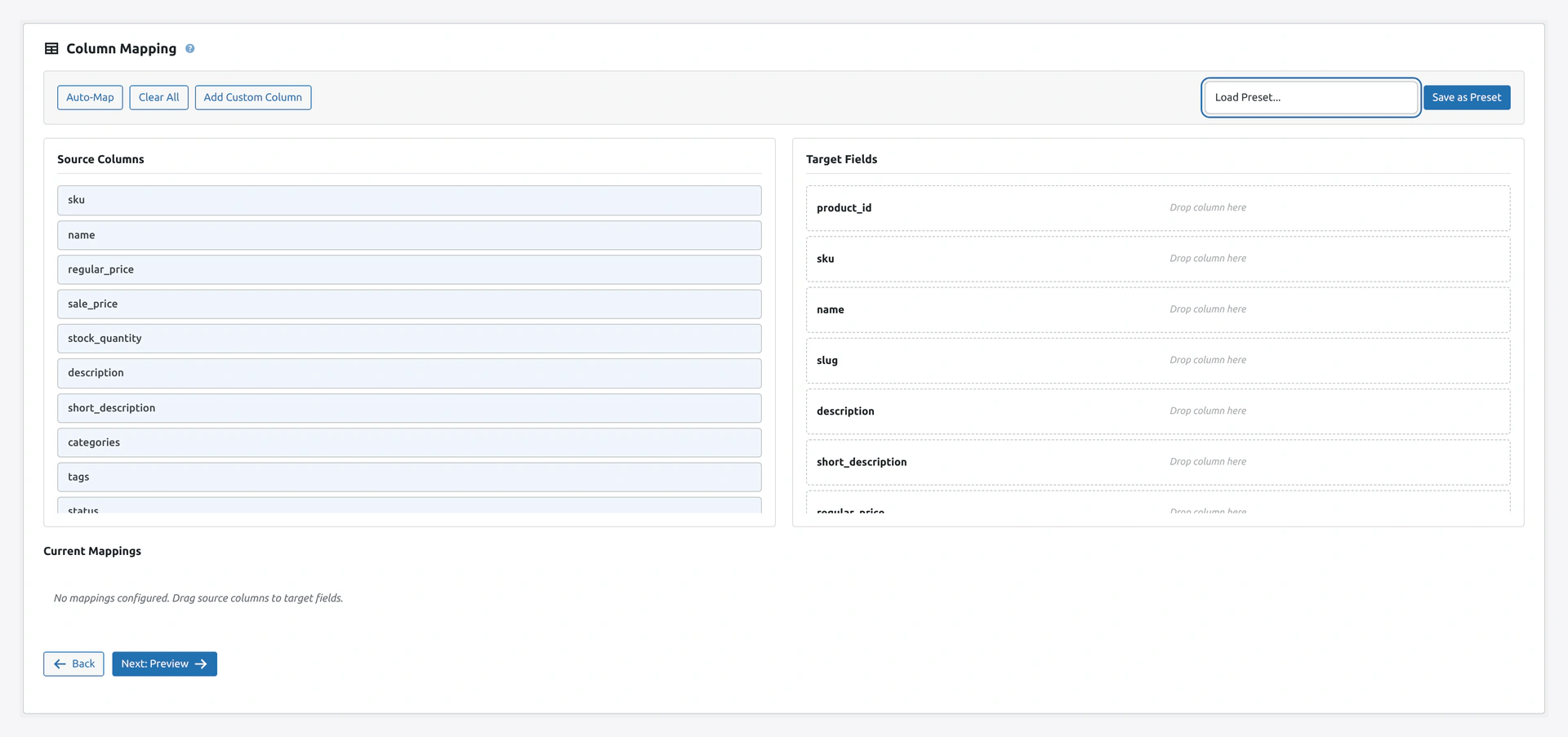 Screenshot: Pick any target field from the full list — every WooCommerce column is selectable per source column.
See Column Mapping.
9. Transformations
Change values during import.
| Transformation | Example |
|---|---|
| Find and Replace | rouge → red |
| Regex Replace | \d+% → [PERCENT] |
| Case change | cotton shirt → Cotton Shirt |
| Trim whitespace | Shirt → Shirt |
| Strip HTML | <b>Red</b> → Red |
| Prepend / Append | 001 → WK-001 |
| Number format | 9.999 → 10.00 |
| Date format | 14/04/2026 → 2026-04-14 |
| Split multi-value | Red,Blue → array |
| Concatenate | John + Doe → John Doe |
| Math (add, subtract, multiply, divide, round) | 10 → 12 (20% markup) |
| Custom PHP | Write your own snippet |
Plus a dedicated Price Rules section for price markups, rounding, and currency conversion.
See Transformations.
10. Migration Presets
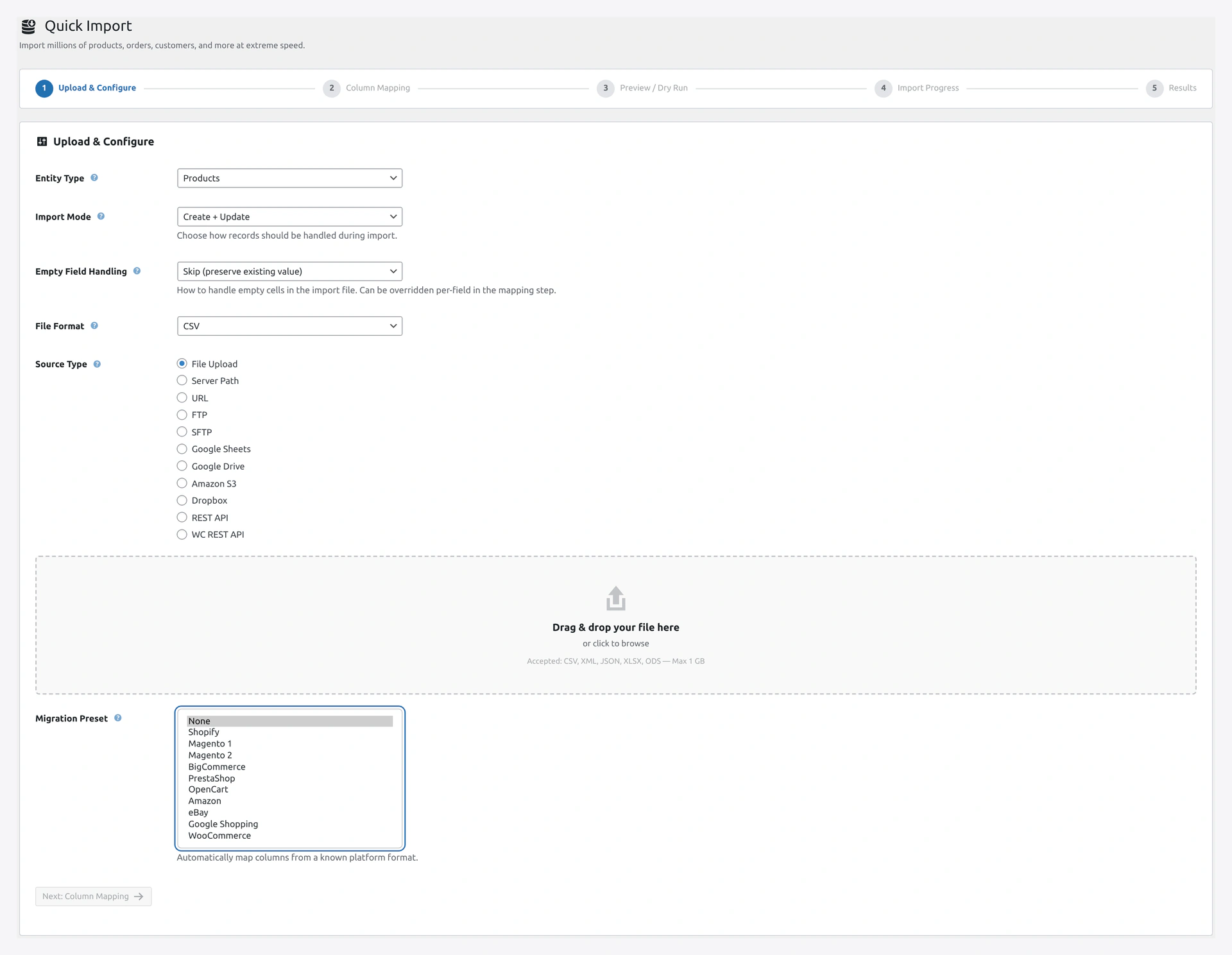 Screenshot: Migration preset selector — Shopify, Magento, BigCommerce, PrestaShop, OpenCart, and more.
Pre-built mappings for popular platforms:
- WooCommerce (default)
- Shopify
- Magento 1 and 2
- BigCommerce
- PrestaShop
- OpenCart
- Amazon Seller
- eBay File Exchange
- Google Shopping feed
- Custom (save your own)
See Migration Presets.
11. Preview / Dry Run (Step 3)
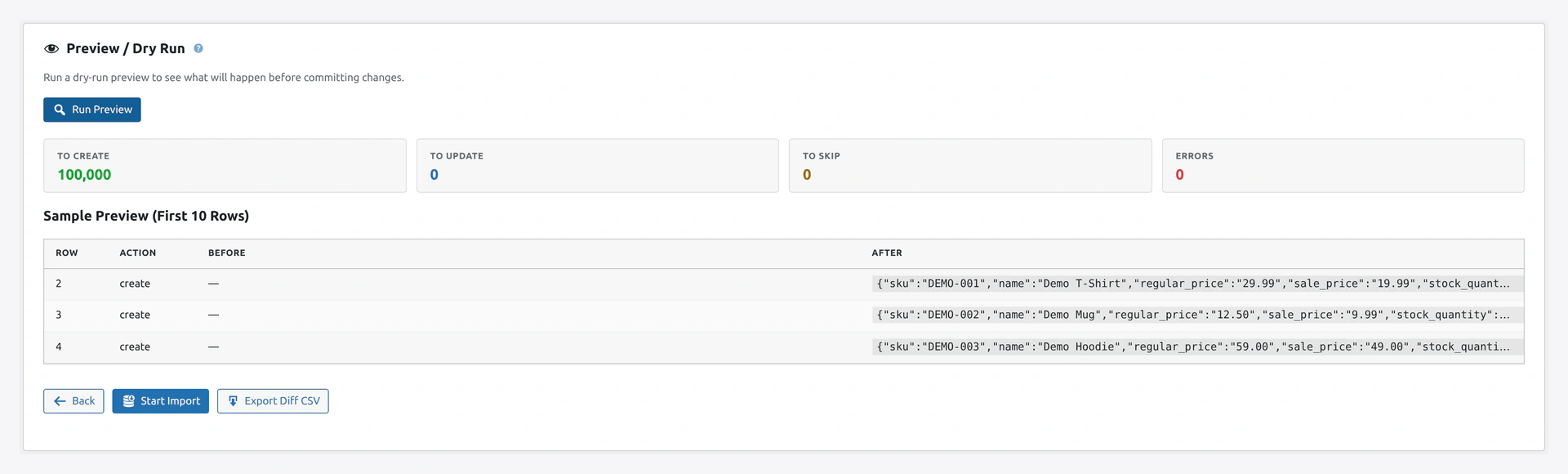 Screenshot: Step 3 — CREATE / UPDATE / SKIP / FAIL counts, sample row diff, and any validation errors surfaced before any DB write.
Step 3 of the wizard runs a dry run before committing.
- Run without writing to the database
- Show counts: CREATE, UPDATE, SKIP, FAIL
- Preview of first rows
- Exact error messages per row
- "Proceed" or "Back" buttons
12. Rollback
Every import saves a snapshot. Undo any import with one click.
- One-click rollback from History page
- Selective rollback (undo specific records only)
- Rollback retention (default 30 days, configurable)
- Rollback via REST API or WP-CLI
See Rollback.
13. Delta / Incremental Import
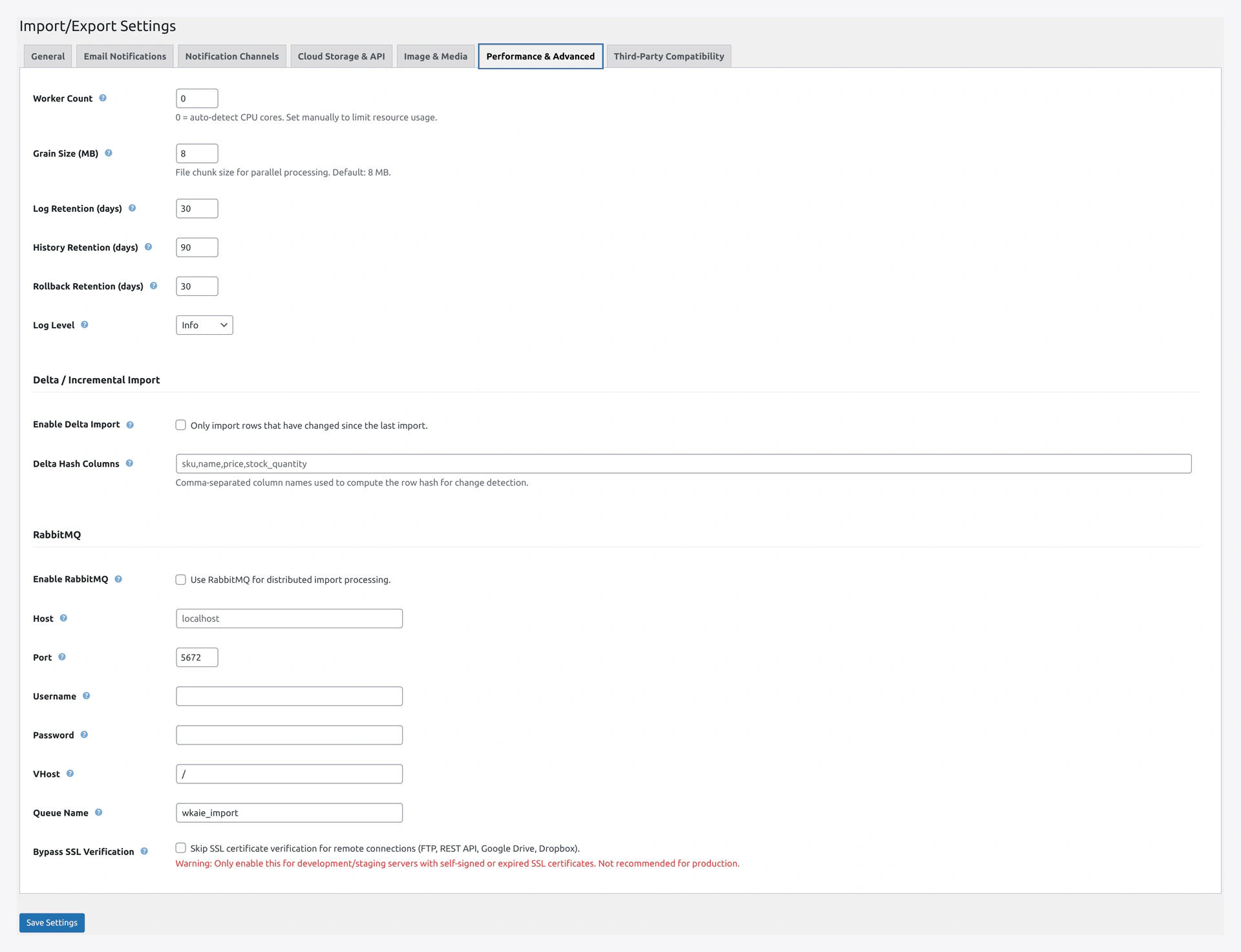 Screenshot: Performance & Advanced tab — configure Delta / Incremental Import, hash columns, and watermark skipping.
For stores that re-import the same data often.
- SHA-256 hash per row
- Skip rows that did not change
- Configurable hash columns
- Optional watermark-based skipping
See Delta Import.
14. Automation and Scheduling
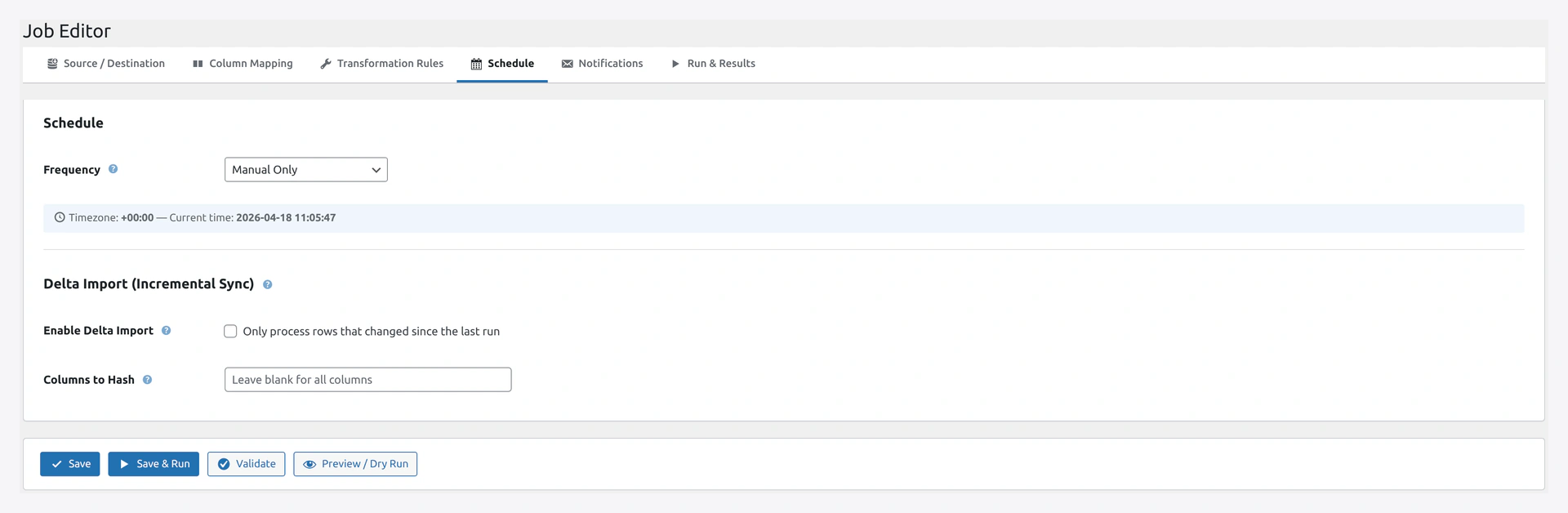 Screenshot: Schedule tab — pick frequency, custom cron, event triggers, delta import.
Cron Schedules
- Every minute
- Every 5, 15, or 30 minutes
- Every hour
- Every 6 hours
- Daily at chosen time
- Weekly on chosen day
- Monthly on chosen date
- Custom cron expression
Event Triggers
- Product saved
- New order
- Order status changed
- Customer registered
- Stock changed
- Checkout completed
- Any custom WordPress hook
Job Chaining
Run multiple jobs in sequence. See Jobs.
15. Quick Export Page
Screenshot: Quick Export — pick one of 3 engines, 15 entities, 3 formats, preview before running.
Three engines to pick from:
- Plugin pipeline — the plugin's fast export engine
- WordPress native — built-in WP exporter (WXR format)
- WooCommerce native — built-in WC exporter (Products only)
15 entities exportable. 3 formats (CSV, JSON, XML), plus WXR for WP native.
One-click preview to see row counts before running.
16. Health Check
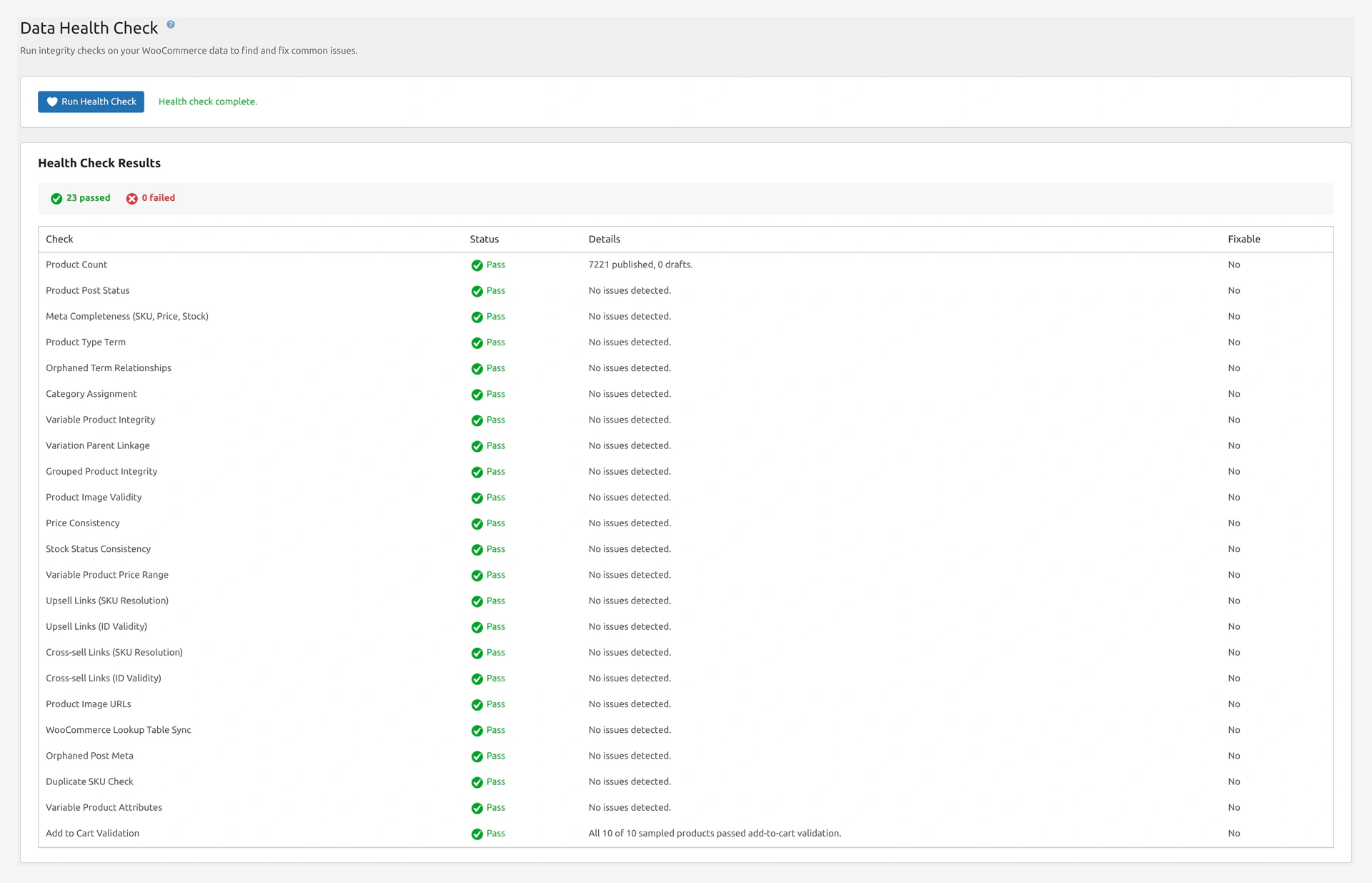 Screenshot: Health Check report — 23 data integrity checks with counts, auto-fix, and CSV export.
23 data integrity checks with auto-fix:
- Product Count
- Product Post Status
- Meta Completeness (SKU, Price, Stock)
- Product Type Term
- Orphaned Term Relationships
- Category Assignment
- Variable Product Integrity
- Variation Parent Linkage
- Grouped Product Integrity
- Product Image Validity
- Price Consistency
- Stock Status Consistency
- Variable Product Price Range
- Upsell Links (SKU resolution)
- Upsell Links (ID validity)
- Cross-sell Links (SKU resolution)
- Cross-sell Links (ID validity)
- Product Image URLs
- WooCommerce Lookup Table Sync
- Orphaned Post Meta
- Duplicate SKU Check
- Variable Product Attributes
- Add to Cart Validation
One-click auto-fix for fixable issues. Export issues as CSV.
See Health Check.
17. History
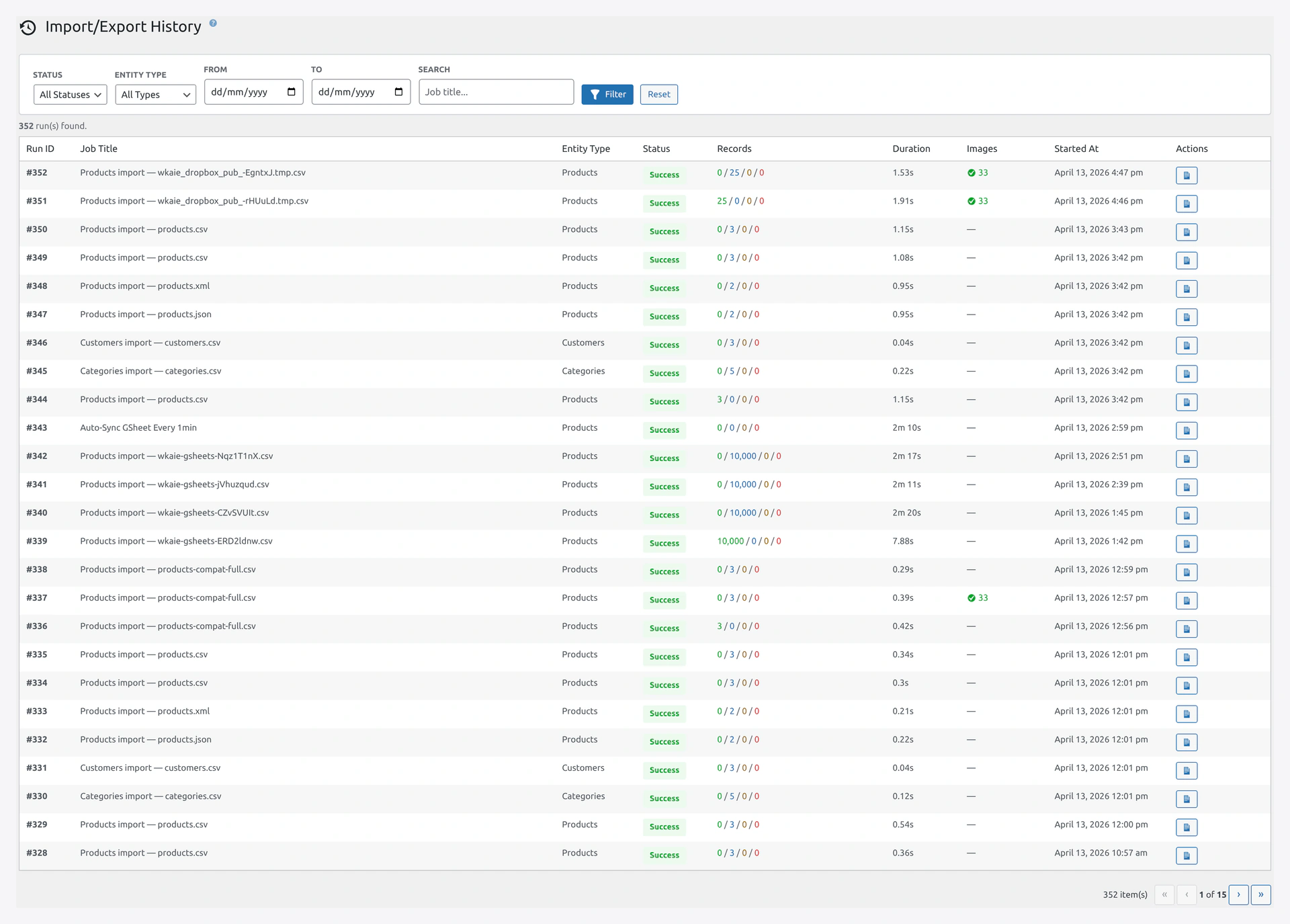 Screenshot: History — every run logged with counts, duration, rollback, and downloadable log.
Complete log of every run.
- Run ID, Job title, Entity, Status, Records (created / updated / skipped / failed), Duration, Images, Date
- Filters: Status, Entity, Date range, Search
- Download log file per run
- Rollback button per run
- Bulk cleanup of old runs
See History.
18. Dashboard
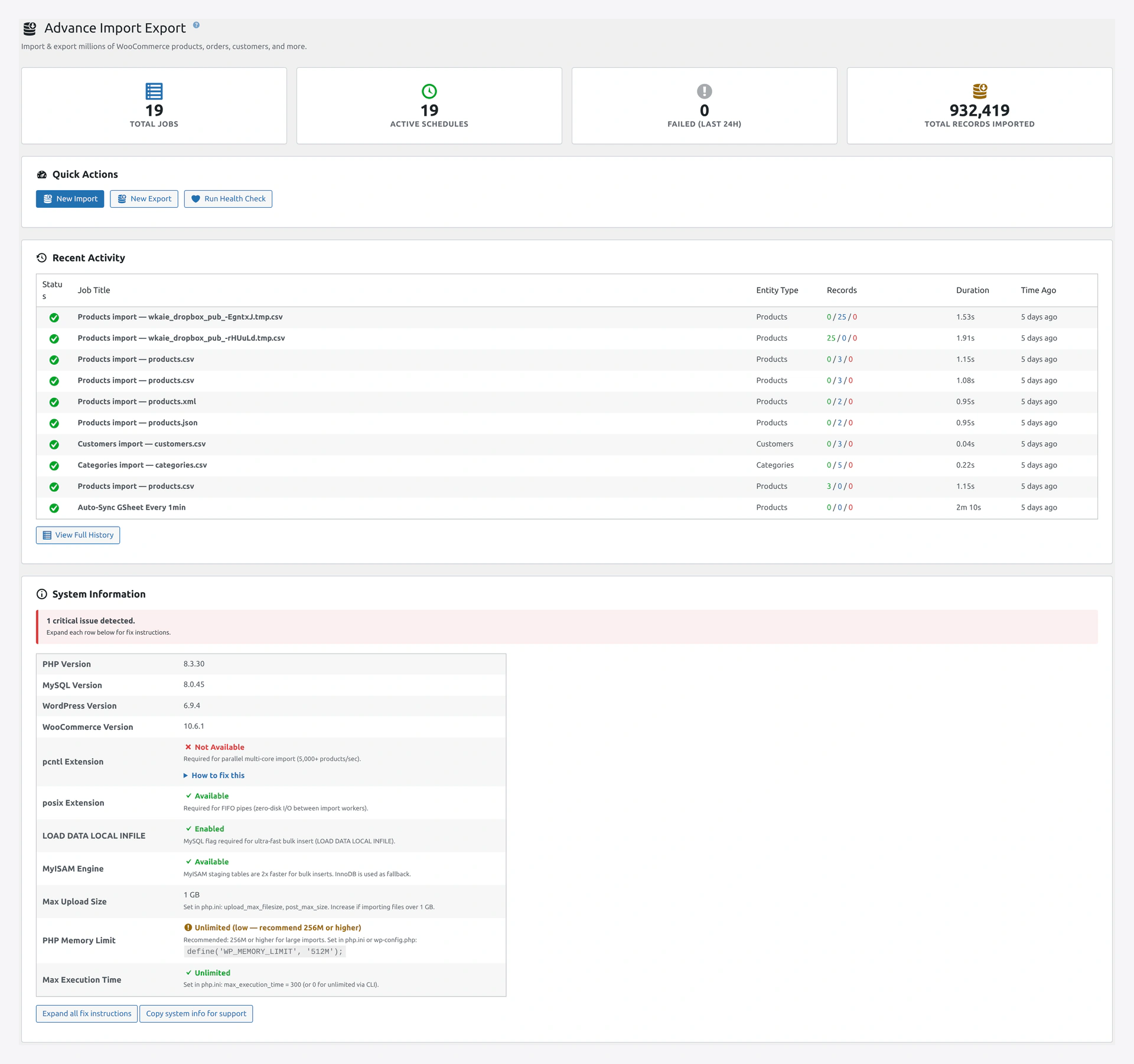 Screenshot: Dashboard top — 4 stat cards, Quick Action buttons, Recent Activity.
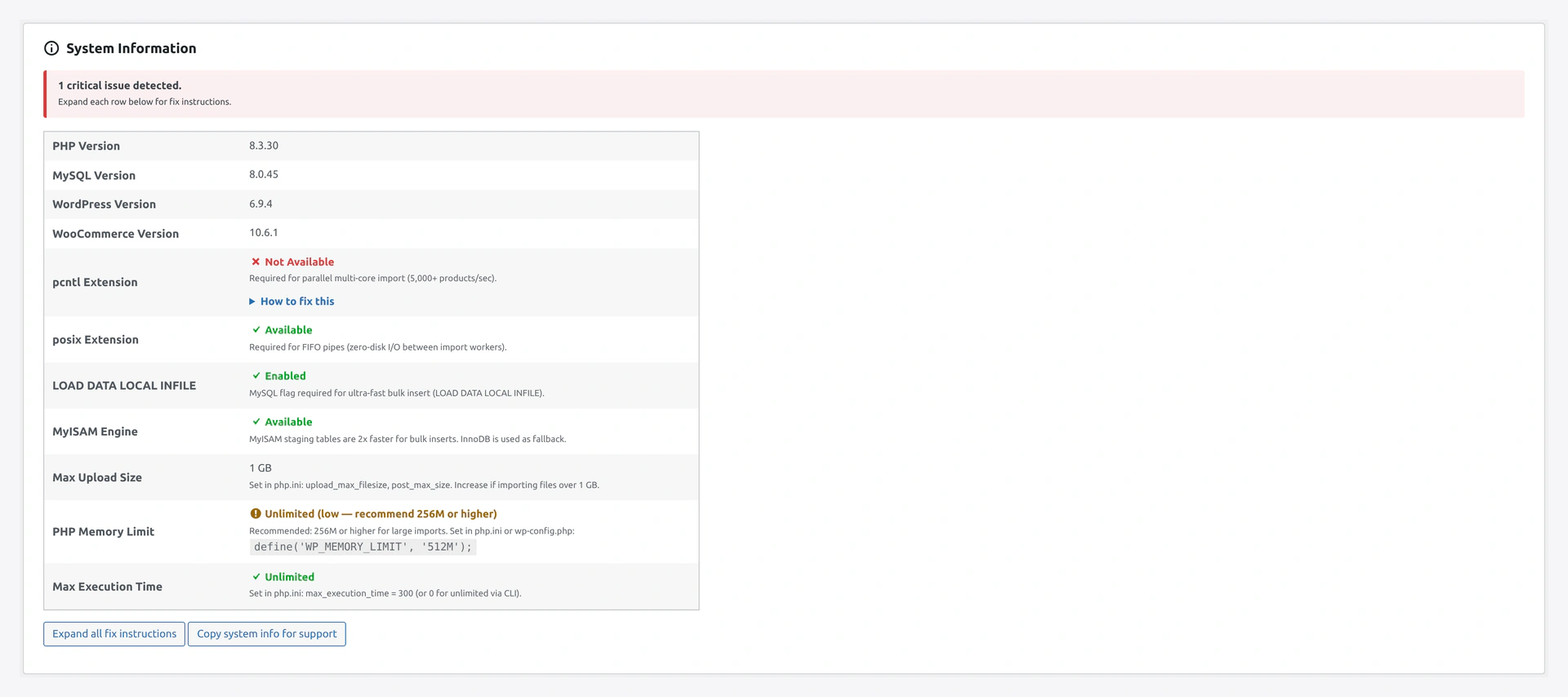 Screenshot: System Information card — OS detection and fix guides.
4 stat cards:
- Total Jobs
- Active Schedules
- Failed (Last 24h)
- Total Records Imported
Plus:
- Quick Action buttons (New Import, New Export, Run Health Check)
- Recent Activity table (last 10 runs)
- System Information card with OS detection and "How to fix this" boxes
See Dashboard.
19. Third-Party Plugin Compatibility
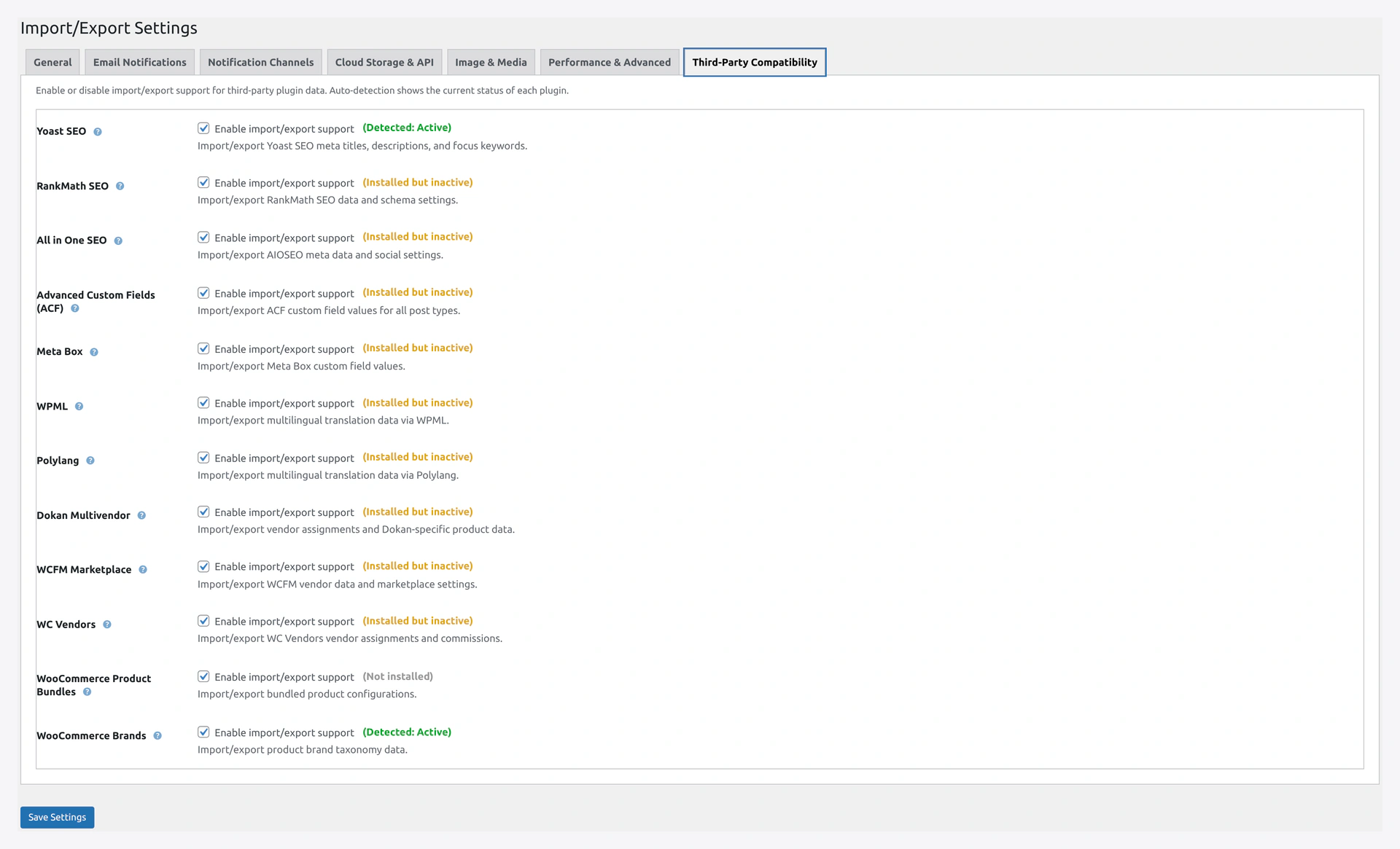 Screenshot: Compatibility tab — flip a switch per plugin, detection badges show what is installed.
Turn on support for 15 plugins in Settings → Compatibility:
SEO
- Yoast SEO
- RankMath SEO
- All in One SEO
Custom Fields
- Advanced Custom Fields (ACF)
- Meta Box
Multi-Language
- Polylang
- WPML (with sitepress-multilingual-cms OR woocommerce-multilingual)
Multi-Vendor
- Dokan
- WCFM Marketplace
- WC Vendors
WooCommerce Add-ons
- WooCommerce Product Bundles
- WooCommerce Composite Products
- WooCommerce Product Add-ons
- WooCommerce Brands (also works with Perfect WooCommerce Brands)
See Compatibility.
20. REST API
16 REST endpoints for programmatic control:
Jobs
GET /jobs— listPOST /jobs— createGET /jobs/{id}— get onePUT /jobs/{id}— updateDELETE /jobs/{id}— deletePOST /jobs/{id}/run— runPOST /jobs/{id}/validate— validateGET /jobs/{id}/progress— live progressPOST /jobs/{id}/cancel— cancel
History
GET /history— listGET /history/{id}— get onePOST /history/{id}/rollback— rollback
Direct
POST /import— direct import (no job)POST /export— direct exportGET /export/preview?entity=X— previewPOST /webhook/{job_id}— webhook receiver
See REST API.
21. WP-CLI Commands
8 command groups:
| Command | Purpose |
|---|---|
wp wkaie run <job_id> | Run a saved job |
wp wkaie run-chain <chain_id> | Run a chain of jobs |
wp wkaie validate <job_id> | Validate a job |
wp wkaie preview <job_id> | Preview a job |
wp wkaie job | Create / list / enable / disable / delete jobs |
wp wkaie history | List history, show run details |
wp wkaie rollback <run_id> | Rollback a run |
wp wkaie preset | Manage mapping presets |
wp wkaie-export | Direct export from CLI |
See WP-CLI.
22. Speed
The plugin is fast:
- 10,000 products in seconds
- 1 million products in a few minutes
- Multiple imports can run at the same time without slowing each other down
- Very large files stream without using huge amounts of memory
- Repeated syncs skip rows that did not change
No more sitting and waiting for a big catalog to finish.
23. Security
- WordPress capability check (
manage_woocommercerequired) - Nonce verification on every form and AJAX request
- SQL injection protection (prepared statements)
- File upload validation
- Directory traversal protection
- Customer passwords hashed on import
- Sensitive fields (API keys, passwords) encrypted with AES-256
- Credentials never logged
- Uploaded files deleted after import
24. Licensing
- One-time purchase, lifetime license
- No recurring fees
- 100% open code (no encryption)
- Free install support
- 30-day money-back guarantee
Quick Comparison
How the plugin stacks up against common alternatives:
| Feature | This Plugin | Stock WooCommerce Import | Other Popular Importers |
|---|---|---|---|
| 14 entity types | Yes | Products only | 5-8 entities |
| Variable products | Yes | Limited | Yes |
| Google Sheets live sync | Yes | No | Some |
| Drag-drop column mapping | Yes | No | Yes |
| Value transformations | 12 types | Basic | 3-5 types |
| Migration presets | 8 platforms | None | 2-3 platforms |
| Import modes | 5 | 2 | 3-4 |
| One-click rollback | Yes | No | Rare |
| Delta / incremental import | Yes | No | No |
| Scheduled jobs | Yes | No | Some |
| Job chaining | Yes | No | No |
| Health check (23 checks) | Yes | No | No |
| REST API | 16 endpoints | No | Limited |
| WP-CLI | 8 command groups | No | Some |
| Third-party compatibility | 15 plugins | None | 3-5 plugins |
| Pricing | One-time | Free | Subscription |
System Requirements
| Item | Minimum | Recommended |
|---|---|---|
| PHP | 8.1 | 8.3 |
| WordPress | 6.0 | 6.9 |
| WooCommerce | 8.0 | 10.6 |
| MySQL | 8.0 | 8.4 |
| Memory | 256M | 1G |
| Max execution time | 300s | 0 (unlimited) |
| pcntl extension | Optional | Required for speed |
| posix extension | Optional | Required for FIFO |
See Installation.