
Advance Import and Export vs Product Import Export (WebToffee)
WebToffee's Product Import Export plugin (Basic + Pro) is another popular choice. It focuses narrowly on products and a handful of related entities. This page explains when it is enough and when you need a more complete tool.
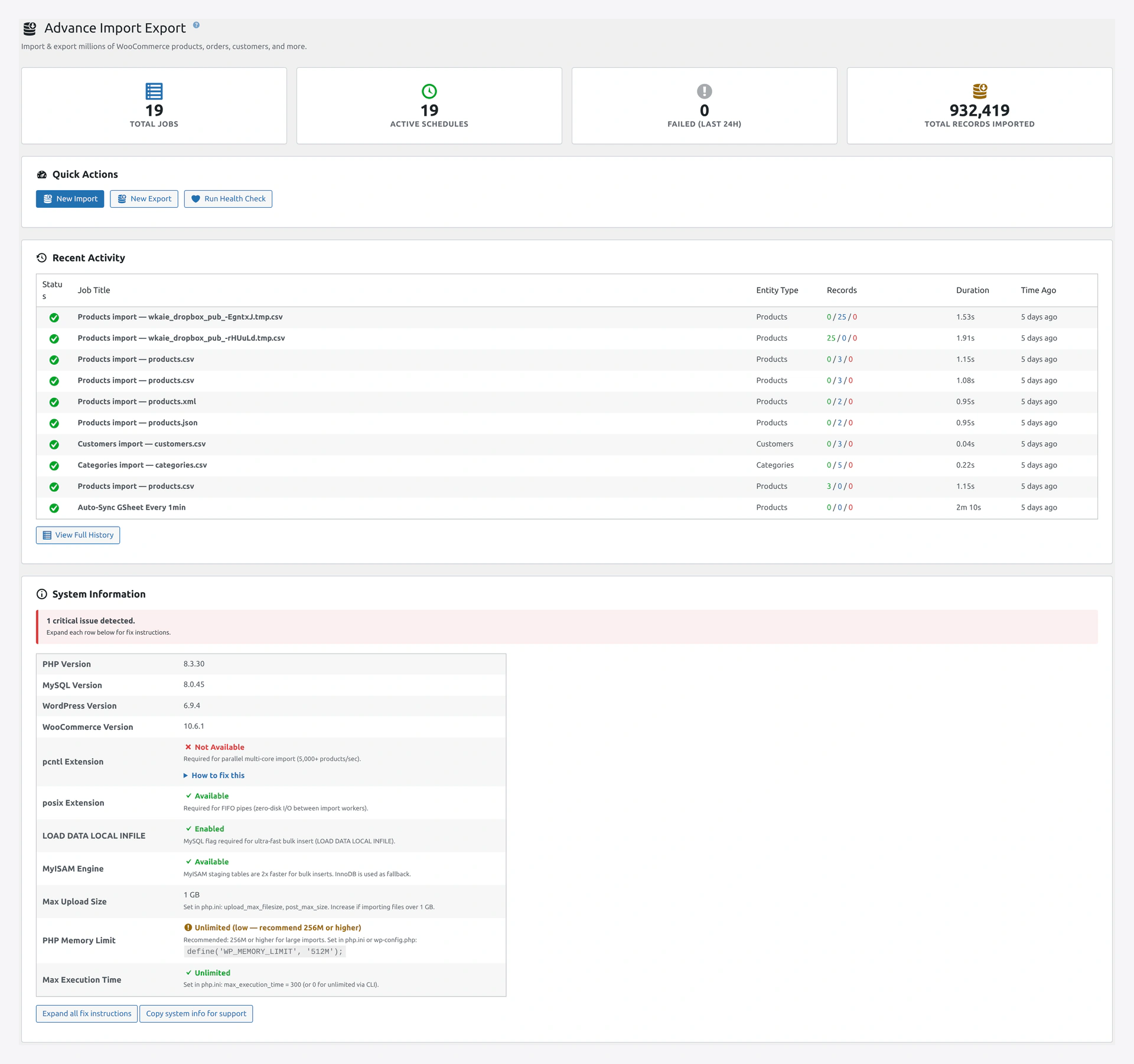 Our Dashboard — stat cards, quick actions, and recent activity, all in one place for every entity type.
At a Glance
| Category | Advance Import and Export | WebToffee Product Import Export |
|---|---|---|
| Core focus | All WooCommerce data (14 entities) | Products-centric (+ a few others via separate plugins) |
| Product import / export | Yes | Yes |
| Order import / export | Yes (included) | Separate plugin ($89/year) |
| Customer import / export | Yes (included) | Separate plugin ($69/year) |
| Coupon import / export | Yes (included) | Separate plugin ($69/year) |
| Review import / export | Yes (included) | Not supported |
| Posts / Pages / Users | Yes (included) | Not supported |
| Subscriptions | Yes (when plugin active) | Separate plugin |
| Import sources | 11 | 4 (file, URL, FTP, server) |
| Export destinations | 12 | 2 (download, FTP) |
| One-click rollback | Yes | Limited (product revert only) |
| Live Google Sheets sync | Yes | No |
| Migration presets | 8 platforms | 0 |
| Delta / incremental import | Yes | No |
| Health check / data integrity | 23 checks with auto-fix | No |
| Job chaining | Yes | No |
| REST API | 16 endpoints | No |
| WP-CLI | 8 command groups | Limited |
| Pricing | One-time | Yearly subscription |
Where WebToffee Is Better
1. Simplicity for Products-Only Stores
If you only ever deal with products and you like a minimal UI, WebToffee is straightforward. Fewer tabs. Fewer options. Less to learn.
2. Specialized Plugins for Specific Entities
WebToffee has separate plugins for Orders, Customers, Subscriptions, Bookings, etc. Each one is focused and well-documented for that one entity.
If your workflow is only about one entity — say, exporting orders every week — their Order Import Export plugin is a solid single-purpose tool.
Where We Are Better
1. One Plugin vs. Many
With WebToffee, to cover the basics (products + orders + customers + coupons), you need four separate plugins:
- Product Import Export — $99/year
- Order Import Export — $89/year
- Customer Import Export — $69/year
- Coupon Import Export — $69/year
Total: $326/year, forever.
Our plugin: one plugin, one purchase, lifetime access, 14 entities included.
2. Broader Entity Coverage
WebToffee does not support:
- Reviews
- Posts / Pages / Users
- Attributes (separately)
- Memberships
- Bookings (as a first-class entity)
- Subscriptions (requires a separate plugin)
Our plugin supports all 14 in a single UI with one set of mappings.
3. More Import Sources
WebToffee: file upload, URL, FTP, server path.
Our plugin: file upload, server path, URL, FTP, SFTP, Google Sheets, Google Drive, Dropbox, Amazon S3, REST API, WooCommerce REST API.
Cloud users skip manual downloads entirely.
4. More Export Destinations
WebToffee: download, FTP.
Our plugin: download, server path, FTP, SFTP, S3, Dropbox, Google Drive, OneDrive, Google Sheets, REST API, WC REST API, email.
Automate your daily order export to S3 or a Google Sheet without a second tool.
5. Live Google Sheets Sync
WebToffee has no live sheets sync. You manually re-upload CSVs.
Our plugin watches a Google Sheet and updates the store whenever the sheet changes. Your shop manager edits cells; your store updates automatically.
6. One-Click Rollback
WebToffee offers product revert (undo a product's last change), but it does not cover the full import as a unit. If an import changes 5,000 products, you revert them one at a time.
Our rollback is atomic — undo the entire import in one click. Selective rollback is also supported (undo specific records only).
7. Health Check with Auto-Fix
After an import, how do you know your data is clean? WebToffee leaves it to you.
Our plugin includes 23 integrity checks (orphaned relationships, broken upsell links, stock consistency, attribute validity, duplicate SKUs, add-to-cart validation) with one-click auto-fix.
8. Migration Presets
Moving from Shopify or Magento? WebToffee offers a few product-only templates.
Our plugin ships with presets for Shopify, Magento 1/2, BigCommerce, PrestaShop, OpenCart, Amazon, eBay, and Google Shopping — covering products, variations, categories, attributes, and SEO fields.
9. REST API and WP-CLI
WebToffee has no REST API and limited WP-CLI. To trigger an import from an external system, you need to build a custom wrapper.
Our plugin has 16 REST endpoints and 8 WP-CLI command groups for full programmatic control.
10. Performance on Large Catalogs
WebToffee uses batched AJAX calls. For 10K-100K product stores, imports can take 30+ minutes.
Our plugin uses parallel processing. 10K products in under 10 seconds. 1M products in a few minutes (on proper hardware).
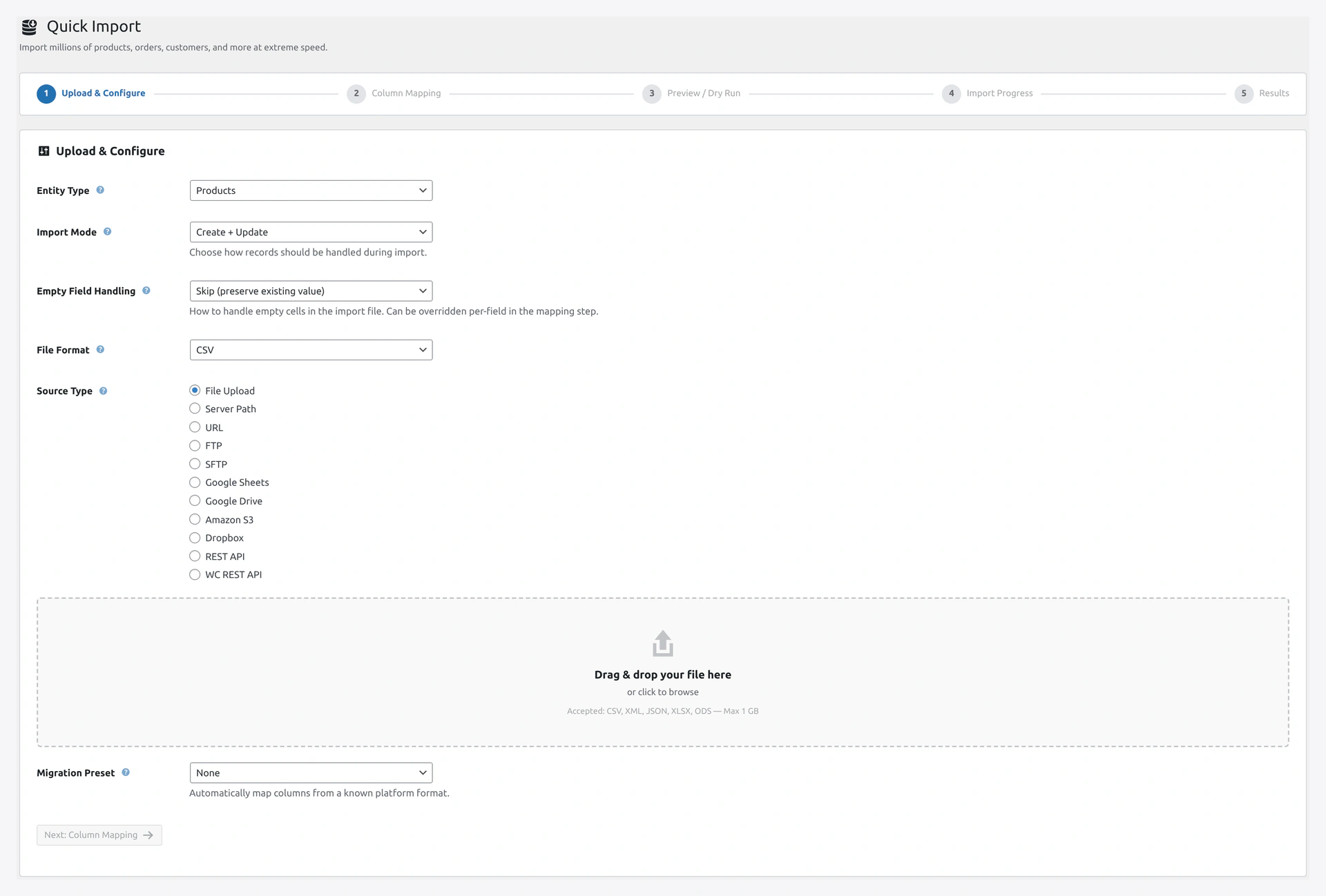 Our Quick Import wizard Step 1 — entity, mode, format, source, and migration preset on a single screen.
Feature-by-Feature Detail
Product Import
| Feature | Advance Import and Export | WebToffee |
|---|---|---|
| Simple products | Yes | Yes |
| Variable products | Yes | Yes |
| Variations as separate rows | Yes | Yes |
| Auto-group variations from simple rows | Yes | Limited |
| Grouped products | Yes | Yes |
| External / Affiliate products | Yes | Yes |
| Downloadable / Virtual | Yes | Yes |
| Image import (URL → Media Library) | Yes | Yes |
| Deferred image import | Yes | No |
| External CDN URLs (no download) | Yes | No |
| Upsell / Cross-sell by SKU | Yes | Yes |
| Multi-language via WPML | Yes | Limited (add-on) |
| Multi-language via Polylang | Yes | No |
Order Import
| Feature | Advance Import and Export | WebToffee (Order Plugin) |
|---|---|---|
| Order import in same plugin | Yes | No (separate $89/yr plugin) |
| HPOS support | Yes | Yes |
| Line items | Yes | Yes |
| Refunds | Yes | Yes |
| Order notes | Yes | Yes |
| Status preservation | Yes | Yes |
| Payment details | Yes | Yes |
| Subscription-linked orders | Yes | Limited |
Customer Import
| Feature | Advance Import and Export | WebToffee (Customer Plugin) |
|---|---|---|
| Customer import in same plugin | Yes | No (separate $69/yr plugin) |
| Password handling (plain, hashed, auto-generate) | Yes | Yes |
| Welcome email toggle | Yes | Yes |
| Address book import | Yes | Yes |
| Customer meta preservation | Yes | Limited |
Automation
| Feature | Advance Import and Export | WebToffee |
|---|---|---|
| Scheduled imports | Yes | Yes (basic cron) |
| Custom cron expression | Yes | No |
| Event triggers | Yes (on product save, new order, stock change, custom hook) | No |
| Job chaining | Yes | No |
| Live Google Sheets sync | Yes | No |
| Webhook receiver | Yes | No |
| REST API | 16 endpoints | No |
Safety
| Feature | Advance Import and Export | WebToffee |
|---|---|---|
| Atomic rollback (undo entire import) | Yes | No |
| Selective rollback | Yes | No |
| Product revert to prior version | Yes | Yes |
| Pre-import validation | Yes | Yes |
| Post-import health check | Yes (23 checks) | No |
| Encrypted credential storage | Yes | Limited |
Compatibility
Our plugin detects and integrates with 15 third-party plugins. WebToffee is more limited — it primarily supports ACF and basic Yoast meta. Full compatibility for Meta Box, WPML, Polylang, Dokan, WCFM, WC Vendors, and Product Bundles requires manual column mapping (if supported at all).
Pricing Breakdown
Advance Import and Export for WooCommerce
- One-time purchase — pay once, use forever
- All 14 entities, all sources, all destinations, all features — included
- Lifetime updates and support included for the support period
- No add-ons, no upsells
WebToffee Stack (Comparable Feature Set)
| Plugin | Price |
|---|---|
| Product Import Export Pro | $99/year |
| Order Import Export Pro | $89/year |
| Customer Import Export Pro | $69/year |
| Coupon Import Export Pro | $69/year |
| Yearly subtotal | $326/year |
| 3-year total | $978 |
| 5-year total | $1,630 |
Each year you renew. Miss a renewal and plugins stop updating.
When to Pick WebToffee
Pick WebToffee Product Import Export if:
- You genuinely only ever import products, and no other entity
- You prefer a very minimal, focused UI with few options
- You already own their plugin suite and are happy
- You do not need advanced automation (Google Sheets live sync, job chaining, REST API)
When to Pick Advance Import and Export
Pick our plugin if:
- You handle more than one entity type (orders, customers, coupons, etc.)
- You want one plugin instead of four
- You want a one-time price instead of yearly renewals
- You need live Google Sheets sync, scheduled jobs with cloud destinations, or REST API
- You need rollback that covers the entire import
- You care about post-import data integrity (Health Check)
- You are migrating from a non-WooCommerce platform (Shopify, Magento, etc.)
The Bottom Line
WebToffee makes reasonable products for narrow use cases. But the moment your needs expand beyond "just products," you end up buying three or four plugins that cost more than our single one-time purchase.
We built Advance Import and Export to be the last import plugin you will need. Every entity, every source, every destination, every automation, in one place, for a price you pay once.
Related Pages
- vs WP All Import — Comparison with the other major competitor
- Features — Every feature in our plugin
- Migration Presets — Ready mappings for Shopify, Magento, etc.
- Quick Start — Your first import in 5 minutes